
API authentication, endpoints, and operations
Public API manual covering keys, permissions, pagination, resources, errors, and the interactive console.
Last updated: 2026-09-21
API-key permission numbers
Each API-key permission displays a stable number in its configuration. If the key lacks the required authorization, the error reports the number and description of missing permissions and distinguishes alternatives from cumulative requirements.
For example, API permission no. 2001 means reading the customer list. Verify the key actually in use and grant only the operations it needs. Authentication failures, unauthorized source addresses, and unavailable resources require the specific check stated in the message instead.
Scope and public specifications
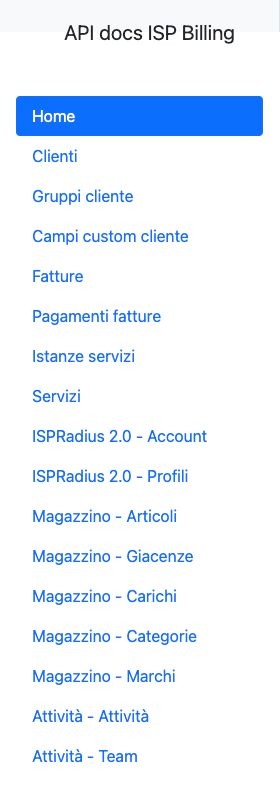
The public APIs connect external systems to customers, groups, custom fields, invoices, payments, service catalog and instances, ISPRadius 2.0, warehouse, and activities. Resource-specific OpenAPI specifications are available in the official interactive console.
An endpoint does not grant access by itself: enabled module, valid key, source IP, and endpoint permission are evaluated separately.
Create an API key
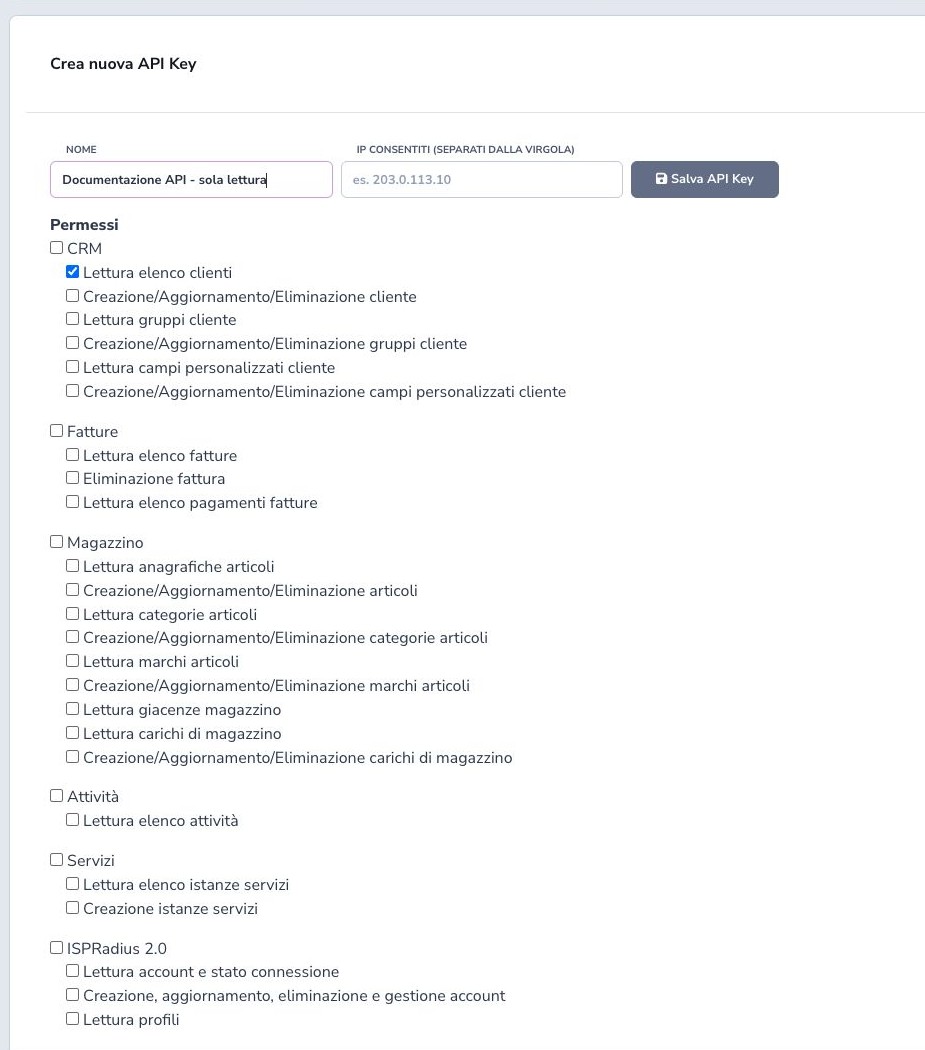
Open Settings → API → API Keys, create a name that identifies the application and environment, optionally enter the permitted public source IPs, and select only the endpoint permissions required by that integration.
Create separate credentials for production, testing, reporting, provisioning, and third parties so each can be audited and revoked independently. The verified read test used a dedicated customer-read key; no secret or reusable credential belongs in this manual.
Secret, regeneration, and deletion
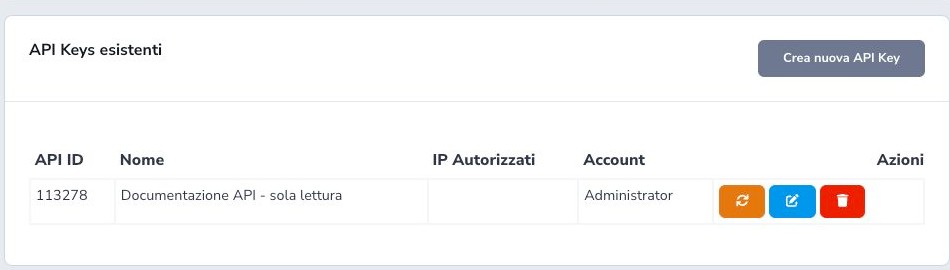
The API secret is displayed only when the key is created or regenerated. Copy it immediately into a server-side secret manager and restrict access to the application runtime and authorized operators. The normal key list retains the API ID, name, whitelist, and owner but never reveals the secret again.
Editing changes metadata, source IPs, and permissions. Regenerate invalidates the previous secret, so plan deployment and rollback to avoid an uncontrolled outage. Delete revokes the key and should be used for retired, compromised, or unnecessary clients after confirming their traffic has stopped.
Authentication header
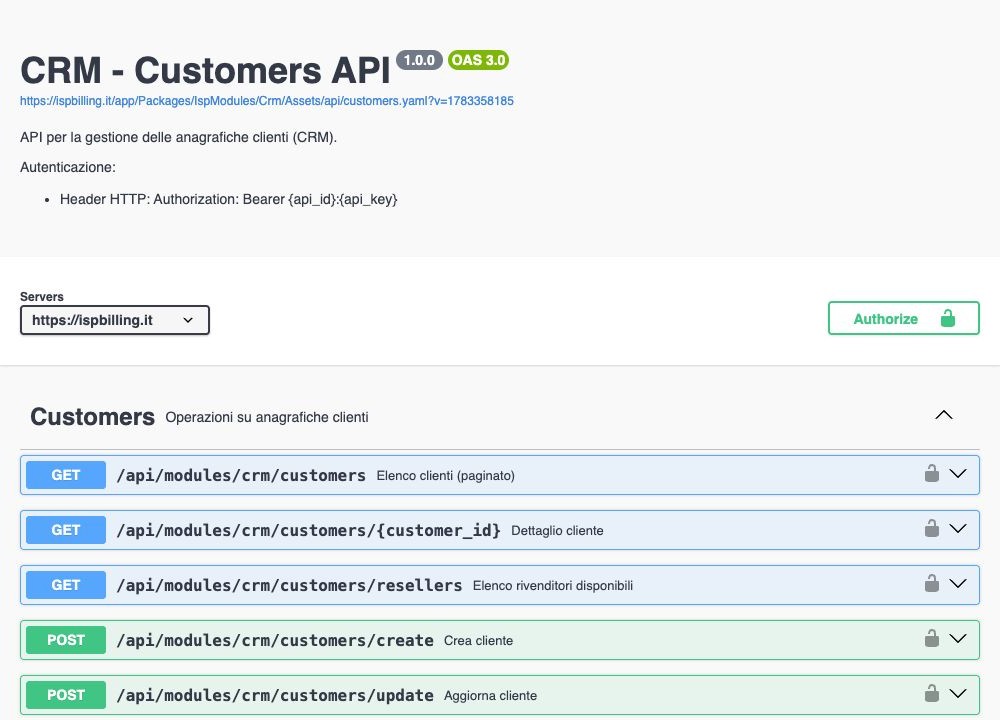
Send Authorization: Bearer {api_id}:{api_key} over HTTPS. Swagger adds the Bearer prefix automatically, so its Authorize field receives only api_id:api_key. Keep credentials server-side, use Accept: application/json, and never place secrets in URLs, browser code, tickets, or screenshots.
Available permissions
Read and write permissions are separate for customer and CRM resources, invoices, warehouse operations, service instances, and ISP Radius 2.0 management. Activities, teams, and several lookup resources expose read-only operations according to their specification.
Grant access from the actual integration requirements, not from convenience. A key allowed to read customers does not automatically read invoices, and a write permission should be added only after the client has validation, idempotency, audit logging, and operational verification.
IP whitelist and owning account
The optional whitelist contains the stable public source addresses permitted to use the key, entered in the supported comma-separated format. Record the address seen after the client’s NAT, proxy, or outbound gateway rather than an internal private address.
Whitelist, valid secret, endpoint permission, enabled module, tenant, and owning account are evaluated as separate security conditions. An empty whitelist does not grant missing permissions, while an incorrect whitelist can reject an otherwise valid credential. Update it deliberately when hosting or egress changes.
Interactive Swagger console
Each specification exposes server, authorization, endpoints, parameters, request bodies, response models, and Try it out. POST operations are real against the selected tenant; verify environment and credential before executing them.
Responses and errors
Success commonly uses status: OK and data; failures use status: ERROR and a message. Each specification describes its authentication, permission or whitelist, validation, not-found, and internal-error outcomes.
Clients must validate HTTP status, Content-Type, and body together because successful transport may still carry an application error. Send only required parameters, validate JSON before processing it, and log request identifiers and outcomes without secrets or complete records.
Pagination and filters
Customers, groups, custom fields, invoices, payments, service instances, and Radius accounts use numbered pagination. Several warehouse and activity resources use cursor pagination. Follow each specification and never assume identical parameters across families.
Example values are not mandatory inputs. Preserve returned cursors or page numbers and use limits to avoid uncontrolled full scans.
Customers: reading and management
Customers provides paginated list, detail, available-reseller lookup, create, update, and delete operations according to the granted permission. Use filters and stable identifiers to find an existing customer before creating another one.
Retrieve current state before update, validate individual or company data and required fields, and preserve values the client does not intend to change. Before delete, assess linked services, documents, payments, tickets, contracts, and retention obligations; HTTP success must be followed by a read or operational check.
Customer addresses, phones, e-mails, and payment methods
Per-customer routes list and manage additional addresses, telephone numbers, and email contacts. Each resource has its own identifier and create, update, or delete operation, so the client must not treat an array position as stable identity.
Customer payment-method routes expose permitted methods and supported setup links. A setup link starts an external authorization flow but does not prove that the customer completed it or that the source can be charged. Normalize contacts, verify ownership and defaults, and never send card data or reusable banking credentials through generic CRM fields.
Customer groups
Customer Groups provides list, detail, create, update, and delete operations. Groups can drive classification, segmentation, permissions, communications, reports, or downstream integration behaviour, so their meaning should remain stable.
Use recognizable names and search for an existing group before creation. Before renaming or deleting one, inspect assigned customers and every workflow that consumes the group identifier; a successful API response does not prove that downstream rules were migrated.
Customer custom fields
Customer Custom Fields manages field definitions through list, detail, create, update, and delete. Define a clear label, supported data type, required state, allowed options, and the intended operational purpose.
Existing customer values must remain compatible when type, options, or requirement rules change. Do not repurpose a field for unrelated data and never use custom fields to store passwords, API secrets, full card data, or other reusable credentials. Review affected records before deletion.
Customer main address
The detail GET /api/modules/crm/customers/{customer_id} includes main_address_id: the main address ID, or null when absent. This field is available in the detail only, not in the paginated customer list. Reading does not create addresses; additional addresses remain available separately.
To read the main address together with additional addresses, use GET /api/modules/crm/customers/{customer_id}/additional-addresses?include_main=1. Each item includes its address_id and is_main: true identifies the main address, false an additional address. Only the existing customer read permission is required.
Without the parameter or with include_main=0, the response contains only additional addresses in the previous format, without is_main. If the main address is not registered, only available addresses are returned; if there are none, data is an empty list. This parameter does not enable updating or deleting the main address through additional-address operations.
Custom field values for one customer
To read one customer’s values, use GET /api/modules/crm/customers/{customer_id}/custom-fields?page=1, documented under Valori campi personalizzati cliente in the console. Only read_customers, the existing customer data permission, is required; the permission for reading field definitions is not needed. The response includes field ID, name, type, admin_only, and value.
Admin-only fields and password field values are included without masking. Fields without saved values return null; empty strings and "0" remain distinct. Results contain up to 50 fields per page: read data.data and follow data.next until null. If no fields exist, the list is empty.
For example, field ID 12, “External code”, may return value: "EB-123" for the requested customer. A 403 requires checking the key, IP, and customer read permission; 404 means the customer is unavailable to the key; 422 indicates an invalid customer ID.
Invoices and payments
Invoices provides paginated list, detail, and delete. Invoice payments provides the recorded-payment list. Reconcile document, amount, date, channel, and transaction reference; a configured gateway or completed redirect alone is not a recorded collection.
Services and service instances
The Services endpoint lists the ISP catalog. Service Instances provides paginated list, detail, and lite creation. Validate customer, catalog service, billing data, and module prerequisites; commercial creation does not prove provisioning or technical activation.
ISPRadius 2.0
Accounts provides list, detail, create, update, delete, disconnect, suspend, activate, terminate, and connection/traffic status. Profiles provides list and detail with Radius attributes. Session disconnect and account lifecycle changes are different operational actions and require management permission and post-action verification.
Warehouse articles, categories, and brands
Articles provides list, detail, create, update, and delete. Categories and brands expose cursor-based list and detail plus supported creation and update operations. Preserve provider identifiers, codes, names, VAT or pricing-related fields, serialization rules, and relationships required by existing stock.
Before deletion or reassignment, inspect movements, stocks, customer equipment, orders, and catalog usage. Cursor pagination must continue until the returned cursor is exhausted rather than guessing a numbered page.
Warehouse stocks and charge handlings
Stocks provides cursor-based list and detail by the supported warehouse context. Charge handlings provides list, a header-plus-lines detail, creation, update of existing lines, and delete or cancellation according to state.
Validate warehouse site, movement reason, supplier or customer context, line identifiers, quantities, taxes, serial numbers where required, and returned document identifiers. After every write, reread the handling and reconcile the resulting stock rather than assuming that an accepted request updated every line.
Activities and teams
Activities provides cursor list and detail; Teams provides a cursor list and is also published as its own specification. Use time filters and cursors for incremental synchronization, and keep customer activities distinct from personal tasks and tickets.
Executed API test
The least-privilege key was authorized in Swagger and the customer GET was executed. With optional examples removed, the server returned HTTP 200, JSON, status: OK, and a paginated collection. The full payload is intentionally omitted because it contains customer contact data and identifiers.
Integration checklist
- Use one key per application and environment
- Grant least privilege
- Whitelist stable source IPs
- Store the secret server-side
- Use HTTPS and explicit timeouts
- Validate HTTP status, Content-Type, and body
- Handle numbered and cursor pagination separately
- Remove unnecessary example parameters
- Make retries and writes idempotent where possible
- Log identifiers, never secrets or full records
- Verify effects in the operational module
- Rotate and revoke unused keys