
Cashbook and financial flows
Manage accounts, transactions, forecasts, fees, VAT, categories, and automatic links.
Last updated: 2026-08-19
Purpose and structure
Cashbook shows where liquidity is held and how it enters, leaves, or moves between ISP accounts. It combines manual transactions, customer receipts, supplier payments, gateway fees, and transfers without replacing invoices, bank statements, or statutory accounting.
The module separates the financial dashboard and ledger from Accounts and Categories settings.
Financial dashboard
The dashboard shows account availability, period reporting, flow trends, per-account liquidity, VAT, fees, flow sources, top suppliers, account flows, forecasts, and the detailed ledger. Balances may be hidden or revealed.
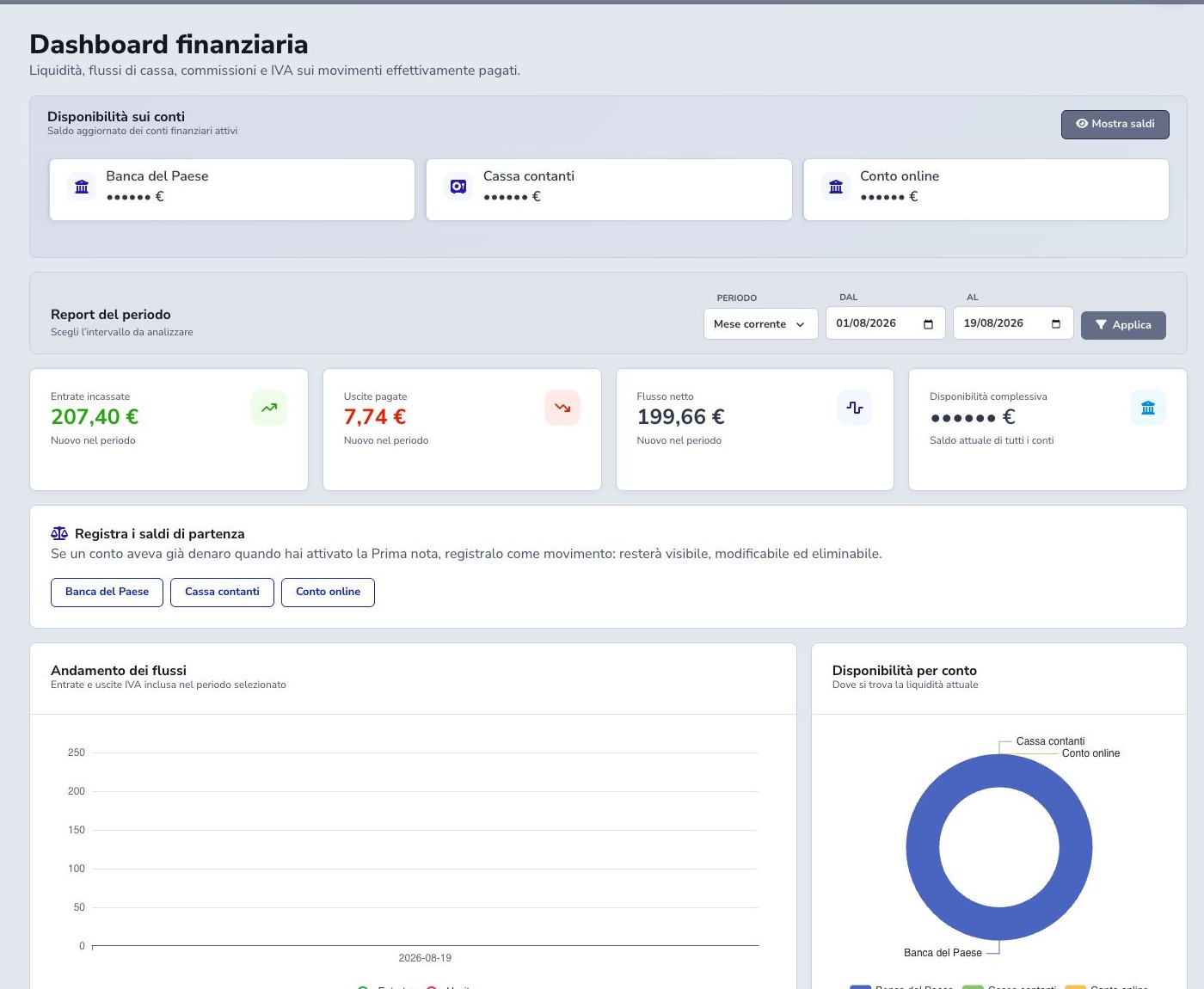
Period and financial indicators
Select current or previous month, current quarter, current year, or a custom range. Received income and paid expenses produce net flow for the selected interval; forecast movements, transfers, and current balances must be interpreted according to their own state and date.
Current total availability is the present balance of the included financial accounts and may differ from period flow. Before comparing two periods, confirm the same companies, accounts, states, dates, and filters are included.
Opening balances
Money already held when the Cashbook is activated must be represented once through an identifiable opening-balance transaction for each relevant account. Use the effective reference date, a dedicated description or category, and documentation that explains the source amount.
Do not recreate the opening balance in every period and do not add it when historical movements already produce the correct account balance. Reconcile the calculated balance with the bank, cash, or gateway statement before operators begin recording ordinary transactions.
Income, expense, and transfer
Income increases one account, Expense reduces it, and Transfer moves value from source to destination without creating overall revenue or cost. Select date, amount, and accounts according to the real event.
Recorded versus Forecast
Recorded transactions affect balances and actual flows. Forecast transactions appear in future income or expenses but remain outside actual liquidity. When the event occurs, update it through the supported process without duplicating it.
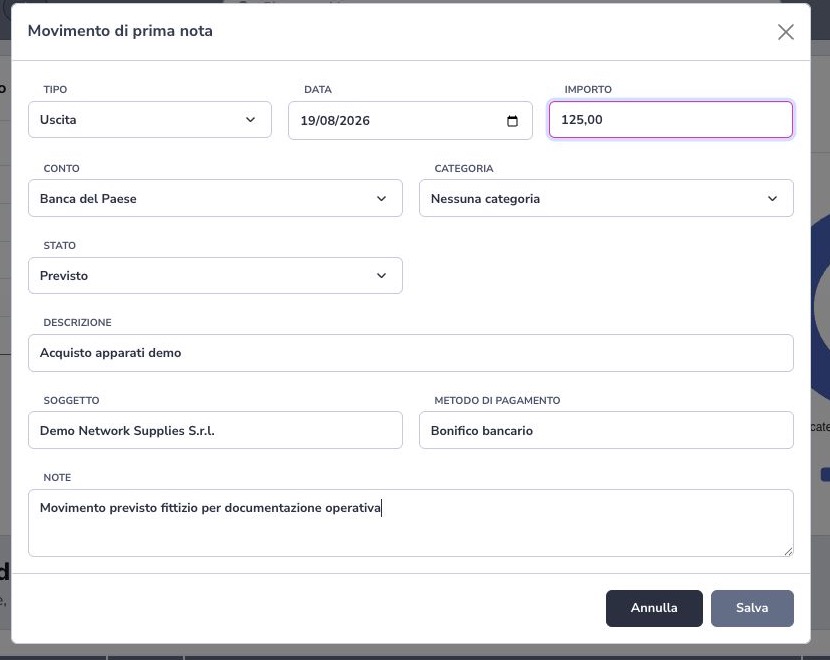
Record a forecast movement
Choose Income or Expense, the financial account, Forecast state, expected date, amount, currency, payment method, category, and the related customer or supplier when applicable. The description must explain what is expected and allow reconciliation without exposing confidential payment data.
A forecast movement represents a future financial event: it does not increase received income, paid expenses, or current availability until it is converted or replaced by the corresponding recorded movement. Review date and amount as the event approaches and avoid creating a second forecast for the same obligation.
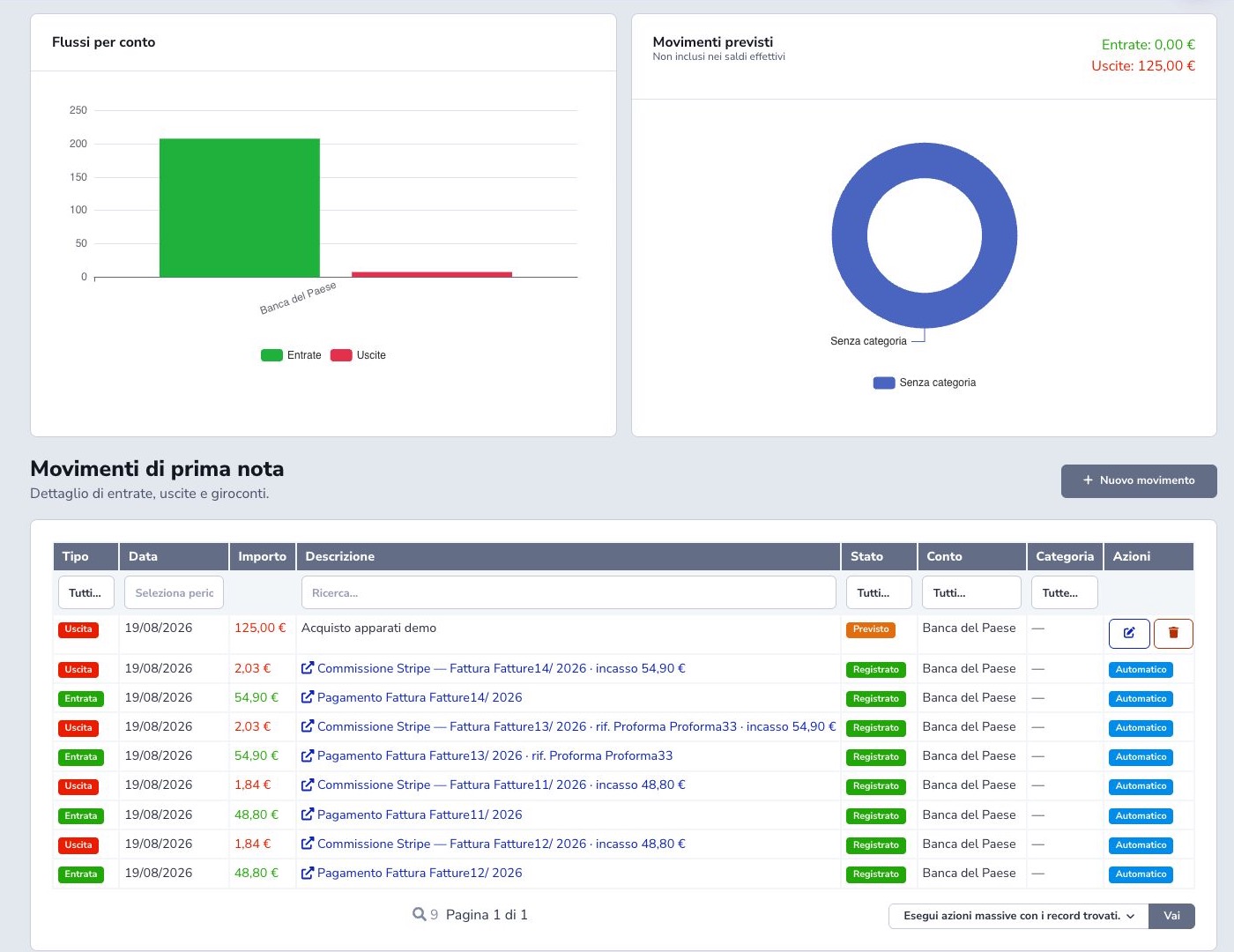
Ledger and filters
The ledger contains type, date, amount, description, state, account, category, and actions. Filter by type, dates, text, Recorded/Forecast, account, and category. Automatic invoice and gateway entries link their source document; manual entries expose maintenance controls.
Financial accounts
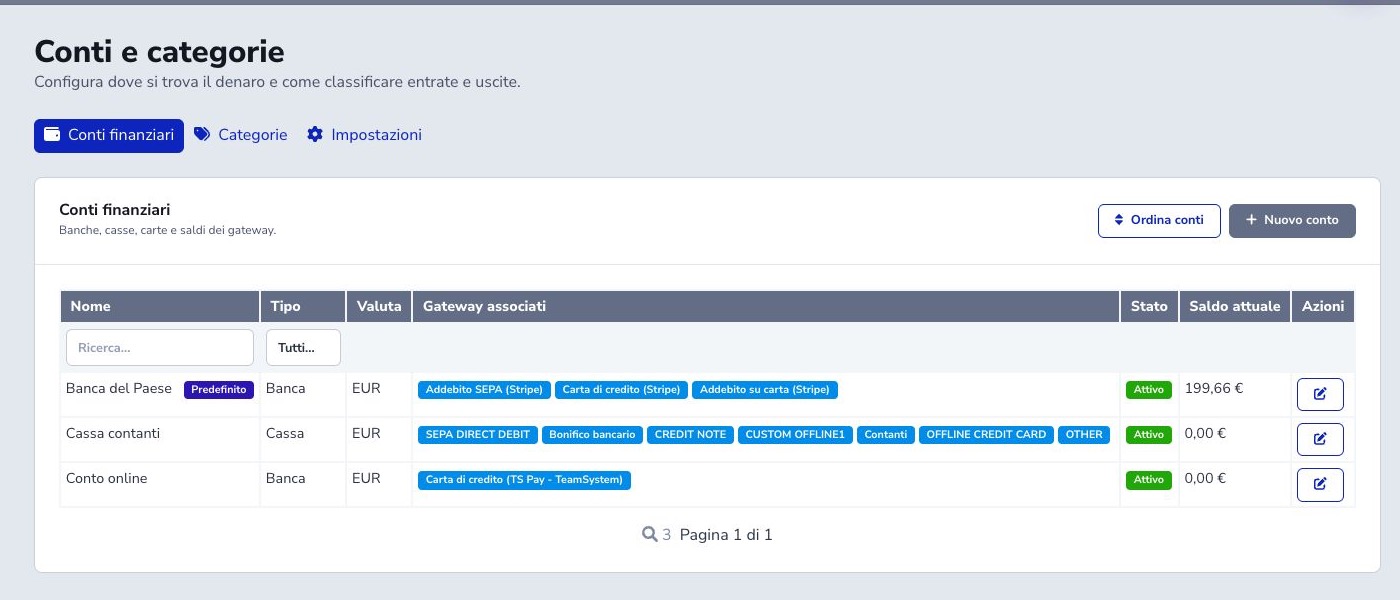
An account has name, Bank/Cash/Card/Gateway/Other type, currency, associated methods, active state, and balance. The mapping list always includes active gateways. A disabled gateway remains visible with the Inactive tag only when it already appears in invoice or payment history; disabled gateways that have never been used stay hidden. Each method appears once and automatically posts receipts to its configured account. Reassignment requires a clear effective date and reconciliation.
Initial setup wizard
Cashbook must be configured before transactions can be recorded. The wizard builds the ISP’s real financial structure: create or confirm bank, cash, card, and gateway-balance accounts; select an active default account; then map every detected payment method to an account. Activation is withheld while any detected method has no destination.
The default account is the controlled fallback for flows without a more specific mapping. New accounts start at zero; money already held on the activation date must be entered through visible opening-balance transactions. Completion stores the activation time, after which new payments are posted automatically. Any earlier history should be acquired through the supported synchronization and reconciled before manual entries are added.
Mapping gateways and payment methods
Gateway mappings decide where every automatic receipt is posted. Stripe, bank transfer, cash, SEPA, TS Pay, and other methods used by the ISP may expose technical codes, but each code must belong to one financial account only. Assigning it to a new account removes it from the previous account.
After activation, a mapping change may also reassign existing automatic movements for the affected methods. Compare gateway statements, invoice receipts, and both account balances before saving. Then run synchronization and inspect the ledger by account and source.
Order, default account, and deletion
Reorder accounts changes their dashboard and selector order without moving money or changing balances. The default account must remain active; select another default before deactivating it.
Before deletion, ISP Billing evaluates movement count, gateway mappings, opening balance, default use, and payout dependencies. A replacement account may be required. Where an account represents genuine history, deactivation usually preserves meaning more safely than deletion.
Source synchronization and reconciliation
Transaction synchronization rereads invoice payments and, when available, supplier-invoice payments. The same source updates its existing movement rather than producing a duplicate; removal of a source payment logically removes its automatic Cashbook entry.
The result reports processed operations and payments skipped because they have no valid amount. Reconcile source document, date, amount, method, account, and fee after each run. Automatic movements are corrected through their source workflow, not edited or deleted from the ledger.
Economic categories
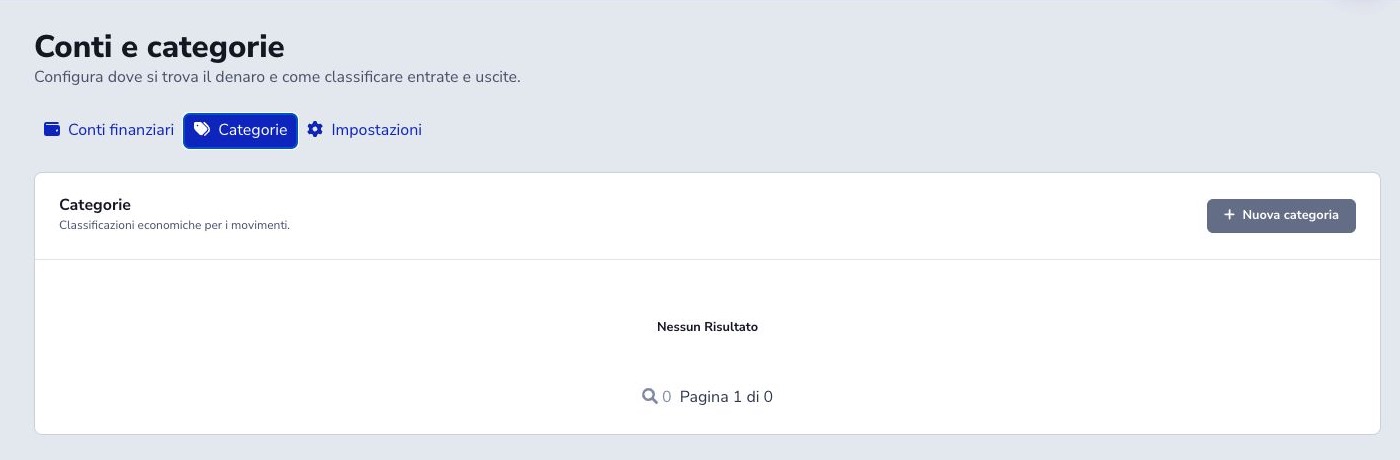
Categories classify both flows, income only, or expenses only and may be active or inactive. Use stable analytic groupings without replacing account, party, or source document. The example category list was empty.
Automatic receipts and fees
Invoice payments through associated methods create automatic income. Gateway fees are separate expenses grouped by payment service. Reconcile gross receipt, fee, and net settlement instead of reducing the customer invoice by the fee.
VAT for the selected period
The period card allocates sales VAT received and purchase VAT paid according to the paid amounts available to the module. Purchase VAT can depend on the supplier invoice data and Aruba XML files present in the system.
Confirm the selected dates, payment states, document completeness, credit notes, and source synchronization before using the figure. It is an operational indicator for treasury analysis, not a substitute for statutory VAT registers, tax returns, or professional review.
Supplier payments
When a supplier document is marked as paid through the supported workflow, the Cashbook can create the associated expense with supplier, amount, method, account, date, and source reference. Verify that the automatic movement corresponds to the definitive invoice and the actual financial account.
Do not keep a manual forecast and an automatic recorded expense for the same payment unless the forecast is explicitly reconciled or closed. Refunds, partial payments, fees, and date differences must be represented according to the source document and then checked against the account statement.
Stripe payouts
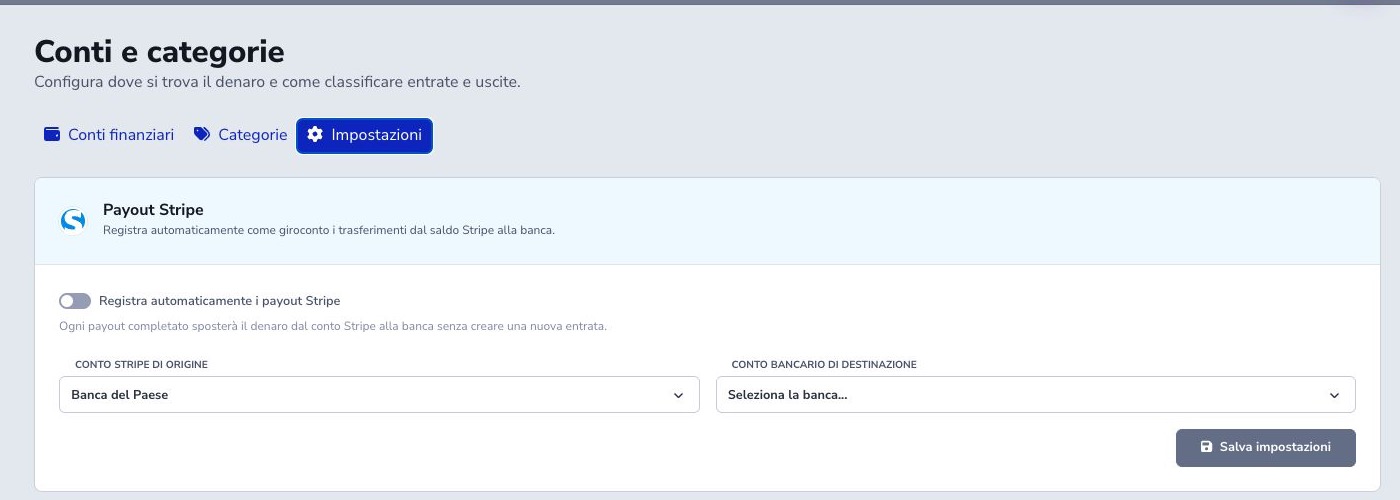
Stripe payout automation posts completed transfers from the Stripe balance to the bank. Configure two different active accounts: a gateway account representing funds held by Stripe and the receiving bank account. A payout moves previously recorded liquidity and never creates new income.
ISP Billing keys the operation by Stripe payout ID, remembers its latest state, and updates the same movement when a webhook is delivered again. A paid state creates or refreshes the recorded transfer; failed and canceled prevent posting and logically remove an existing transfer; intermediate states update monitoring without posting early.
Confirm webhook delivery and reconcile gross receipts, fees, gateway balance, and bank settlement. Never add a manual transfer for the same payout.
Export and safe maintenance
Bulk Export uses the current filtered result and generated files expire after 24 hours. Manual records may be edited or deleted after checking balances, reports, and reconciliations. Correct automatic records through their supported source workflow.
Reconciliation checklist
- Select the correct period
- Separate period flow from current balance
- Record opening balances once
- Use transfers for internal movements
- Separate Recorded and Forecast
- Choose the correct account and currency
- Map methods to real destinations
- Retain party and source references
- Reconcile gross, fee, and net
- Compare VAT with available documents
- Do not duplicate automatic entries
- Review filters before export