
Campaigns and communications
CRM customer campaigns and newsletters for external subscribers, with contact confirmation and withdrawal.
Last updated: 2026-09-29
Configure forms and embed them on a website
Open Subscription forms from the directory. Communications write permission is required. Enter a title, introduction, HTTPS privacy notice link, commercial consent text and offered channels; enable Accept new subscriptions and save. Up to 50 forms can distinguish websites or collection points.
Choose Edit / Script in the list and open Add to your website. Choose a Compact card for the footer, a Button that opens the form in a dialog, an Inline form with immediately visible fields, or a Direct link for menus, social posts and existing buttons. Cards and buttons open the form only when clicked. Customise the card title and short text, button label and colours; the opened form retains the ISP logo and colours.
The Preview offers desktop and mobile examples with fields and submission disabled. Try the button and close the dialog with Close or Esc. Embed customisations are included in the copied code: keep that code to reuse them. Press Copy code and paste it into an HTML block at the indicated location. Direct links also offer Copy link only. Use a direct link if the website editor does not accept scripts. Previously embedded scripts continue to show the inline form. Use Open public form to see the actual page. The public page uses the logo, favicon and colours already configured for the ISP. Consent is initially unchecked. Suspending a form stops new subscriptions without removing confirmed subscribers or preventing withdrawal.
Only active, configured ISP channels can be selected: Email requires complete Communications SMTP settings, SMS requires a configured service, and WhatsApp requires its configured service plus SMS for confirmation. The public form shows only selected channels that remain available. If none remains, new subscriptions are suspended; you can still save an inactive form. First configure SMTP in Communications and an SMS service for phone verification, including WhatsApp subscriptions. SMS confirmations use the ISP service and credits. The ISP supplies the notice and consent wording.
Confirm contacts and recover access
Visitors may enter their Full name (optional, up to 150 characters), select a channel, enter an email or phone with international prefix, read the notice and accept consent. The name appears in the directory and personal page only after contact confirmation. Access recovery neither asks for nor changes the name. Email recipients receive a link valid for 24 hours and press Confirm subscription. Confirmation and recovery emails use the ISP logo, colours and signature configured in the customer email template; when no email logo is set, the customer area logo is used. SMS and WhatsApp recipients receive an SMS code valid for 15 minutes. Five incorrect codes require a new confirmation request. Unconfirmed contacts do not receive campaigns.
To inspect an existing subscription, use Already subscribed? Manage your subscription below the subscription card. A separate page lets you select the channel and enter your contact without accepting a new subscription consent. Access is sent to the contact without requiring a customer account. Recovering an existing WhatsApp subscription only requires the SMS verification service to remain available. Personal links already received still allow withdrawal when a channel is disabled. Frequent requests are temporarily limited. If the consent text changes before confirmation, a new request is required. Requests left unconfirmed for more than seven days are removed.
Hotspot sources
New Hotspot registrations with explicit opt-in are separated by gateway and need no additional newsletter confirmation email. Public newsletter forms retain their confirmation. Use the Source filter in the directory; choose one gateway or all sources in campaigns. Each recipient gets one copy per channel. Repeated login neither duplicates subscriptions nor reactivates withdrawn consent. Configure collection, controller, privacy notice and channels in the Hotspot portal.
Simple withdrawal and new subscriptions
The recipient opens Manage subscription / Unsubscribe, views contact, channel and status, and presses Unsubscribe from this channel. No login is required. Opening the link alone does not unsubscribe. Expired links can be replaced by requesting access from the form.
Withdrawal excludes newsletter messages that have not yet been handed to the delivery service, including previously scheduled sends. Messages already handed over cannot be recalled. A new subscription requires fresh confirmation and does not restart earlier sends. This does not change preferences on a separate CRM customer record.
Communications in customer logs
Open Logs from the customer record. New campaign sends create a Service communications or Marketing communications entry with the scheduling account, original campaign title, channel and status. Multiple contacts or devices for the same customer are grouped into one entry per campaign send.
The title, channel, status and eye icon appear side by side, wrapping only when space is limited. Hover over Preview for an excerpt, or click or tap to open recipient-specific content. The header highlights channel and status, places the recipient beside the date, and shows the subject above the message. On smaller screens, the summary wraps onto additional lines. Later campaign edits do not change the stored title or messages. After a successful WhatsApp Meta send, the text of the template used is retained. Email previews also display logos and images available at their original addresses. Links remain disabled; any associated media is shown by its reference.
Statuses distinguish Scheduled, Waiting, Sent, Error and Cancelled. Sent does not confirm delivery or reading. Cancellation retains history and stops only messages that can still be cancelled. HTML details show the version at scheduling time; linked pages may change later.
Access requires customer CRM read permission. Sends preceding this feature remain in Communications history and are not retrospectively attributed to an account.
Module purpose
Communications manages bulk Marketing and Service campaigns over email, SMS, WhatsApp, and ISP APP. A campaign combines purpose, audience rules, one channel, content, and a reusable configuration.
Saving defines the campaign but sends nothing. Scheduling creates an immutable recipient snapshot and queue rows, which are later processed by the appropriate channel worker.
Campaign list and lifecycle
The list provides campaign ID, name, channel, purpose, duplicate, edit, and conditional delete actions. A campaign cannot be deleted once snapshots or queue records exist because operational history must remain traceable.
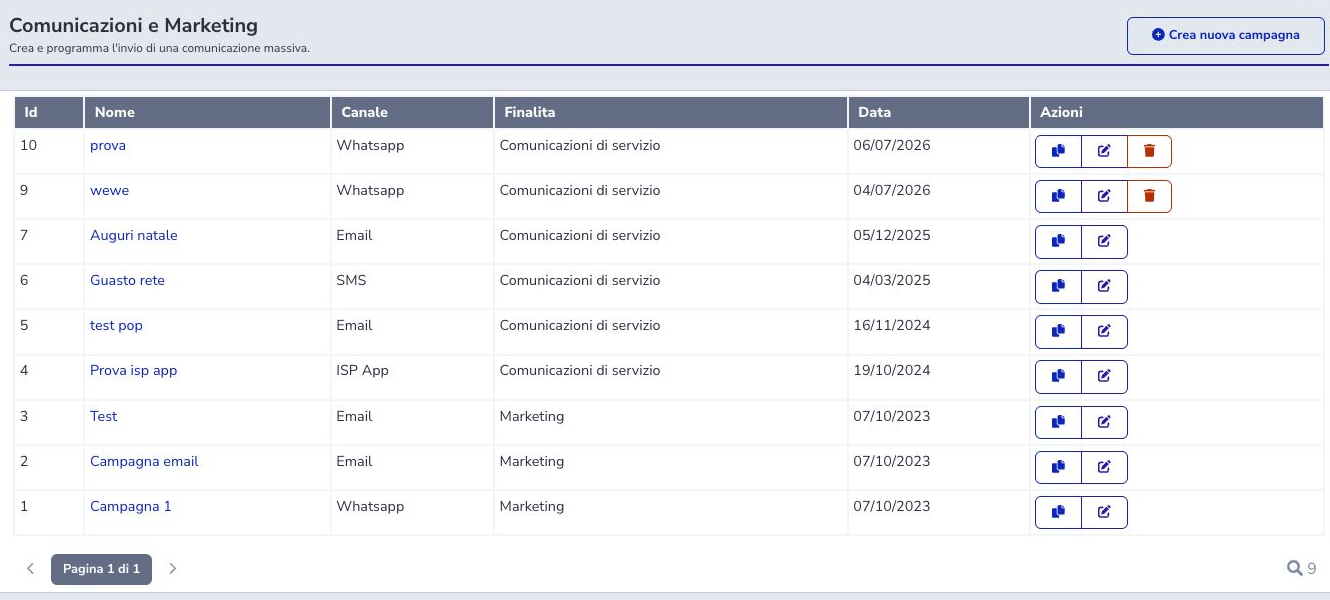
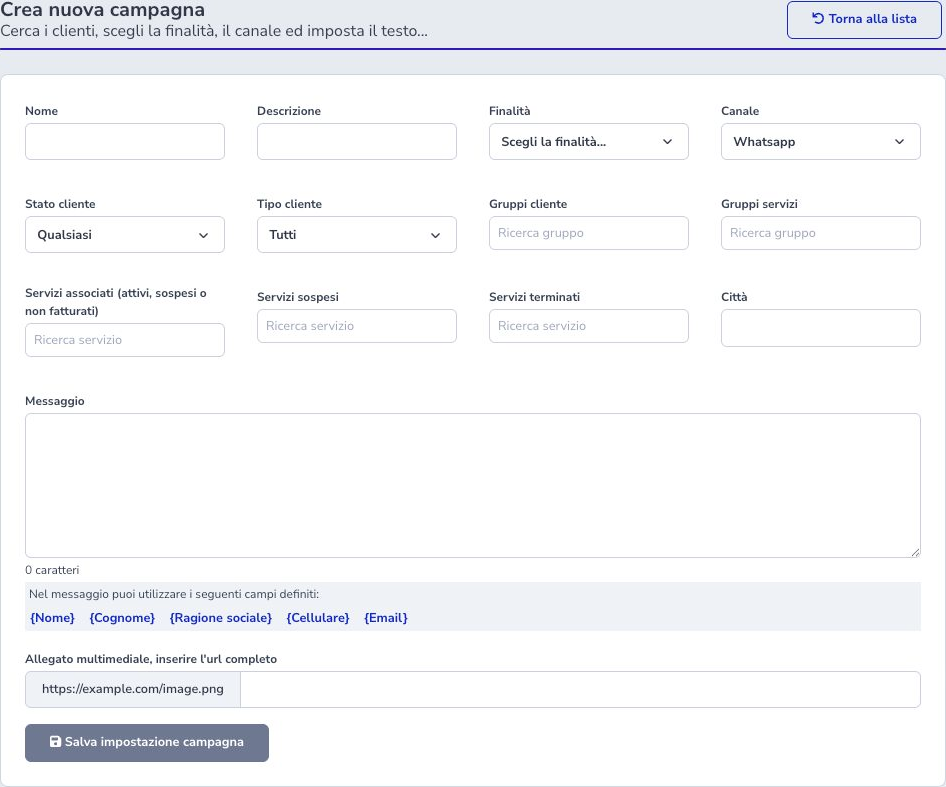
Name, description, and purpose
Use a recognizable internal name and description that explain the campaign, owner, period, and expected audience. Choose Marketing for promotional content or Service communications for operational information.
Purpose is not merely a label: it selects the corresponding customer notification preference during scheduling. Do not classify promotional material as service communication to bypass consent.
Audience filters
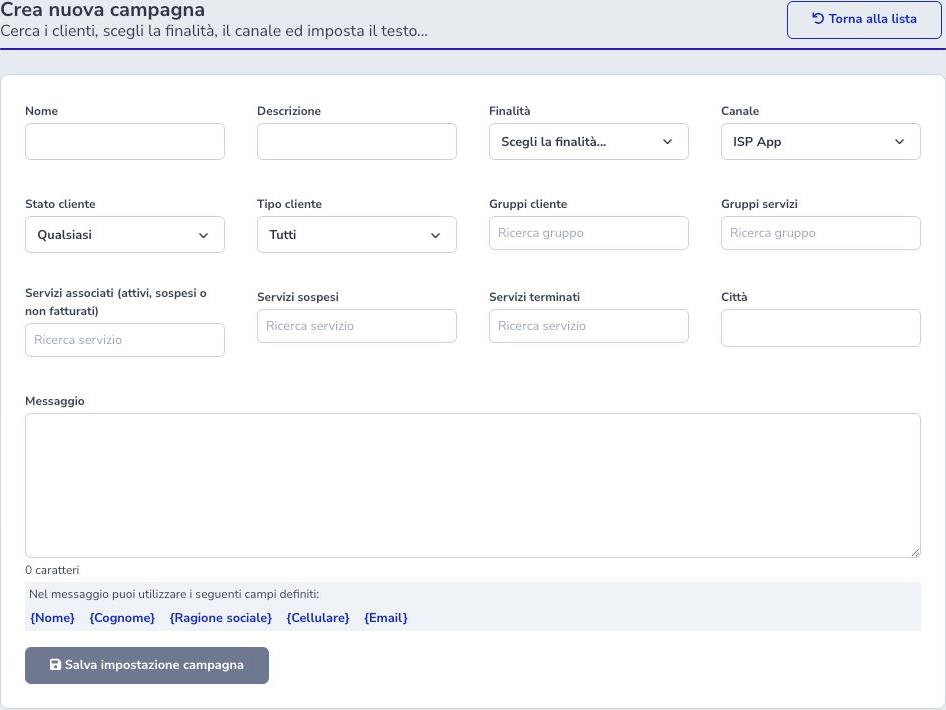
Audience rules can filter customer state and type, customer groups, service groups, presence of associated services, suspended or terminated services, and city. Multiple criteria combine and can narrow the result dramatically.
Define the smallest useful audience, save, and inspect reachable customers before scheduling. Test combinations that might include terminated customers or unrelated service holders, and treat an empty result as a configuration signal rather than weakening filters blindly.
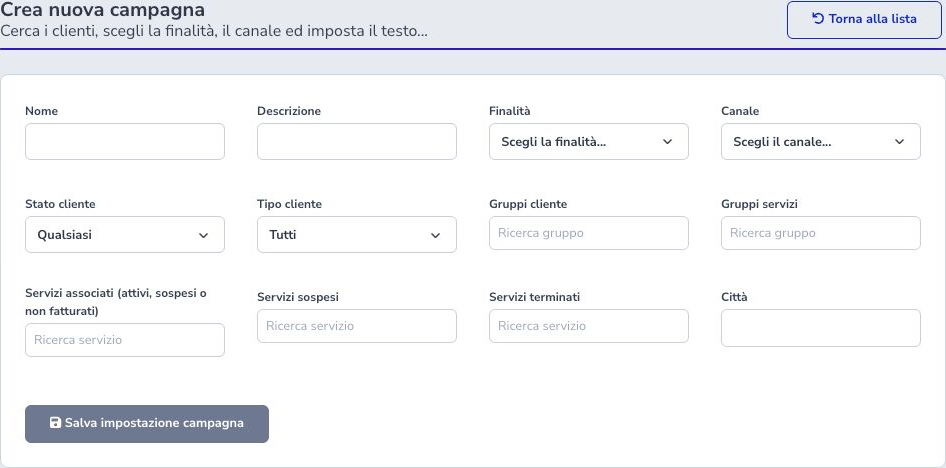
E-mail channel
E-mail provides a subject and rich editor. Merge fields include first name, last name, business name, mobile, and e-mail. Missing customer data may produce an empty value, so the final sentence must remain readable.
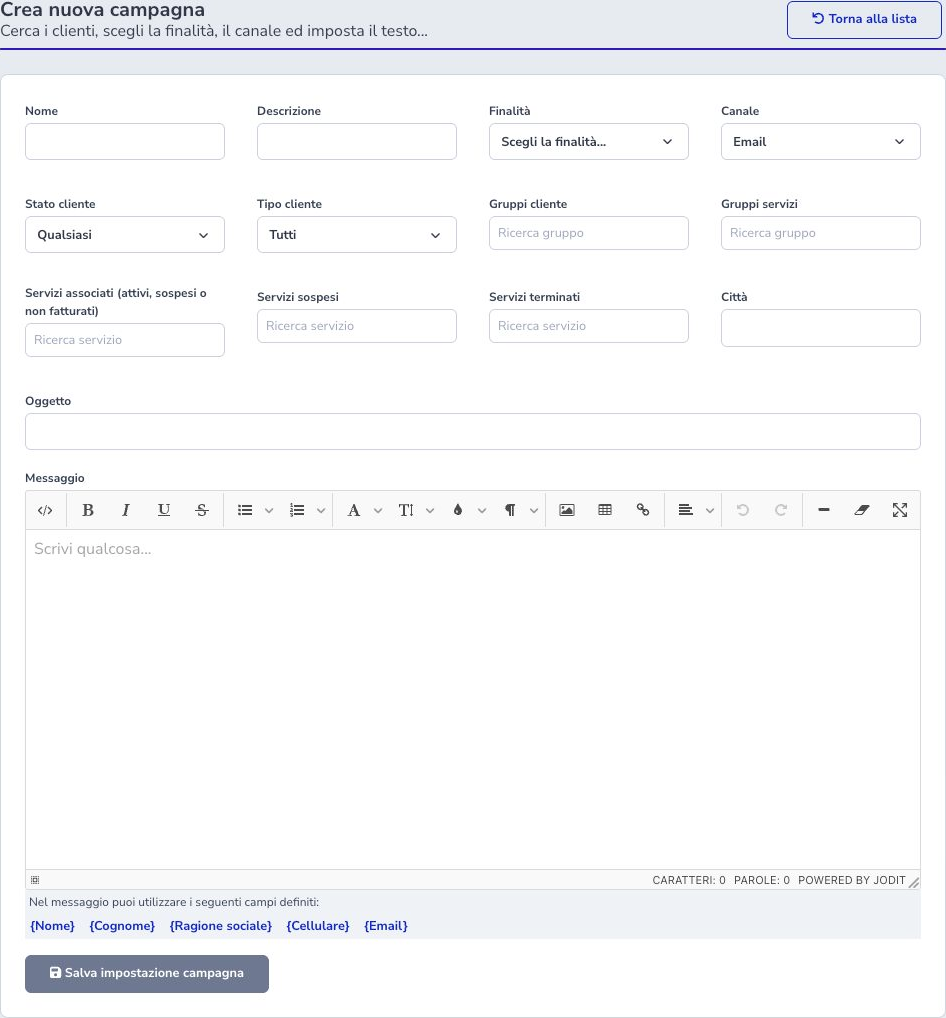
SMS channel
SMS uses plain text and displays character and credit estimates. Encoding and special characters may increase the segment count. Customers without an eligible phone preference do not receive a queue entry.
WhatsApp channel
The provider observed in the example accepts plain text and a full public media URL. A Meta configuration instead uses approved templates, required variables, preview, an 800-character final limit, and an optional Details button for secured short-code HTML content.
ISP APP channel
ISP APP sends text to registered push tokens and is offered only when the app module is active. A customer without an enabled preference and device token is not queued.
Saving does not send
Saving creates or updates the reusable campaign and exposes its preview and reachable-customer tools. No queue row or outbound provider request is created until an operator explicitly schedules a send.
The channel is fixed on edit because each channel has different content and recipient rules. Duplicate or create a new campaign when another channel is required. Changes affect future schedules only and never rewrite an already-created snapshot.
Reachable customers and manual selection
After the first save, Reachable customers lists customers with at least one contact enabled for the selected channel and purpose. For email, Recipient emails shows all enabled primary and additional addresses for each customer. SMS and WhatsApp show recipient numbers; ISP APP shows the number of devices. Duplicate contacts for the same customer count once, and invalid email addresses are flagged.
The summary separates customers from contacts: a customer can have several recipients. An address shared by different customers is counted for each customer. Totals follow campaign criteria and the manual selection; column searches only filter the displayed table and do not change the audience. Searching for one address still shows that customer’s other recipient addresses.
Select only some customers narrows the audience. Other eligible customers remain listed so they can be added. An empty manual selection shows zero recipients and cannot be saved: select at least one customer or turn manual selection off. Restore all customers returns to the campaign criteria.
The table previews current settings: save changes before sending. Preferences and contacts may change before scheduling; already scheduled sends keep their stored recipients. An enabled contact does not guarantee delivery.
Consent and effective recipient
Scheduling joins campaign filters with an enabled preference for the selected channel and either marketing or service purpose. E-mail uses the selected or general address; SMS and WhatsApp use the selected or primary number; ISP APP uses a push token. Rows without a recipient are skipped.
Schedule and snapshot
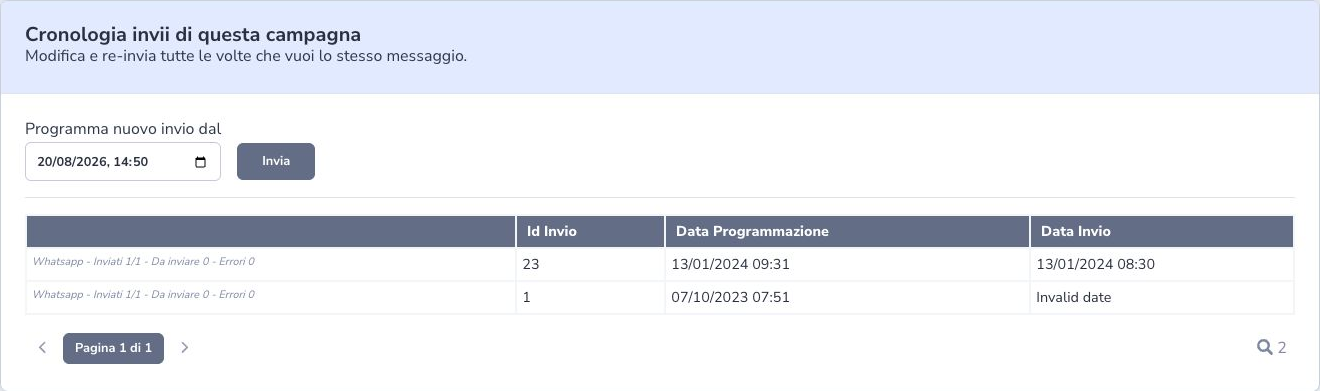
Choose date and time in send history and press Send. The application creates a snapshot and personalized queue rows rather than delivering directly from the browser. History reports total, sent, pending, and errors.
Send queue and statuses
The queue records customer, campaign, channel, effective recipient, purpose, scheduled date, attempts, status, and error information. Main states are To send, Sent, and Error; the snapshot can also reveal skipped or failed recipients.
Use the queue to distinguish campaign configuration from provider delivery. Sent means the worker completed the supported provider request, not necessarily that the person read the message or acted on it.
Saved campaign → scheduled snapshot → consented recipients → To send rows → channel worker → Sent or Error.
Cancel a scheduled send
Cancellation stops eligible pending rows belonging to the scheduled snapshot. Review campaign, snapshot time, remaining pending count, and business reason before confirming.
Cancellation cannot recall email, SMS, WhatsApp, or push messages already processed by a worker. Keep sent and error history for traceability, and create a corrected campaign or schedule rather than modifying evidence from the cancelled run.
Automatic execution by channel
Dedicated command-line workers process the email, SMS, WhatsApp, and ISP APP queues in scheduled batches. The former HTTP cron path is disabled, so opening a URL or queue page does not dispatch campaigns.
Install each required worker with non-overlapping scheduling, correct runtime environment, and monitored logs. Verify last run, claimed rows, retries, provider errors, and locks after activation.
Module settings
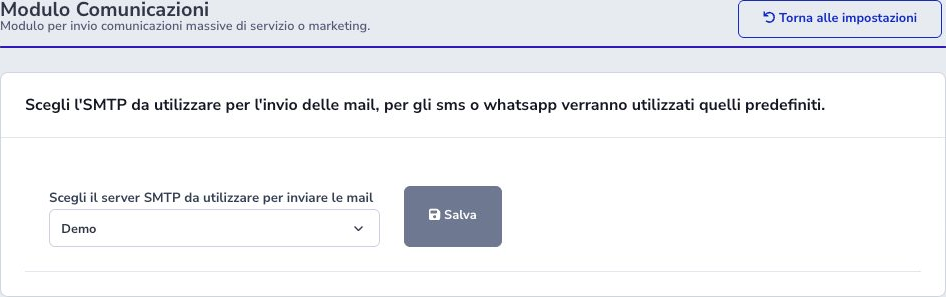
Communications settings select the already configured SMTP profile used for campaign email. SMS and WhatsApp use the ISP’s active/default provider configurations, while ISP APP requires its enabled module and registered customer devices.
Test every underlying channel before offering it in a campaign. Changing a default provider or SMTP profile affects future worker execution and should be coordinated with pending queue rows.
Pre-send checklist
- Recognizable internal name
- Purpose matching the content
- Available channel and provider
- Specific audience filters
- Reachable customer list reviewed
- Valid preferences and contacts
- Merge fields reviewed in context
- SMS or Meta limits checked
- Authorized public media URLs
- Correct scheduled date and time
- Queue and snapshot checked afterward
- No duplicate retry of already sent rows