
Exports: customer data, options, and file protection
Export only necessary customer data, wait for background processing, and protect files available until midnight.
Last updated: 2026-08-19
Customer data and options
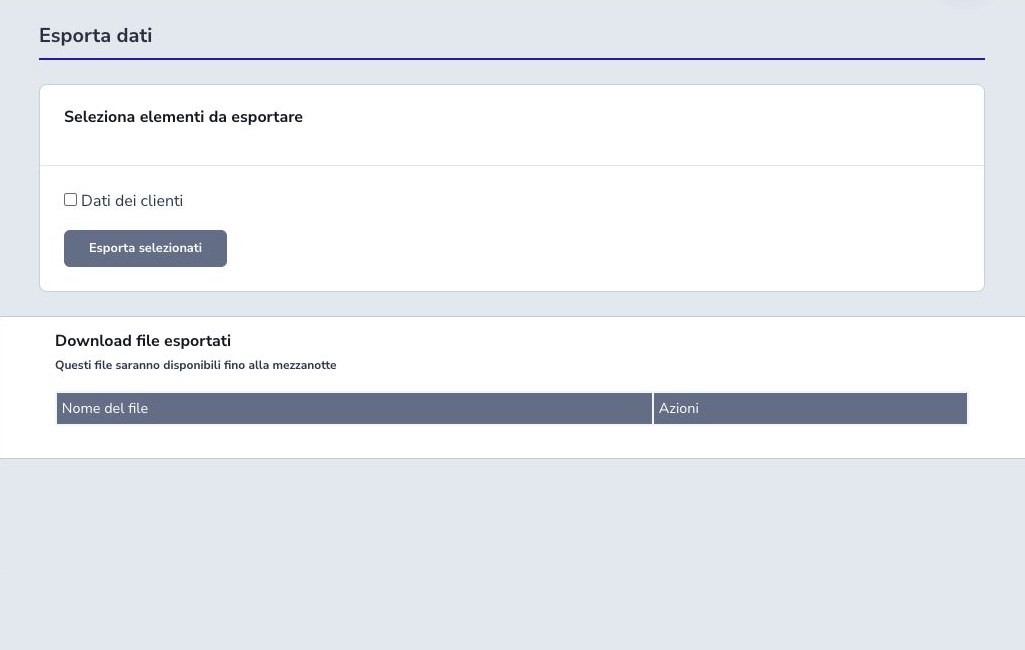
The base export includes the principal customer record. Optional selections can add telephone numbers, email addresses, installation or billing addresses, custom fields, internal notes, and payment-method information.
Select only fields necessary for the stated purpose. Custom fields and notes may contain heterogeneous personal or operational data that is difficult to classify in advance. Review their use before including them in a file destined for another team or system.
Payment methods
When selected, payment-method data can contain the method type, external provider identifier, masked description, and available bank metadata. These values require stronger access control and should be exported only for a specific authorized process.
A saved provider reference or masked account does not prove that a mandate remains valid, that a card can be charged, or that collection occurred. Never expect PAN, CVV, Stripe secrets, or other reusable credentials in the export, and do not enrich the file with such data manually.
Start and background processing
Choose the required options and start the export once. Generation runs in the background because customer volume and optional relationships may take time. A temporary processing entry is normal and is not a reason to start duplicate jobs.
Monitor the job state and scheduler rather than refreshing aggressively. If it fails, capture the redacted error, correct the underlying data or worker problem, and retry only the necessary scope.
Download and availability
Completed exports appear in the dedicated download area and remain available until midnight. Download within that window to the approved encrypted location; the scheduled cleanup then removes the temporary server copy according to the application flow.
After download, verify filename, format, row count, headers, character encoding, date and decimal representation, and several representative records. A successfully generated file can still be unsuitable for the destination if columns or formats were misunderstood.
Control and security checklist
- Document the purpose, requester, and recipient
- Confirm export permission and minimum scope
- Include only necessary data categories
- Review custom fields and internal notes
- Protect payment-method metadata
- Start one background job and wait for completion
- Download before the temporary expiry
- Validate rows, headers, encoding, and samples
- Transfer through an approved encrypted channel
- Record delivery and access
- Delete working copies according to retention policy