
IPv4 and VLAN management
Configure subnets and server VLANs, find free resources, and assign them safely to customers and services.
Last updated: 2026-08-19
Two network inventories
Network Management keeps IPv4 addresses and VLAN tags as separate but related technical inventories. IPv4 records identify addresses and detect their use in compatible Radius accounts. A Server VLAN is a collection context whose generated customer VLANs can be linked to service instances.
These inventories reduce duplicate assignments and make ownership searchable, but they do not configure routers, switches, OLTs, NAS devices, carrier portals, or routing by themselves. Every local assignment must be reconciled with the authoritative network configuration.
Enable IPv4 and VLAN separately
Under Settings → Network Management, IPv4 and VLAN have independent switches and save actions. Enable only the inventory the ISP is ready to maintain. Automatic static-IP selection also requires a compatible and correctly configured Radius integration.
Before activation, define address and VLAN plans, responsible roles, naming conventions, provider and collection-KIT vocabulary, reserved resources, assignment and release rules, migration handling, and a reconciliation schedule. Importing data without ownership rules creates a catalogue that looks authoritative but becomes stale quickly.
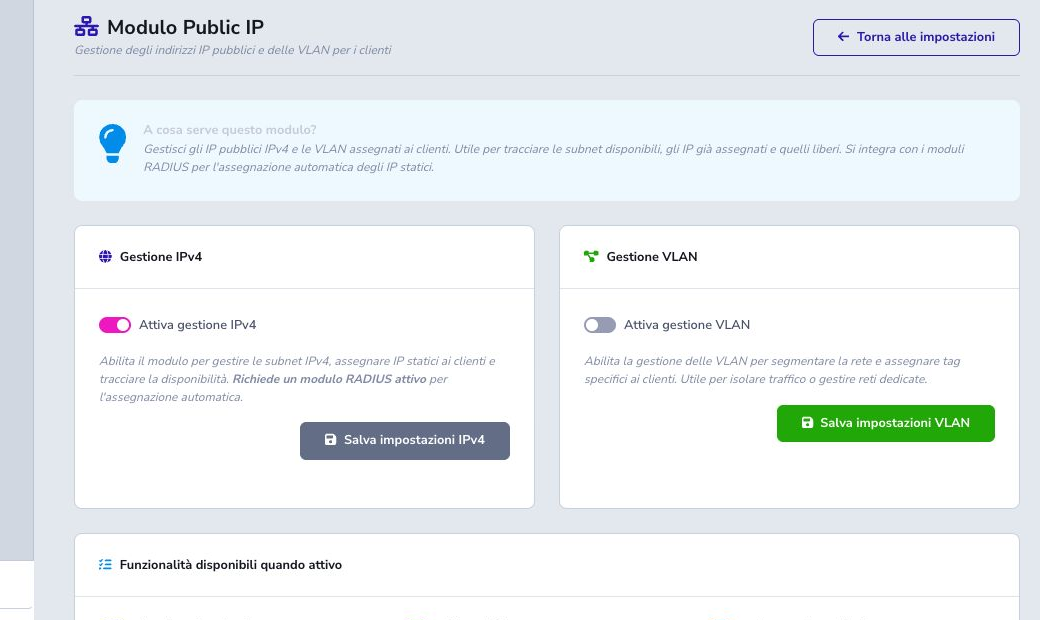
Generate an IPv4 subnet
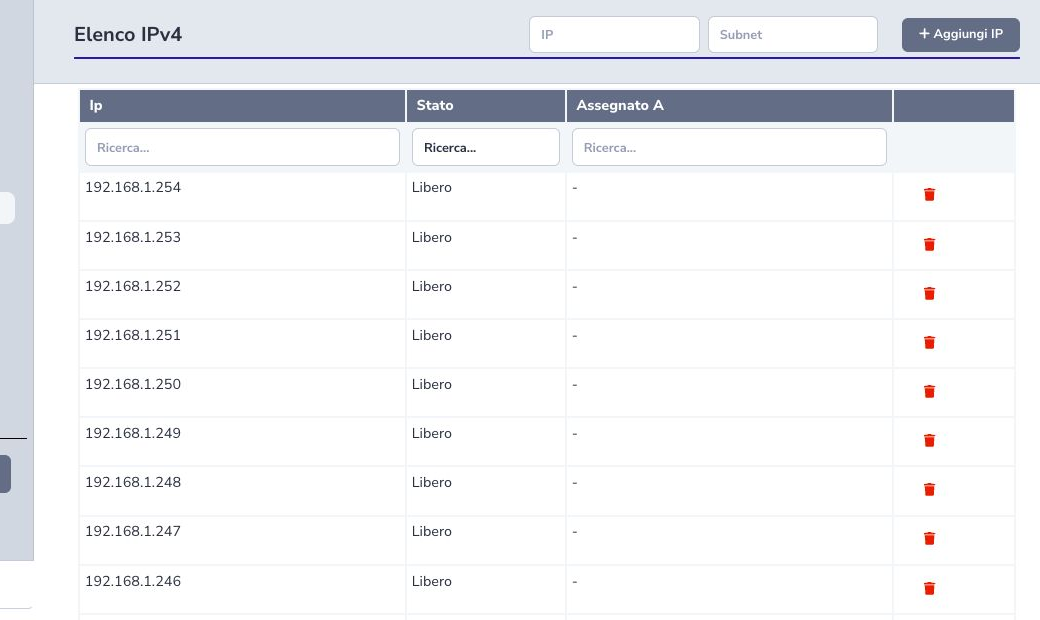
Open Network Management → IPv4, enter an address belonging to the block and a slash-prefixed CIDR such as /29, then select Add IP. ISP Billing calculates the subnet, excludes the network and broadcast addresses, and creates one searchable record for every usable host. Existing addresses for the same ISP are skipped rather than duplicated.
The generator cannot know which hosts your design reserves for gateways, routers, dynamic pools or infrastructure. Record those decisions before importing a large range, test with a small subnet first, and register only address space managed by the ISP.
IPv4 list and search
The IPv4 list reports each address, whether it is available, the customer or account that uses it, and the Radius integration that makes it busy. Usage is reconciled against ISP Radius, ISP Radius 2.0, BlissRadius, Radius Lucy, and Radius Manager records.
Search by address or relationship before adding, assigning, or deleting an entry. A locally free address can still be reserved on a router, DHCP pool, documentation system, or external Radius platform if those sources were not reconciled.
Assign and find a free IPv4 address
Compatible Radius account forms can open the free-IP search, filter the inventory, and copy the selected address into the technical account. Confirm customer, service, installation, subnet, routing domain, and whether the address must be static before selection.
Choosing an address does not make it operational. Save the correct account, let the intended Radius, NAS, router, or provisioning process apply it, disconnect or renew the session when required, then verify inventory state, assigned address, routing, and customer connectivity.
Create a Server VLAN
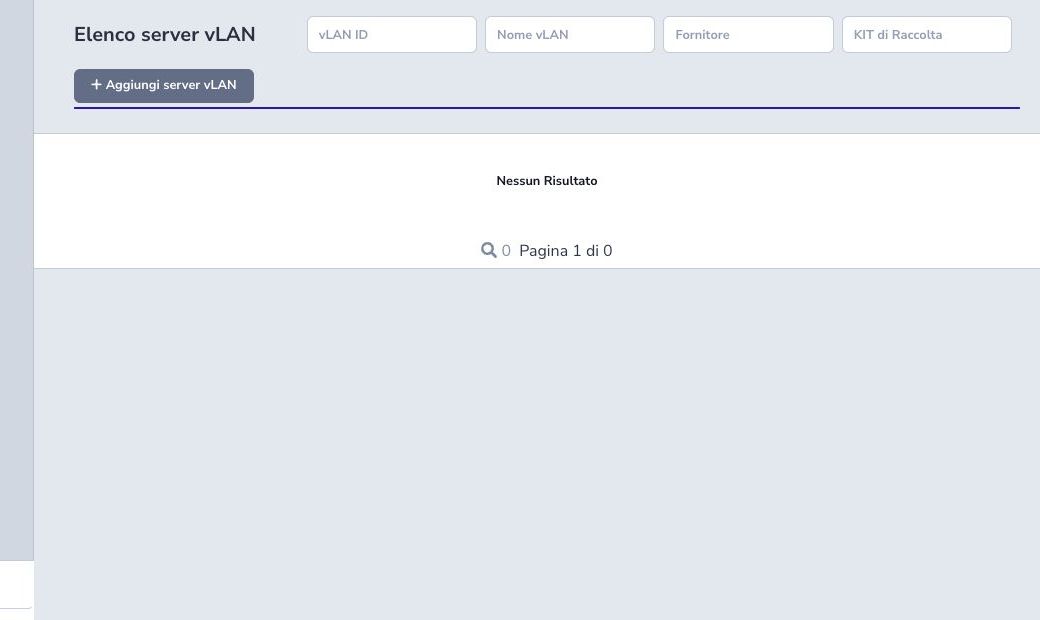
Enter a VID from 1 through 4094, a stable name and, where relevant, provider and collection KIT. Provider and KIT suggestions reuse values already entered by the same ISP; selecting the canonical suggestion avoids spelling and spacing variants.
Saving the Server VLAN automatically generates all 4,094 possible customer tags below that container. The child list then separates free tags from those linked to service instances. Name, provider and KIT are essential context when the same numbering may exist in different transport domains.
Assign and release a customer VLAN
Open the Server VLAN to inspect its customer tags, locate a free VID and link it to the intended service instance. Check the same tag on the real carrier, OLT, switch, NAS and Radius configuration before saving; a locally free tag may still exist outside ISP Billing if the inventory was not reconciled.
Unassigning removes the service-to-tag link and returns the tag to the free pool. It does not guarantee external deprovisioning, so remove network configuration and active sessions first.
Release and delete IPv4 records
Release the address from the technical account only after removing or changing the real network configuration, ending sessions where necessary, and checking that no service, route, NAT, DNS, monitoring, or customer documentation still depends on it.
After reconciliation, the inventory can show the address as free for a later assignment. Delete the IPv4 record only when the ISP no longer manages that address or the entry was erroneous. Deletion is not a safe shortcut for freeing an address that remains configured elsewhere.
Edit, unassign, and delete VLANs
Editing a Server VLAN changes its VID, name, provider, or collection KIT. A duplicate Server VID in the same governed context is rejected, but external carrier and network configuration is never renamed or migrated automatically.
Unassigning a customer VLAN removes its link to the service and returns the tag to the local free pool; first remove the real provisioning and active sessions. A Server VLAN cannot be deleted while any generated child tag remains assigned. Once all links are reconciled, deleting the container removes its free child inventory in one controlled transaction.
Checklist
- Define the addressing plan
- Enable inventories separately
- Register only authorized ranges
- Reserve network infrastructure addresses
- Check duplicates locally and externally
- Link the correct customer/service
- Verify Radius and network outcome
- Record provider and collection KIT
- Release only after technical removal
- Reconcile inventory regularly