
ISP Dude: monitoring, maps, and network operations
Configure environments, devices, checks, maps, discovery, notifications, and operational access.
Last updated: 2026-09-26
Scope
ISP Dude inventories network devices and services, monitors reachability, collects SNMP metrics, and organizes them into operational maps. Each device retains identity, check settings, links, current state, ping history, and the latest SNMP sample.
It complements UISP, cnMaestro, Proxmox, and Radius. Provider details are opened only when brand, MAC, module, and permissions allow it.
Environments
An Environment is an isolated ISP Dude instance containing maps, devices, nodes, links, discovery, queues, and history. Create one per POP or data center that needs independent inventory and monitoring.
Set name, engine, reference Agent, interval, private-IP inclusion, notification delivery, and map style. One Edge Agent serves one ISP Dude Environment and cannot be assigned to two.
Monitoring system: Edge Agent or MikroTik
Open ISP Dude settings → Sistema di monitoraggio (Monitoring system). If no environment has a complete configuration, the page prompts you to configure systems and assign them to environments. Otherwise, it shows the system configured for each environment and a Gestisci ambiente (Manage environment) button.
Edge Agent — Recommended is a program installed on an always-on server, virtual machine or computer in the monitored network. It supports private IP addresses, SNMP diagnostics and device discovery. Available monitoring intervals range from 5 to 60 seconds. Configura Edge Agent (Configure Edge Agent) shows existing agents, their Online/Offline status and assigned environments. If an agent is missing, use Configura Edge Agent (Configure Edge Agent) and follow the installation instructions. Then choose Assegna a un ambiente (Assign to an environment), select Edge Agent and the agent to use, and save.
MikroTik uses a router to check devices in its network. Configura MikroTik (Configure MikroTik) or Gestisci MikroTik (Manage MikroTik) opens the IP, API port, user and password fields. Saving opens Environments: select MikroTik and save each relevant environment. Credentials are shared; saving credentials alone does not assign the system to an environment.
Each system card displays Da configurare (Not configured), Da completare (Incomplete), Configurato ma non utilizzato (Configured but unused) or Utilizzato da N ambienti (Used by N environments). It lists associated environments and flags incomplete configurations. Usage counts include environments with complete configurations; agent Online/Offline status is separate and does not change assignment. An agent associated with an environment using MikroTik is identified as unused for monitoring.
Configurato (Configured) means the required configuration is present; it does not certify device reachability. An Offline agent remains configured but needs attention. Da completare (Incomplete) indicates a missing system choice, an unsuitable agent or incomplete MikroTik credentials. Different environments may use different systems. A system changes only after an explicit save.
Deleting the MikroTik configuration removes only credentials and preserves maps, devices and history. Before confirming, check the associated environments: assign an Edge Agent or configure MikroTik again to continue monitoring them.
Create a device
Enter a recognizable name, icon, optional Warehouse brand and normalized MAC, internal and operational descriptions, IPv4 address or FQDN, check type, and service port. ICMP checks host reachability; TCP confirms the selected port; HTTP and HTTPS verify the configured web service. The separate panel port is only a navigation shortcut and does not change monitoring.
Use the real inventory brand when provider integrations depend on it, and do not reuse a host or MAC without a documented reason. After saving, run a controlled check and wait for historical samples before tuning alerts.
The form has three tabs: Dispositivo (Device) for identity and access, Monitoraggio (Monitoring) for statistics and notifications, and SNMP for resources and map data. In the map dialog, Save stays visible while scrolling and saves choices across all tabs. Missing required fields open the tab that needs attention.
Ping and stable state
Edge Agent performs several closely spaced probes, calculates latency and packet loss, and retains results until the server acknowledges them. Offline state is confirmed only after the configured consecutive failed rounds; one transient failure does not necessarily produce a transition.
Manual Ping creates prioritized requests that run sequentially until stopped. Use it for immediate diagnosis, then compare 24-hour uptime, average latency, loss, and sample history. A successful manual ping does not erase an earlier incident and is not a substitute for continuous monitoring.
Network Map
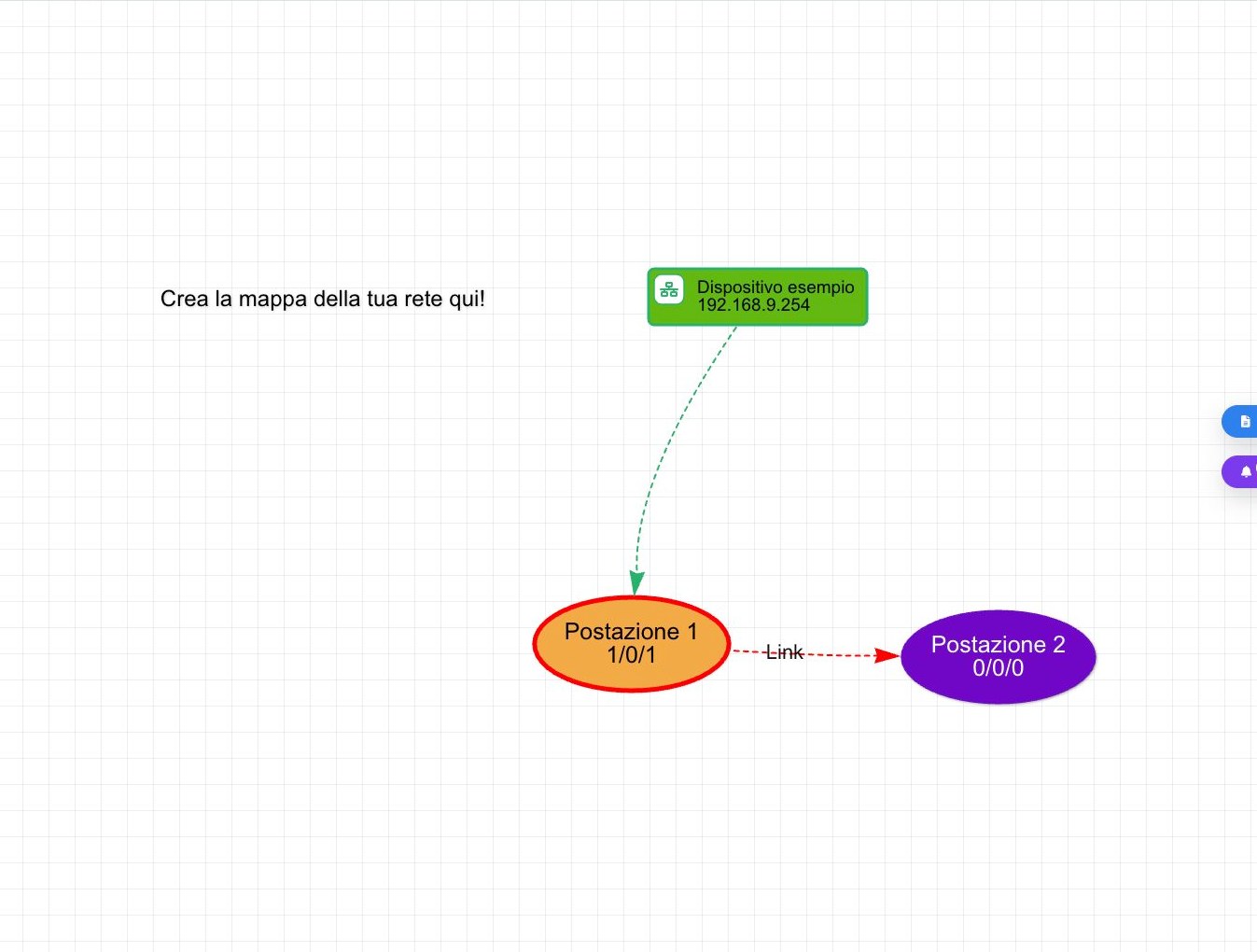
The map contains devices, static nodes, submaps, and links. Context actions create items, open details, and expose UISP, cnMaestro, or SSH when available. Classic, Professional, NOC, and Topology templates render the same data for different operational needs.
Link text
Choose Edit from the link menu, select the device and use Dati da inserire (Data to insert). The Text field displays the chosen name, such as {{Traffico RX (Rete Locale)}}, alongside any words or line breaks you add. After Save and close, the line displays the measured value. Reopening the editor shows readable names; unrecognized custom OIDs remain visible as technical references.
References to missing devices
If the map shows Device unavailable, the reference cannot load its linked device record. With write permission, when the device is absent, right-click the box and choose Remove from map. Confirmation removes the reference and all its links; this action cannot be undone. If the device still exists, removal is blocked: refresh the map and use the device form.
Maps and site documentation
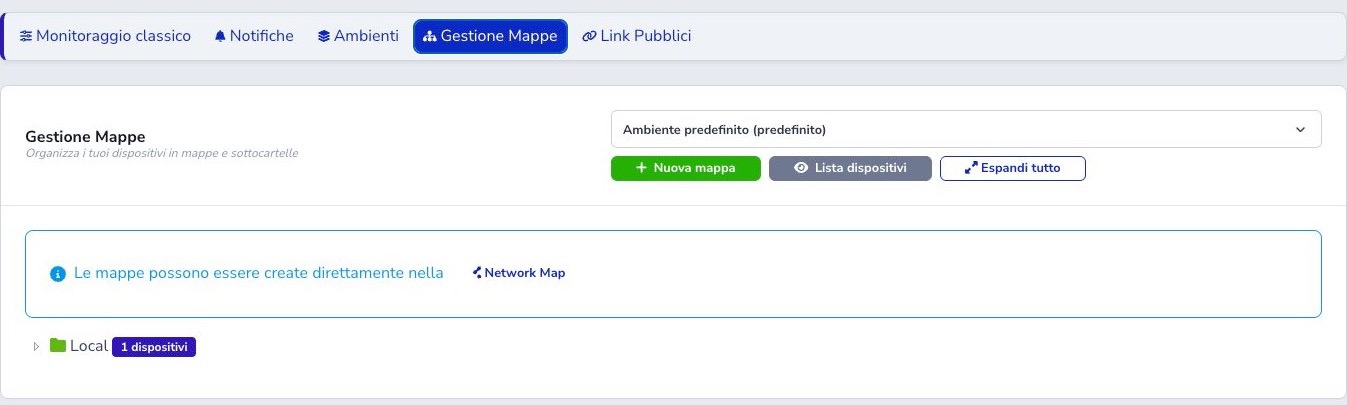
Map Management builds a hierarchy inside one Environment. A map can contain devices and child maps; changing its parent changes navigation. Before moving or deleting it, inspect nodes, links, submaps, public-link entry points, and dependent content.
The site panel stores physical address, responsible contact, telephone, operational notes, and images of cabinets, antennas, power systems, or cabling. Keep this field documentation current, avoid unnecessary personal data, and remove obsolete images that could mislead an intervention.
Controlled discovery
Discovery is operator-triggered, requires 2FA, and accepts IPv4 /20 through /32 up to 4096 addresses. The Agent uses ports, reverse DNS, SNMP name, HTTPS certificate, and local ARP MAC to suggest type and icon.
Results are temporary. Operators filter, ignore, import, or drag them into the map; no device becomes permanent automatically.
Problems and notifications
The problem board records incidents and recoveries for each Environment even without delivery recipients. It keeps one open problem per source key, presents active incidents first, retains resolved history for 30 days, and combines open counts in the global badge.
An operator with write permission may confirm Resolved on an active incident. This keeps the row in history with its resolution time and operator instead of deleting it. Saturation incidents left open by an interruption are reconciled only after a new valid diagnostic confirms recovery or identifies the previous sample above 100% as impossible.
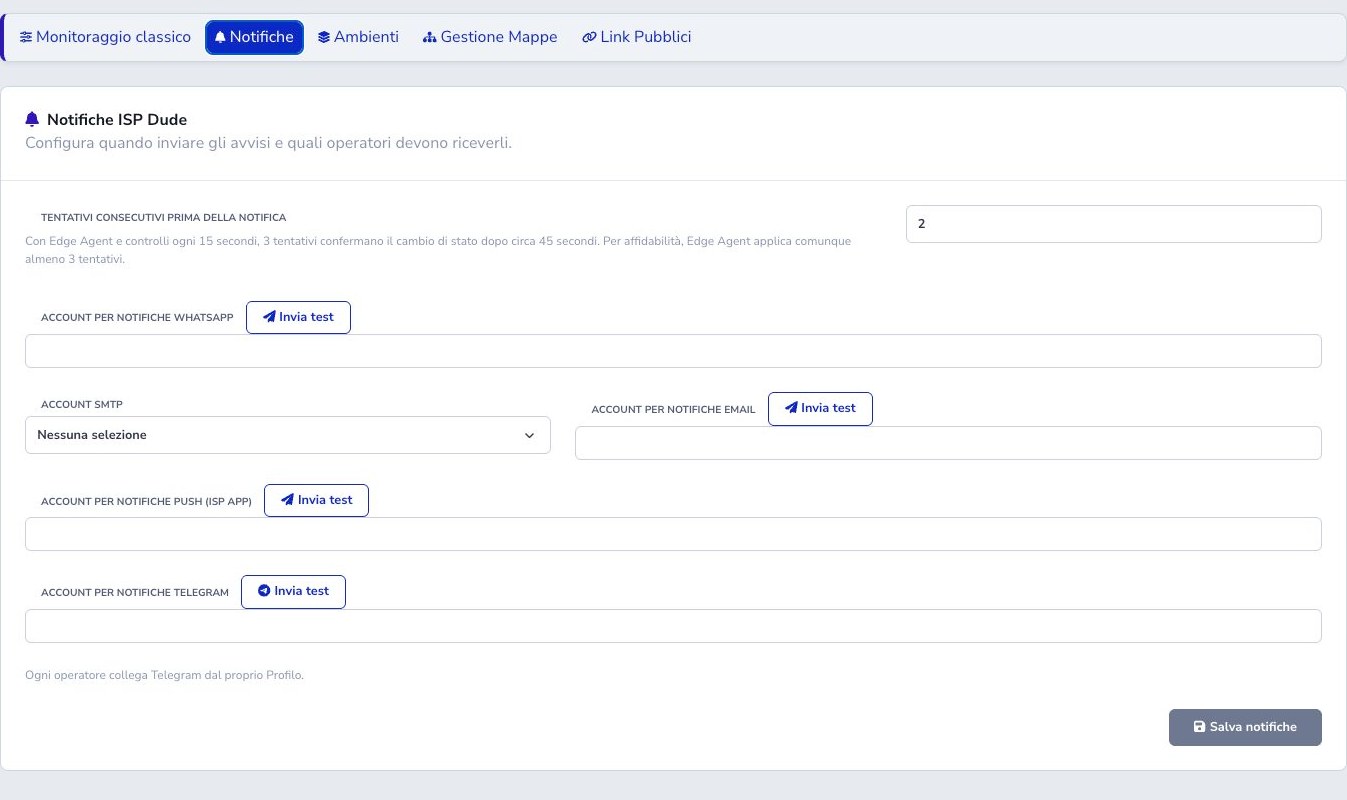
Settings define the consecutive-failure threshold and WhatsApp, email, ISP App push, or Telegram recipients. Telegram accounts must first be linked from their profile. Test buttons send a real message, so choose the intended recipient. Internal history, state threshold, and external delivery are separate controls.
Public links
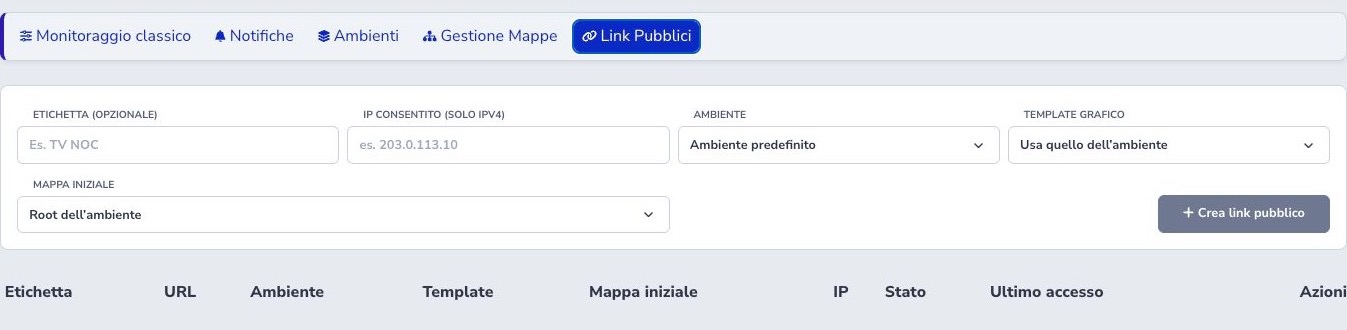
A public link can be restricted to one IPv4 address, tied to a specific Environment, opened on a selected initial map, and rendered with an inherited or dedicated template. Give it a recognizable administrative label so its purpose and owner remain clear.
Regenerate creates a new token and invalidates the old URL. Disable preserves configuration while preventing access. Review last access, revoke unused links, apply the IP restriction where possible, and ensure shared maps contain no private notes or sensitive technical details.
Checklist
- Separate POPs and data centers into correct Environments
- Use an appropriate Edge Agent for new private networks
- Configure engine, interval, thresholds, and notifications per Environment
- Store the real host, check type, brand, and normalized MAC
- Validate monitored ports independently from panel shortcuts
- Use historical samples rather than one manual ping
- Maintain map hierarchy and site documentation
- Start discovery only with the correct network and 2FA
- Review every temporary result before import
- Select and test notification recipients deliberately
- Restrict, review, and revoke public links