
ISP WA: bidirectional messaging and tickets
Activate ISP WA, pair its profile, receive messages, and connect them to customers, tickets, and location.
Last updated: 2026-08-19
What ISP WA is
ISP WA is ISP Billing’s native WhatsApp provider. It supports outbound and inbound messages, customer recognition by number, ticket creation or continuation, and centralized operation without configuring a tenant Meta Cloud API.
Unlike Official Meta, it does not use the tenant’s Meta template catalog and category/window billing; it uses an assigned authenticated ISP WA profile.
Activation and default selection
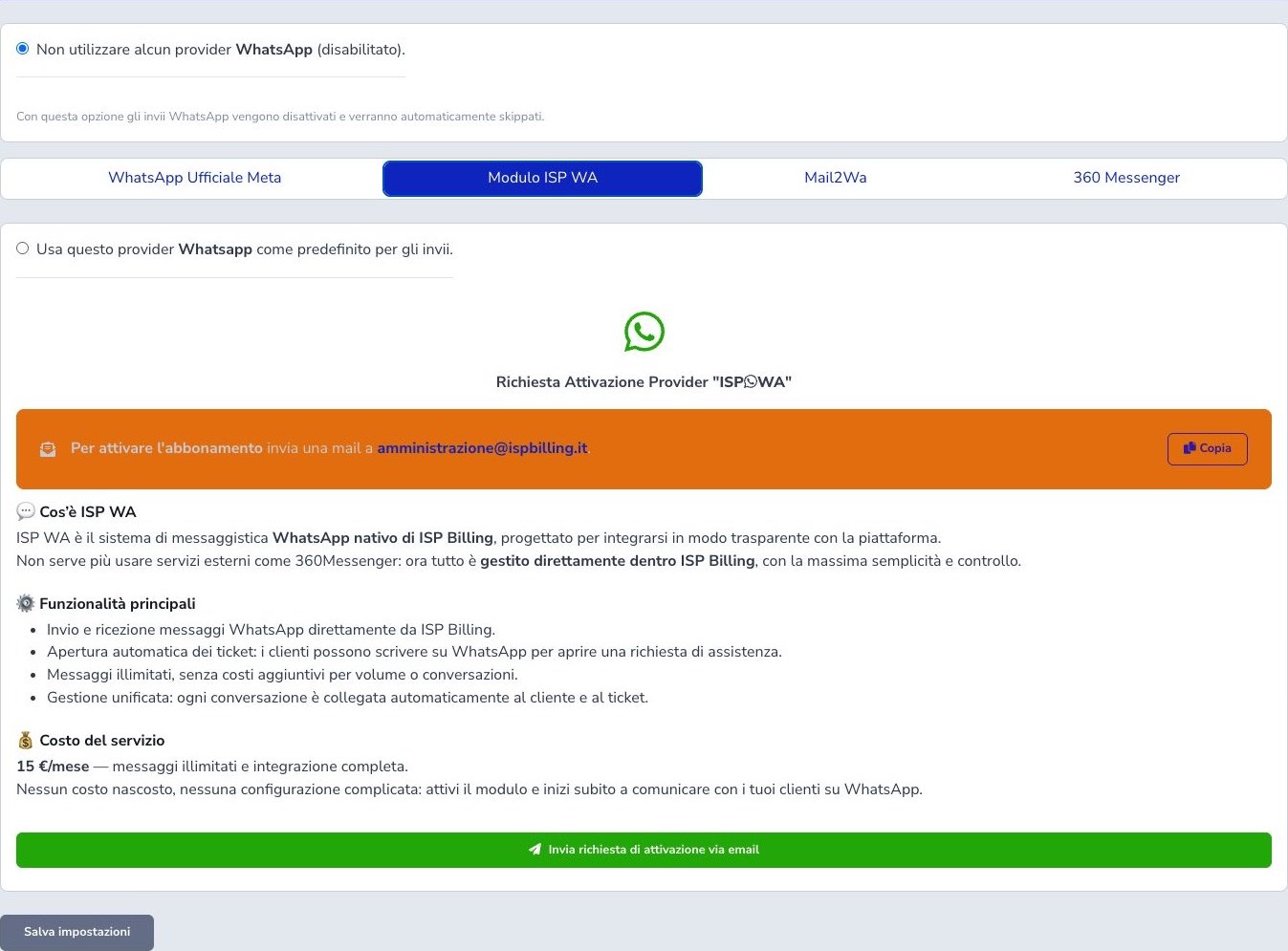
Request activation from the ISP WA panel. After profile assignment, complete the displayed authentication, verify working status, select it as default, and save. License assignment and profile authentication are separate steps.
Inbound messages and tickets
ISP Billing matches the sender against CRM contacts. Without an open ticket, it creates one and may send confirmation; with one open, it appends the message without duplication. Configure webhook and destination department, and normalize CRM phone numbers.
Location and radio checks
A shared location becomes a map link in the ticket and may expose radio feasibility. Treat it as customer-provided data and verify customer, address, and coordinates before dispatch.
Outbound messages and documents
ISP WA can deliver invoices, payment outcomes, reminders, quotations, communications, and supported module events through ISP Billing’s common message queue. Before enabling an automatic event, verify the recipient source, approved message text, attached document, timing, and fallback channel.
Monitor queued, sent, failed, and retried items. A generated document or completed billing event does not by itself prove WhatsApp delivery. Avoid sending duplicate reminders through ISP WA and another provider for the same automation unless the fallback rule explicitly requires it.
Profile operations
Administrative operations include assigning an available profile, starting its session, restarting it, disconnecting it, and revoking the assignment. These actions affect the messaging channel, not the customer’s CRM record.
Restart can briefly interrupt inbound processing, so use it during a controlled window and verify working status afterward. Disconnect ends the current session; revoke removes the assignment and requires a new eligible profile before messaging can resume. Review open tickets and queued messages before any disruptive action.
Checklist
- Obtain the ISP WA profile
- Complete authentication
- Verify working status
- Select it as default
- Configure webhook and ticket department
- Normalize CRM numbers
- Test ticket creation and continuation
- Review attachments and location
- Monitor the queue