
ISPINO: conversations, context, and knowledge
Use the operational assistant and understand threads, sources, permissions, suggestions, and limits.
Last updated: 2026-09-08
What ISPINO is
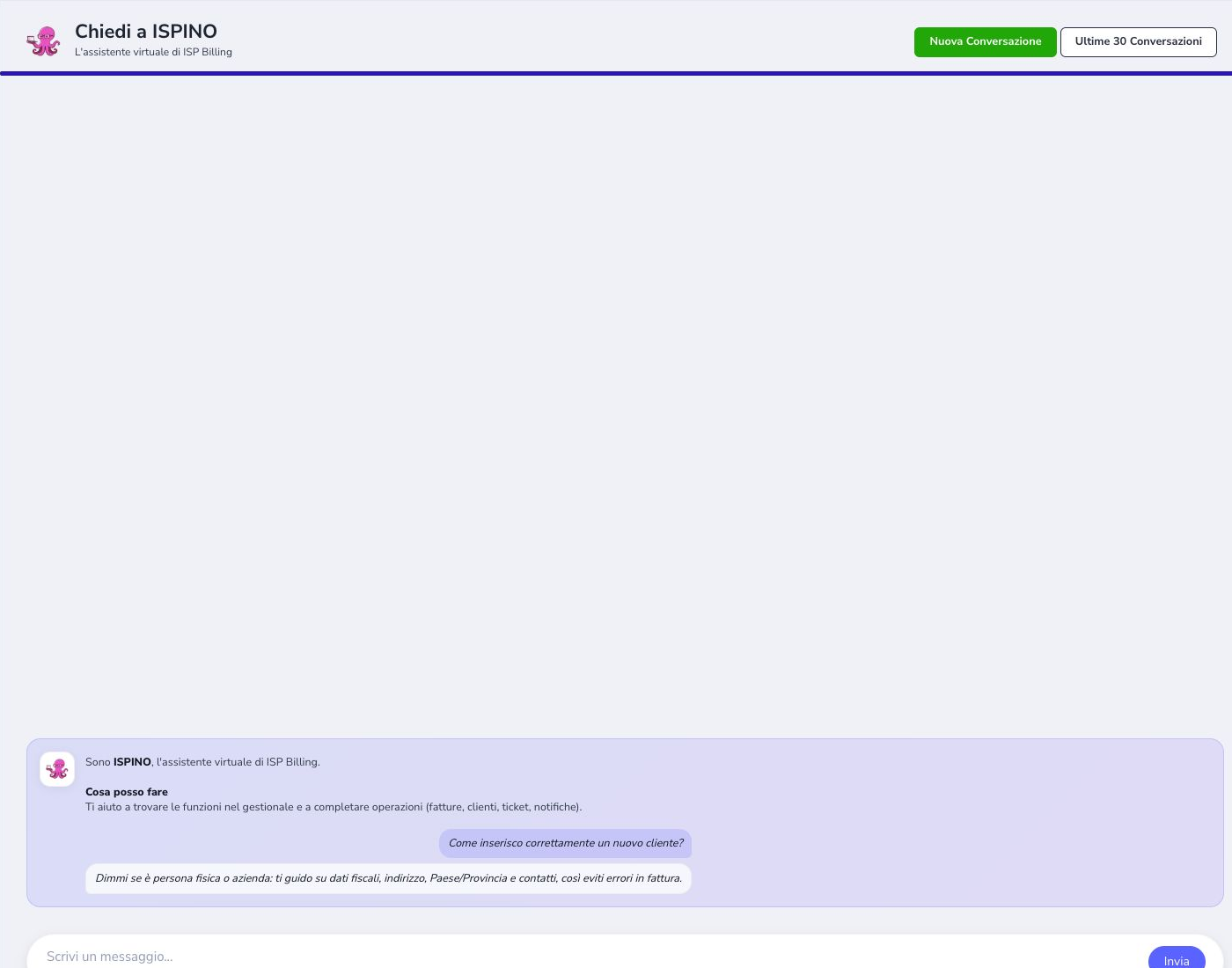
ISPINO is the assistant built into ISP Billing. In the administrative area it helps operators locate functions, understand prerequisites, interpret the page they are working on, and prepare operational text. It can explain a procedure, but it never replaces the operator’s checks, permissions, or final decision.
The public website uses a separate commercial instance. That version answers visitors with deliberately publishable product information: features, module differences, prerequisites, and supported workflows. It has no access to ISP tenants, customer records, invoices, tickets, or administrative actions.
AI engine in use
ISPINO uses GPT-5.4 mini as its default OpenAI model. The selection is managed centrally in code, so operators and SuperAdmin do not need a setting to choose or change the model.
Updating the engine improves response quality but does not expand permissions, expose excluded data, or replace authoritative sources. Security context, the manual, and authorized knowledge still determine what ISPINO can use.
How to open it and ask a question
Open ISPINO from its shortcut as a side panel when you want to keep the current page visible, or switch to fullscreen for a longer consultation. Describe the objective and the relevant function or record: “How do I configure automatic invoice reminders?” is more useful than “How does it work?”.
Include only the context needed to answer. Never paste passwords, API keys, payment data, authentication tokens, complete logs, or unnecessary personal information. If the answer depends on a value that ISPINO cannot see, state that value in a safe and redacted form.
Onboarding hint and initial suggestions
The introductory pill explains what ISPINO can help with and proposes starting questions. Open it when you need an example, or dismiss it once you know how to formulate requests. The suggestions are shortcuts, not fixed commands: adapt them to the module and outcome you actually need.
A useful first question identifies the area, the action, and the expected result. For example: “Which settings are required before creating the first contract?” or “What must be configured before customers can recharge a prepaid service?”.
Conversations and retention
New conversation starts a clean topic. The history can be searched across questions and answers; a thread can be renamed with a recognizable title, closed when the work ends, reopened, and resumed later. Closing archives the conversation and removes it from the active list, but does not delete it.
ISPINO retains the latest 30 threads. When new conversations exceed that limit, the oldest excess threads and their messages are removed. Keep unrelated customers and procedures in separate threads, and preserve any information that must become an official operational record through the ISP’s approved documentation process.
Follow-up questions and page context
A short follow-up such as “where is that setting?” is interpreted together with the recent exchange in the same thread. Continue an existing conversation only when it still concerns the same module, customer, ticket, or procedure; otherwise start a new one to prevent context from being mixed.
The current page may supply authorized information such as its route, module, and record identifier. This helps ISPINO understand whether the operator is viewing a customer, service, contract, or ticket. Page context is supporting information: always verify the record shown before following a link or applying prepared text.
Where the information comes from
The knowledge base is assembled from the project manual, module information, publishable prices, operational guidance, and meaningful text extracted from authorized views. Large pages are divided into coherent sections so the answer can retrieve the specific configuration or command instead of returning an unrelated block.
Executable code, scripts, styles, layout markup, credentials, and other unsuitable technical material are excluded. The clearer this bilingual manual is about names, synonyms, prerequisites, ordered steps, expected results, and errors, the more precisely both the administrative and public assistants can answer.
Permissions and security context
Before using operational knowledge, ISPINO considers the ISP tenant, signed-in account, role, enabled modules, and applicable permissions. An explanation may describe a feature that exists, but it never grants access to the feature and cannot bypass the application’s normal authorization checks.
Links and proposed actions remain protected by the destination page. Operators must not treat a plausible answer as authorization. If a required source is missing or forbidden, ISPINO should acknowledge the limit instead of completing the answer with invented values.
Answers, links, and proposed actions
An answer may contain links to the relevant protected page or describe an action available in the current workflow. Check the destination, customer, service, and module before opening it. ISPINO does not silently save settings, send communications, issue documents, or alter network configuration.
When a response contains several steps, complete them in order and verify the stated result after each important change. If the interface differs from the explanation, stop and consult the current module page or the updated manual rather than improvising.
Preparing operational text and ticket replies
ISPINO can prepare drafts for supported fields. From the Ticket detail, the generation command opens the normal ISPINO panel with a fresh conversation for that ticket. It reads the authorized history from oldest to newest, distinguishes customer and ISP messages, excludes internal notes, and asks what should be communicated. A complete operator instruction produces the draft immediately; another question is appropriate only when an essential fact is missing.
Insert reply places only the customer-facing draft in the editor and does not send it. The system signature is managed separately. Before sending, reread the recipient, customer details, dates, amounts, links, and promised actions.
Official contextual information
Information icons connected to ISPINO open an official explanation written for that exact field, option, or command. This entry generates a fresh contextual response: it does not resume an old thread and does not create a saved conversation by itself.
Read the explanation and its links first. If the operator writes a follow-up, the exchange then becomes a normal conversation and enters history. Contextual information explains what an option does; it does not enable, save, or change that option automatically.
Feedback
Mark an answer as useful when it resolves the question accurately, or not useful when it is incomplete, outdated, unrelated, or misleading. Feedback helps identify retrieval and content problems, but it should be accompanied by a correction of the authoritative source whenever the manual or module information caused the error.
Before reporting a bad answer, distinguish between missing documentation, an ambiguous question, outdated knowledge, and a permission that correctly hid operational data. This makes the correction actionable.
Learning synchronization
Knowledge synchronization is an authorized maintenance process. It creates or versions items from approved sources and archives automatic items whose source has disappeared. Run it deliberately, monitor its result, and check file and section counts, dates, module codes, duplicates, and representative searches.
A large number of indexed sections does not prove that the assistant is useful. Quality requires current content, clear segmentation, both languages, and sample questions that reach the intended procedure. Stale or persistently generic answers must be recorded for technical follow-up without exposing internal diagnostics in the public manual.
Information ISPINO must not know
The knowledge base must exclude credentials, API secrets, sensitive logs, database dumps, customer file storage, complete request payloads, payment data, and information outside the current user’s authorization. Public ISPINO must receive only material intentionally approved for visitors and sales conversations.
When exact data is unavailable, the correct answer explains what must be checked and where an authorized operator can find it. It must never invent a customer state, price, compatibility, delivery date, or completed action.
Interrogable manual checklist
Every manual article should let ISPINO retrieve a complete answer without guessing. Use stable feature names and common synonyms, then separate purpose, prerequisites, configuration, daily operation, verification, errors, security, roles, API or cron dependencies, and related modules.
- Use clear, specific section titles
- Include Italian and English terminology
- State prerequisites before procedures
- List configuration steps in order
- Describe the expected result and verification
- Explain common errors without test-account narratives
- Identify permissions and sensitive information
- Document API, webhook, and automation dependencies
- Keep prices and product claims authoritative
- Give public ISPINO only approved sales content
- Test representative admin and visitor questions
- Review links whenever a module changes