
Stripe payments
Verify a Stripe payment workflow in test mode.
Last updated: 2026-08-19
Correct payment workflow
The customer starts from an unpaid document in the Customer Area and is transferred to Stripe’s hosted checkout. Before confirmation, the payer must compare document, amount, currency, and account with the expected transaction.
Manually recording a payment in administration declares an operator-reconciled collection and is not equivalent to a Stripe Checkout transaction. Checkout creates a gateway transaction whose definitive registration depends on the server events received by ISP Billing.
Access the Customer Area
The customer signs in through the normal Customer Area and must see only documents belonging to that account. Before testing payment, confirm customer identity, active session, currency, and that the Stripe gateway is enabled for customer use.
The dashboard may summarize unpaid documents and active services, but payment must begin from the specific invoice or supported document. Do not use an administrative session as evidence that the customer-facing route is available.
Open the invoice to be paid
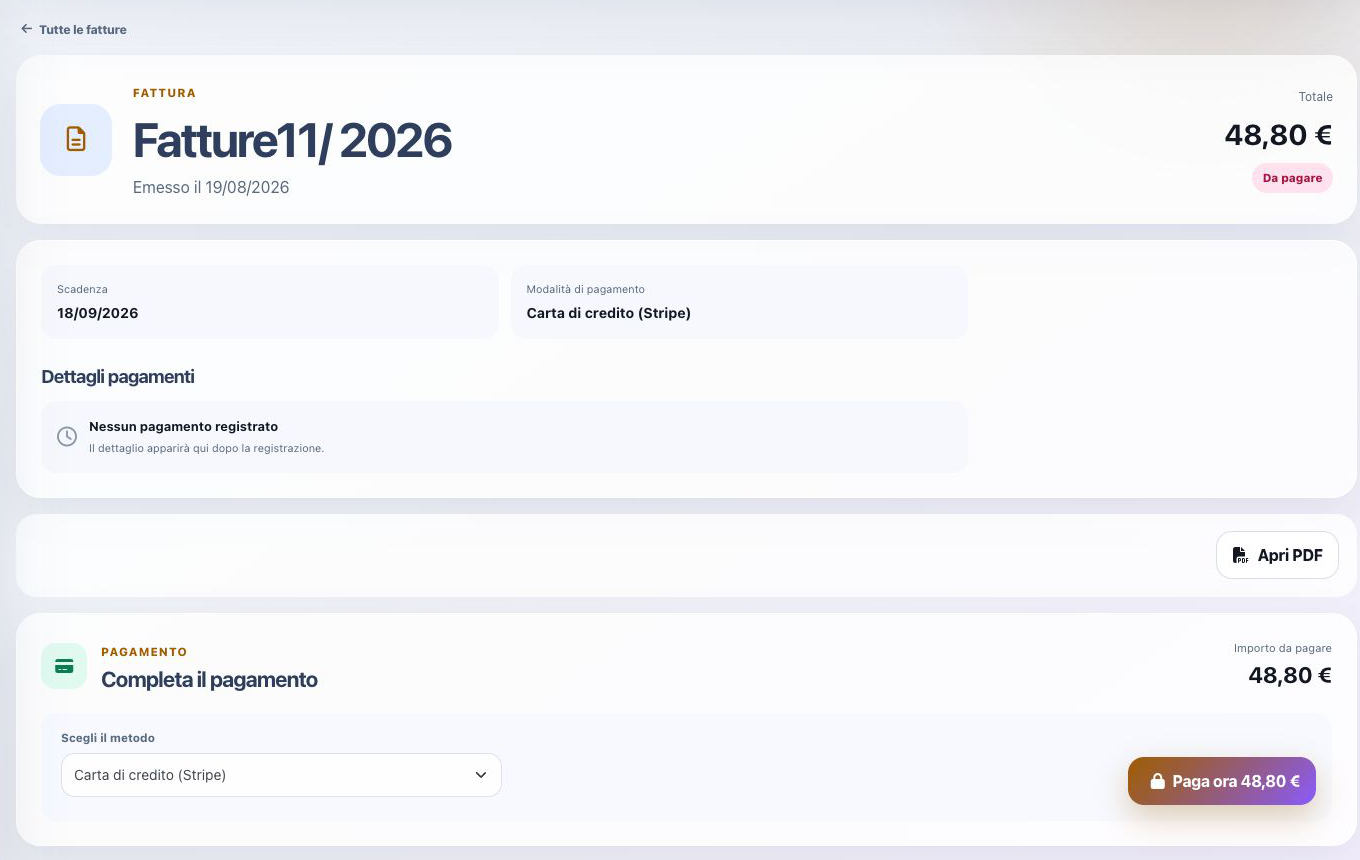
Open Invoices, select the unpaid document, and compare number, issue date, due date, original total, recorded payments, remaining balance, and configured payment method. The payment action should use the remaining payable balance rather than an amount typed by the customer.
The verified example displayed a €48.80 balance, Credit card (Stripe), no existing payments, and Pay now. If a payment is already recorded or a gateway transaction is pending, investigate it before starting another checkout.
Start Stripe Checkout
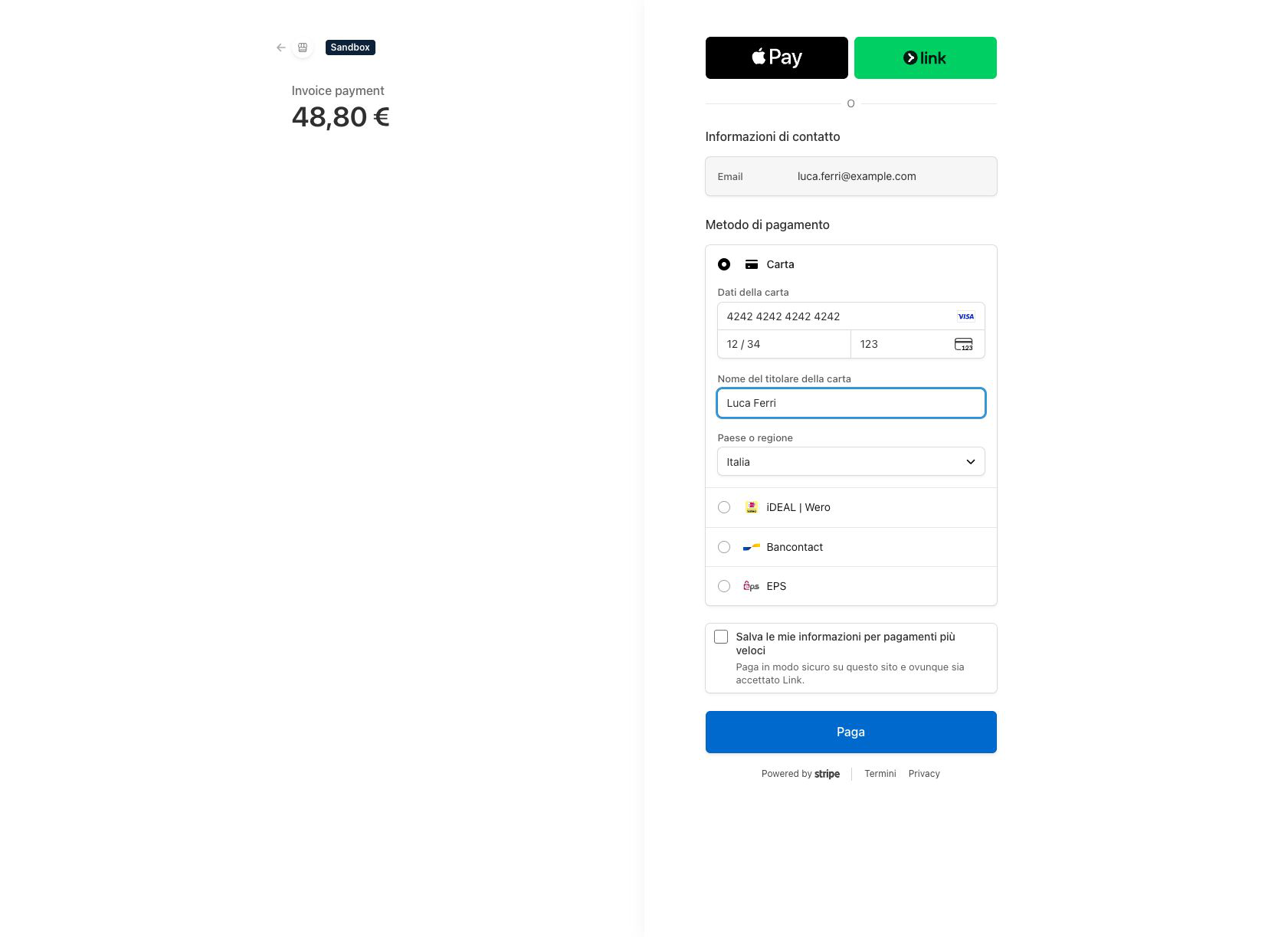
Pay now creates a server-side Stripe Checkout session and redirects the browser to Stripe’s hosted page. Confirm the environment label, merchant identity, customer email, currency, amount, and available payment method before entering any test details.
The hosted page handles card entry and any required authentication. Do not copy secret keys into the browser or create a second session while the first one is being completed.
Enter an official test card
In Stripe test mode, use only payment details published for testing by Stripe. The verified basic-success flow used card number 4242 4242 4242 4242, a future expiry date, a test CVC, and a fictional cardholder name.
Different official test cards can exercise authentication or failure scenarios when needed. Never use real card data in a sandbox, never publish live customer payment details, and verify that the page is clearly operating in the intended Stripe test environment before confirmation.
Gateway confirmation and webhook
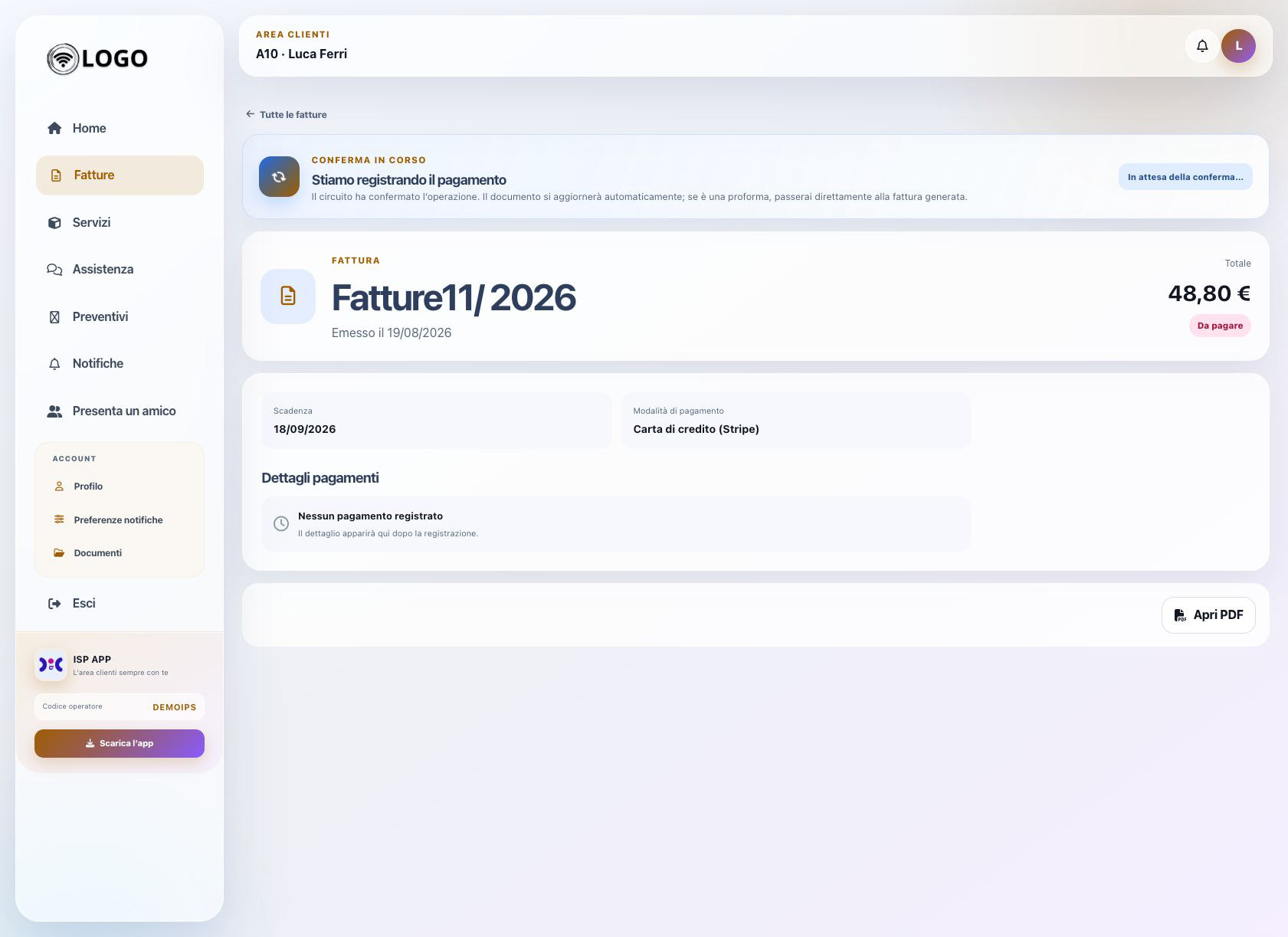
Stripe accepted the transaction and returned to ISP Billing’s success URL. ISP Billing then displayed “We are recording the payment”, meaning gateway confirmation and invoice settlement are separate stages.
Do not manually record the same collection while the webhook is pending, as that could create a duplicate payment.
Configure the Stripe webhook
Configure the ISP-specific endpoint shown in payment-gateway settings, in the correct Stripe test environment, with its matching signing secret and required checkout/payment events. Then inspect Stripe delivery history after a test payment.
The success URL only returns the browser. The webhook is the server-to-server event that reliably records the collection in ISP Billing.
Verify the final outcome
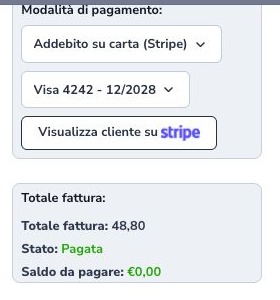
After gateway confirmation, wait for webhook processing and reopen the document. A successfully completed payment changes the invoice to Paid with a zero balance without requiring a manual collection entry.
In administration, verify the Stripe method, Payment Intent reference, amount, fee, and recording date. Confirm the same outcome in the Customer Area. If checkout succeeded but the document remains pending, inspect webhook delivery and signature validation first.

Security and verification checklist
- Use test mode only
- Confirm invoice, balance, and Checkout amount
- Use official test cards only
- Wait for the return to the Customer Area
- Verify webhook registration
- Check status and balance on both sides
- Do not record the same payment manually
- Never publish gateway secrets