
Tickets and support
Operational manual for receiving, classifying, handling, communicating, and closing support requests.
Last updated: 2026-09-10
Ticket workflow
Requests created through the Customer Area, ISP APP, e-mail, WhatsApp, or an operator converge into one operational queue. Each ticket retains its origin, department, subject, priority, status, history, attachments, recipients, and links to the relevant customer, service, article, and assigned operator.
The module is a workflow, not only a mailbox: an incoming request must be classified, acknowledged, assigned, worked, answered, and closed with a traceable history. Before using it operationally, configure departments, inbound mailboxes, sender addresses, message templates, automatic closure rules, blacklist entries, and the permissions of every support role.
Access and permissions
Read permission covers the ticket list, detail, history, and printable information. Write permission is required for replies, internal notes, priority and status changes, assignment, association with CRM records, closure, reopening, deletion, and module configuration.
Grant configuration and destructive actions only to roles that need them. Test each support profile separately: a user who can read customer correspondence must not automatically be allowed to alter departments, mailbox credentials, templates, or another team’s assignments.
Ticket list and mailbox update
The list is the working queue and shows status, priority, subject, customer or sender, department, linked activities, origin, assignment, and last reply. The Linked activities column shows the type, date, and state of an activity: Scheduled, Past, or Cancelled. Clicking the state opens the same activity detail used by the calendar, with the information and actions allowed to the operator. Create report remains available below the actions even when reports already exist, and all linked reports are listed with their own state: In progress, To complete, or Completed. Open displays the report page, while PDF opens the document directly. On mobile, the activity and reports use a dedicated panel with touch-friendly actions. When several activities are linked, the most relevant one appears first and the additional count remains visible.
The ticket detail lists every linked activity and its reports. Each compact activity card shows its type, state, and date; the complete description remains available in the popup opened from the state. New linked activity opens a form prefilled with the customer and ticket reference and adds an activity without replacing existing ones. Open the ticket identifier or subject to inspect the complete conversation before acting.
New e-mail tickets are downloaded automatically at the interval shown by the page. Manual download runs an immediate mailbox check and reports connection, messages found, imported, skipped, and blacklisted for each department. A successful connection does not imply that every message became a ticket: review the counters and import rules.
Filters, search, and origin
Status filters include Open, In progress, Answered by ISP, Customer reply, In progress with internal note, and Closed. Operators can also narrow the queue by priority, subject, customer or sender, and department. The Linked activities filter finds tickets with or without an activity and separates scheduled, past, and cancelled activities.
Use filters to build an operational view, then clear them before concluding that a ticket is missing. Origin distinguishes customer self-service, app, imported e-mail, WhatsApp, and administrative creation; it helps reconstruct the entry path but does not replace inspection of recipients, headers, and history.
Statuses and priorities
Open requires triage; In progress records active ownership; Answered by ISP waits for the next event; Customer reply returns the case to the ISP; Internal note marks private collaboration; Closed retains completed history. Priority can be High, Medium, or Low and is saved independently.
Statuses identify who should act next. High priority should be reserved for genuinely high-impact, urgent cases.
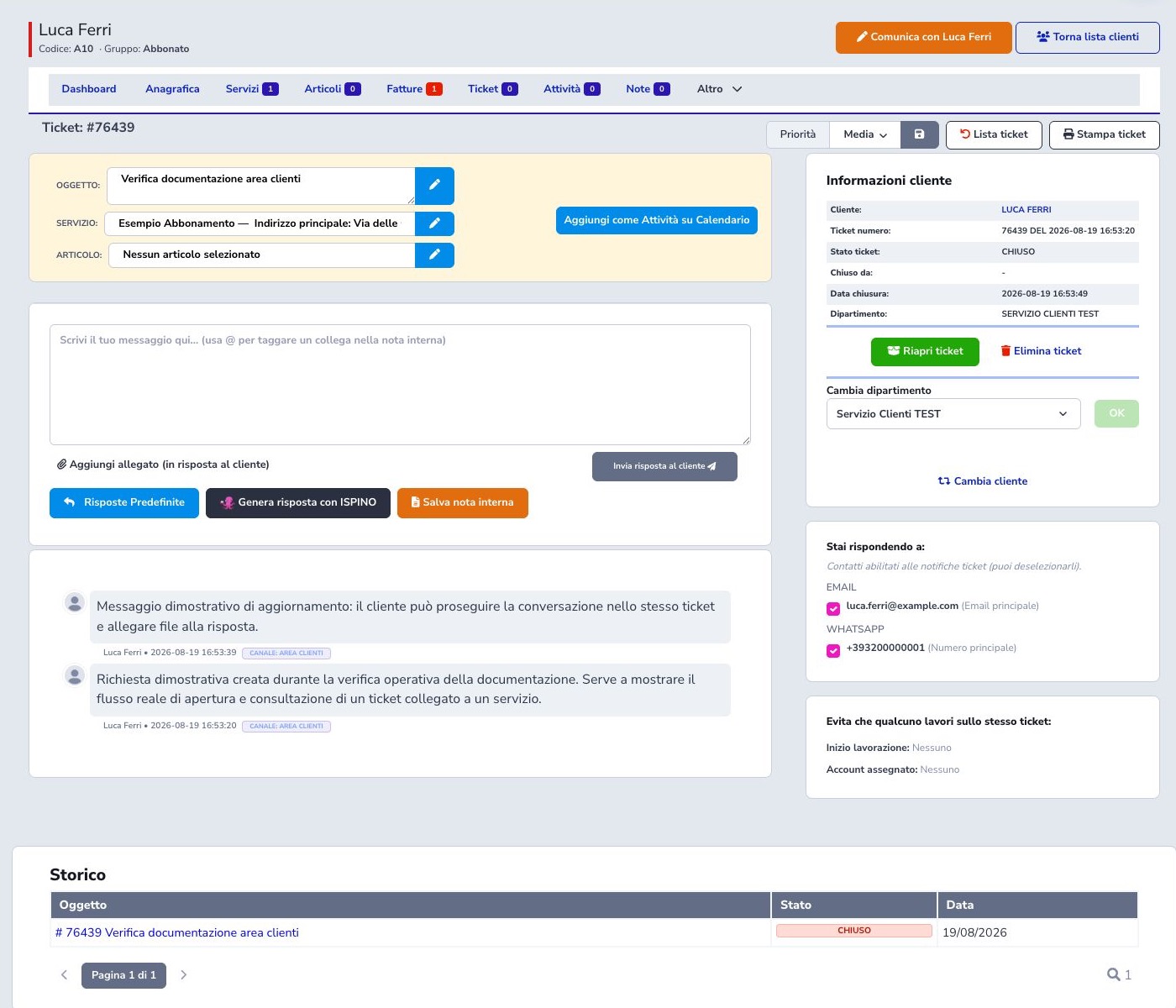
Verified Customer Area ticket
The executed case was opened and updated by the fictional customer in the Customer Area. Administration showed the same customer, sample subscription, test department, two messages, Area clienti channel, ticket number, and closure date.
Ownership, transfer, and association
Take in charge moves the ticket to In progress and records the operator, reducing duplicate work. A case can be moved to another department or associated with the correct customer or supplier when the original sender was not recognized.
Priority, bulk operations, and history
Priority is saved independently as High, Medium, or Low. The list supports selected-ticket merge, close, and delete actions; verify ticket IDs and customers before any bulk operation. History pagination preserves the event trail while the PDF provides a printable representation.
Close, reopen, merge, and delete
Closure completes the case while retaining history and PDF. Supported workflows may record service time when closing. A closed case can be reopened. Merge is for related duplicates; deletion is destructive and should not replace normal closure.
Deferred notifications and cancellation
Some operator notifications are kept as pending items. Where available, Cancel notification removes an item that has not yet been processed without deleting the message or ticket. Identify recipient, event, and state first; a delivered notification cannot be recalled.
Guided reply assistant
Generate reply with ISPINO, or Generate reply with AI, opens the normal ISPINO panel in a fresh conversation dedicated to the ticket. ISPINO reads the authorized history from oldest to newest, distinguishes customer and ISP messages, excludes internal notes, summarizes the latest unresolved request, and asks the operator what should be communicated. When the operator provides a complete instruction, it immediately prepares the customer-facing reply without repeating the question; it asks for another detail only when an essential fact is missing.
Insert reply copies only the draft into the editor and does not send it. The operator must verify facts, tone, recipients, attachments, and promised actions before sending. Accounts with ISPINO use the centrally managed configuration; other accounts must configure the OpenAI API Key under Ticket Module → Settings → OpenAI Integration. The model, instructions, and behavior are identical in both paths.
Create a ticket as an operator
Administrative creation starts by selecting the customer, after which related services, contacts, department, subject, message, and attachments can be completed. Operator-created tickets are identified in the list.

Departments and IMAP
A department defines its internal name, sender identity, mailbox, portal visibility, auto-reply behavior, SMTP, assigned operators, and signature. IMAP is optional; if started, host, port, username, and password are all required and the connection is tested on save.
Email signature provides a compact editor for bold, italic, colors, lists, and links. The Source button lets you view and edit the signature HTML. Insert a logo using its public URL. Choose Edit for the department, compose the signature, and click Save department: automatic emails and replies use its formatting. Existing signatures remain editable.
Default sender and module addresses
The module also stores a default sender address for events without a more specific department identity. Keep department, SMTP account, and visible address aligned so replies do not reach an unmonitored mailbox. Validate receiving, SPF/DKIM, and reputation rather than checking syntax alone.
General settings and scheduled closure
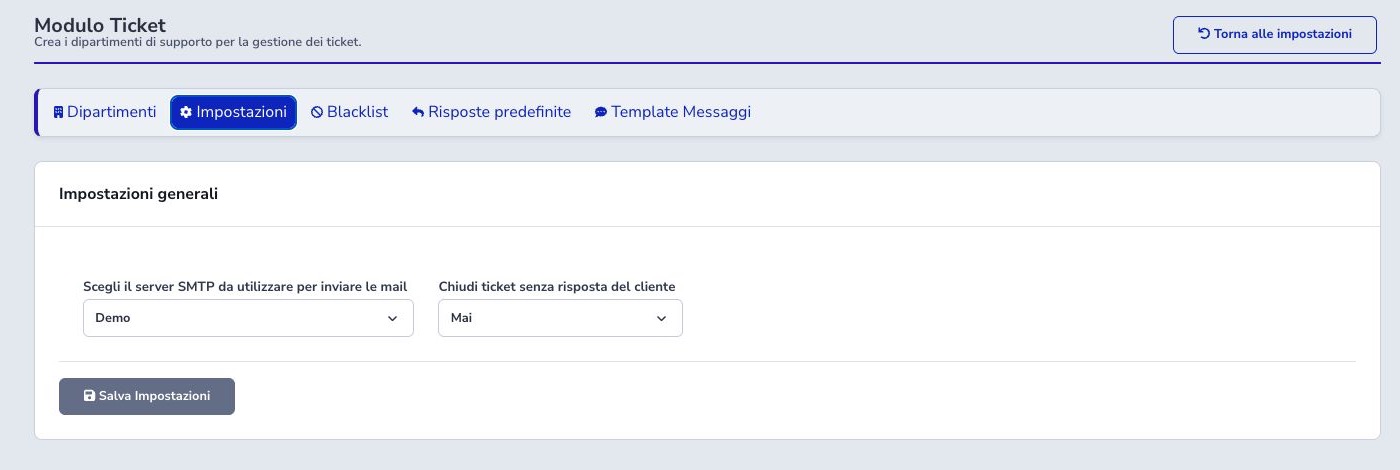
General settings choose the default SMTP and whether tickets waiting for the customer close never, after 48 hours, or after 72 hours. The CLI cron performs e-mail ingestion and scheduled closure; the former HTTP cron route is disabled in source.
Blacklist and import protection
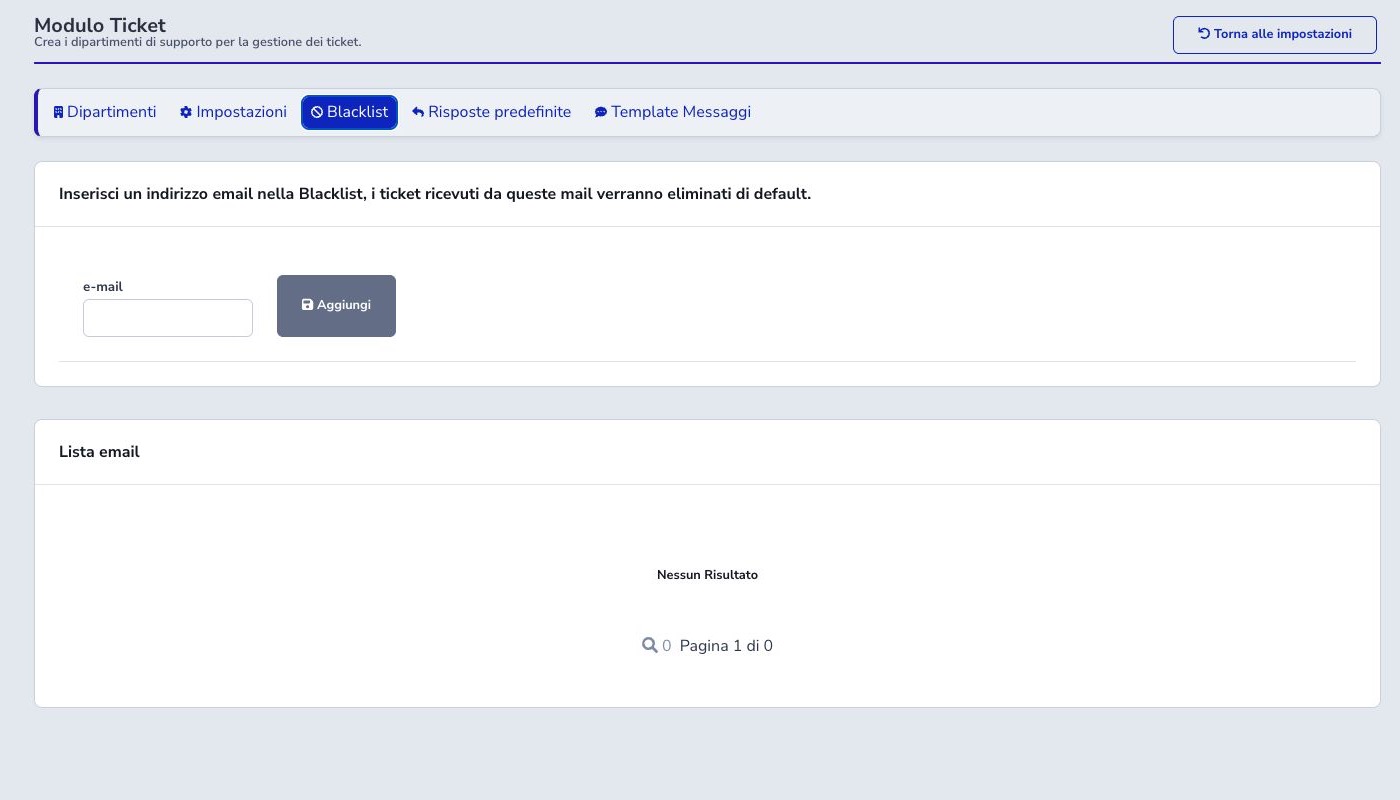
Blacklist rules are evaluated while e-mail is imported and can discard matching senders before their messages become working tickets. Add an entry only after confirming the exact address or pattern, its business purpose, and whether legitimate automated notices could match it.
Review blacklist counters whenever manual mailbox download reports skipped messages. Removing a rule affects future imports and does not automatically recreate messages already discarded, so mailbox retention and recovery procedures remain important.
Preset responses
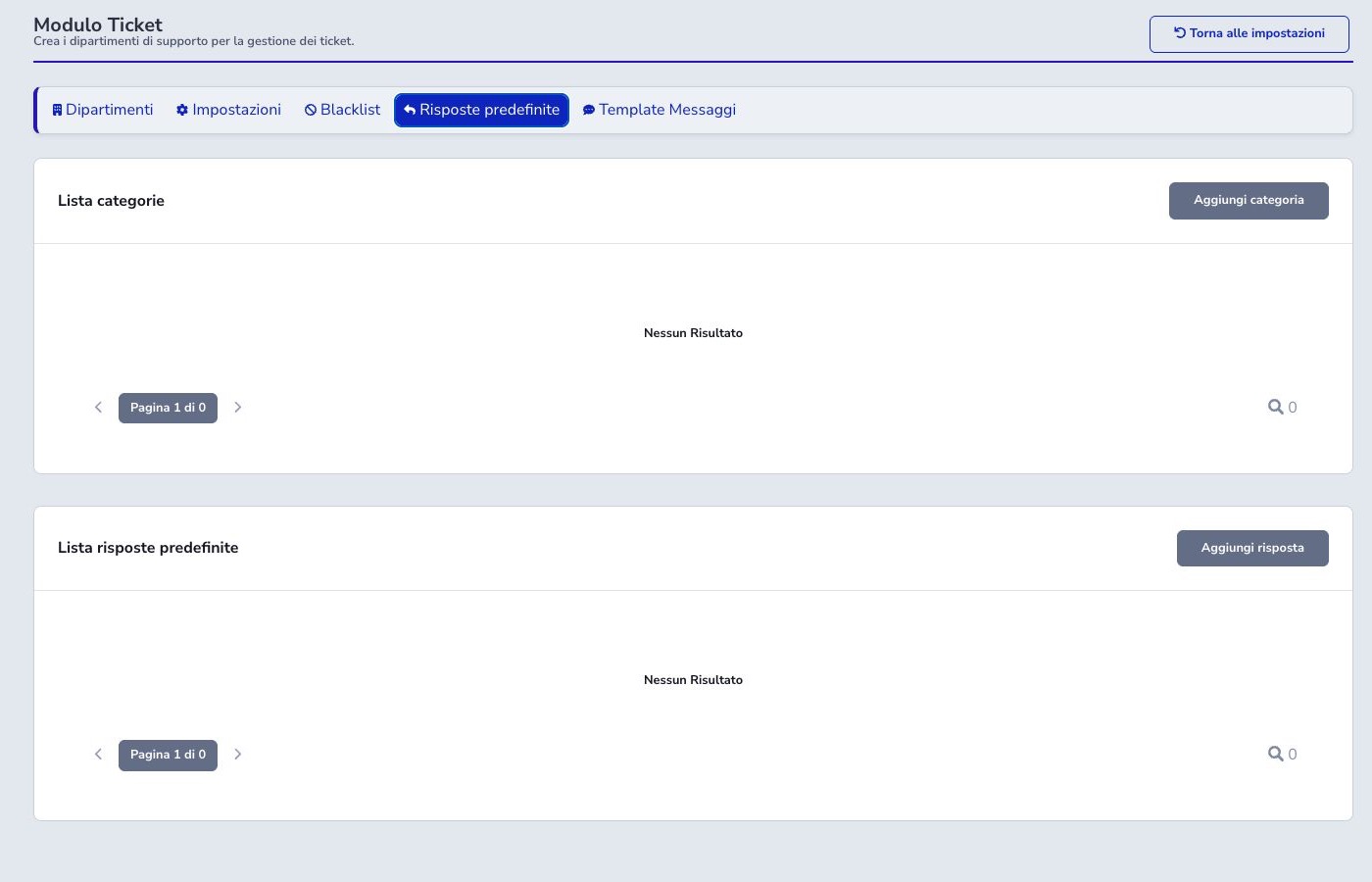
Preset responses are reusable drafts organized into categories for common support situations. Give each item a clear name, keep the wording current, use only supported variables, and separate customer-facing instructions from internal procedures. Accents, apostrophes, quotation marks, and other text characters are preserved in the delivered message instead of being exposed as HTML entity codes.
Inserting a preset never makes the answer ready automatically. The operator must adapt names, dates, service details, links, promised times, recipients, and attachments to the current case before sending.
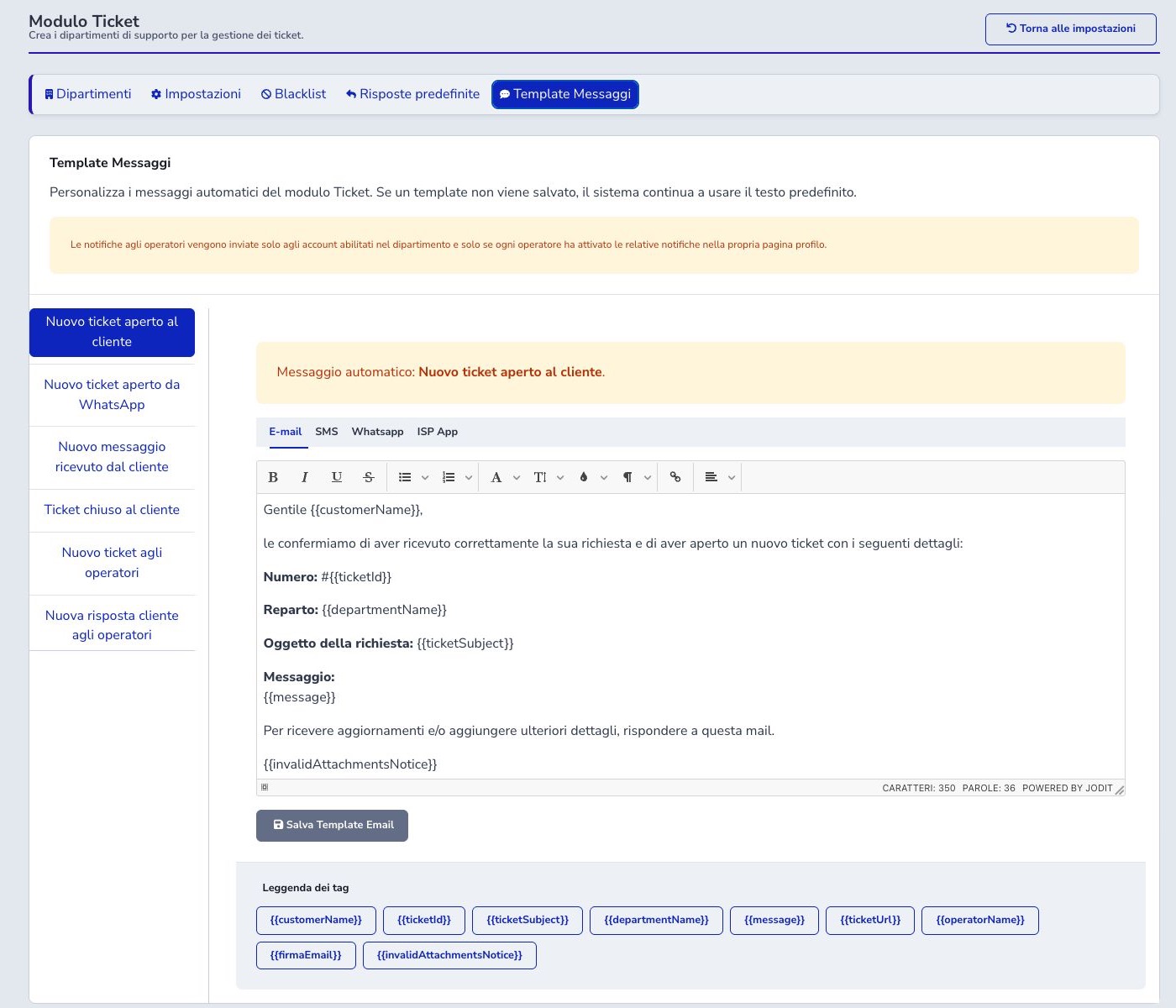
Multichannel message templates
Automatic events cover opening, WhatsApp intake, customer replies, closure, and operator notifications. Each can provide E-mail, SMS, WhatsApp, and ISP APP content. Merge tags include customer name, ticket number, subject, department, message, URL, operator, signature, and invalid-attachment notice.
Approved Meta templates are read-only at the event level. When no override is saved, the system continues using its default text.
Automation and channels
The Ticket CLI process imports mailbox messages and applies configured automatic closure to cases waiting for the customer. The former HTTP cron endpoint is disabled. Customer Area, ISP APP, e-mail, and WhatsApp feed the same ticket model.
Delivery depends on contact and operator preferences, department assignments, and provider availability. A failed notification must never be interpreted as proof that the underlying ticket message was received.
Operator checklist
- Check status, priority, and origin
- Verify customer, service, and article links
- Take ownership before working
- Transfer to the correct department
- Distinguish customer replies from internal notes
- Review recipients and attachments
- Treat presets and AI output as drafts
- Record activities or service time when required
- Close normal history instead of deleting it
- Verify IMAP, SMTP, and automation results