
Ubiquiti UISP: setup and device management
Free module with no monthly fee: connect UISP, map brands and MAC addresses, adopt devices, and use diagnostics and Device Manager safely.
Last updated: 2026-09-23
How devices are linked
The list is built from valid-MAC devices already assigned through Warehouse or ISP Dude. A brand selects UISP as the management provider. The console is queried only when an operator explicitly opens a detail.
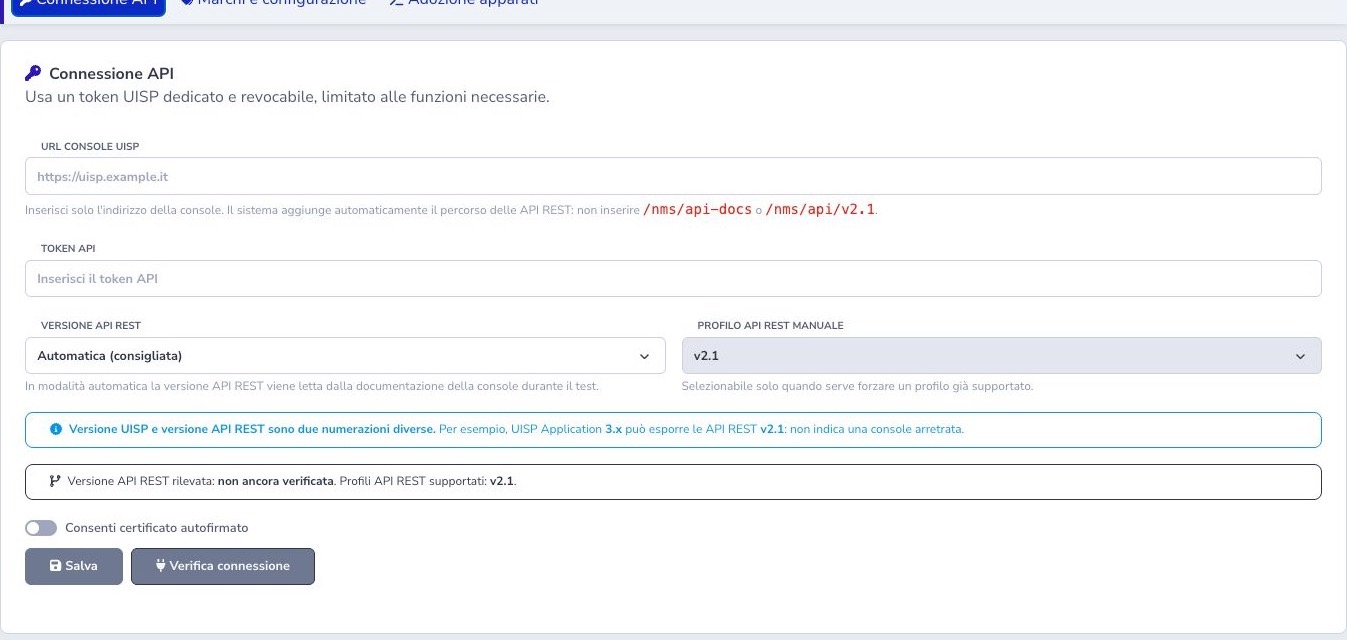
API connection
Enter the console base URL without API paths and a dedicated revocable token. Automatic mode detects the REST profile; manual mode can force only a supported profile, initially v2.1. UISP Application and REST API versions use different numbering.
Save first, then run the explicit connection test. Keep TLS verification enabled unless a controlled legacy self-signed setup requires the tenant opt-in.
Connection verification and diagnosis
After saving, run the explicit connection test and read the reported REST profile, application information, and error rather than assuming that a stored token is valid. Distinguish DNS or routing failure, TLS validation, unauthorized token, forbidden scope, unsupported API profile, and a console URL that incorrectly includes an API path.
Do not disable certificate verification as a routine fix. If a legacy self-signed installation requires the supported tenant opt-in, document the exception and plan a valid certificate. Re-test after every URL, token, proxy, or UISP upgrade change.
Brands and guided configuration
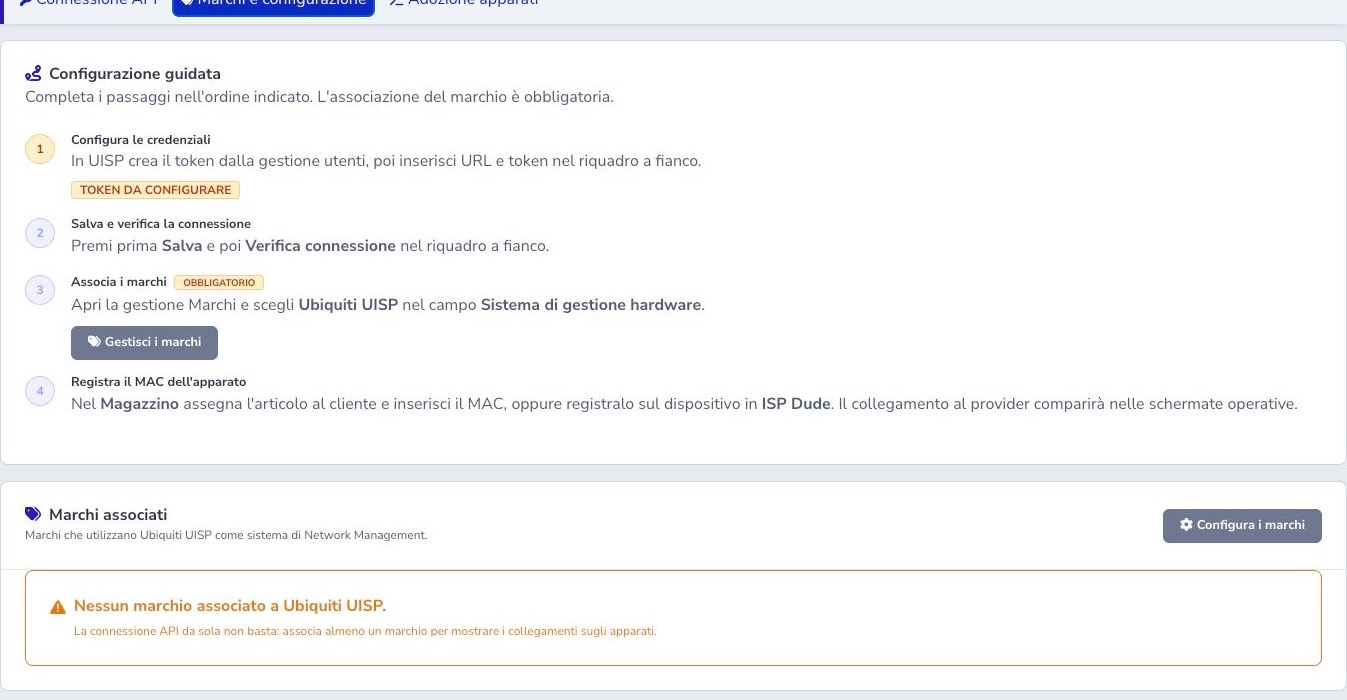
Select Ubiquiti UISP as the hardware-management system on every applicable Warehouse brand. This tells ISP Billing which assigned articles may expose UISP actions; a valid API token alone does not create device links.
Follow the guided order: store credentials, test the connection, map the brand, then register the device MAC. Apply the mapping only to brands whose equipment is actually managed by this UISP console, especially when the warehouse contains multiple Ubiquiti product families or management domains.
Device list and MAC diagnosis
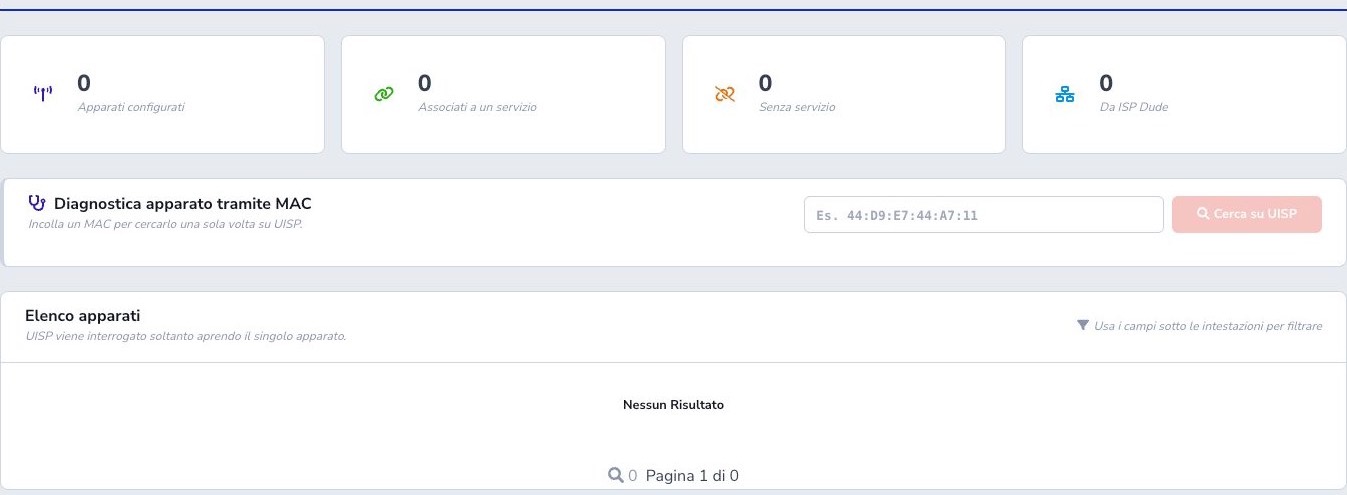
The device list is assembled from local Warehouse and ISP Dude records with valid MAC addresses. It distinguishes configured equipment, devices linked to a customer service, unlinked inventory, and ISP Dude devices. Loading the list does not mass-query UISP.
Use the explicit one-shot MAC diagnostic when a known device does not match. Verify hexadecimal characters, separators, duplicate inventory records, brand mapping, and which console owns the device. Correct the authoritative local record instead of repeatedly searching malformed variants.
Device detail
The detail page first renders the local identity and loading skeleton, then requests normalized live information from UISP: device and model identity, network addresses, CPU and memory, radio values, signal, connected stations, and location where the provider exposes them.
A timeout or partial provider response keeps the page open and offers Retry. Check the timestamp and distinguish unavailable metrics from zero values. Do not infer current service health from an old observation when the live operational state could not be retrieved.
Refresh, cache, and intermittent metrics
Refresh updates the live cards without discarding the operator’s scroll position or sections that have already loaded. Some intermittent radio fields may display the last valid observation to avoid a flickering empty interface, but the current operational state is never silently replaced with cached status.
Use timestamps and direct UISP checks when investigating an outage. Historical signal or station data can provide context, but it does not prove that the device is currently online or reachable.
Device Manager and backups
Device Manager exposes only documented, allowlisted fields supported by the integration. Review the current device, proposed values, customer impact, and write permission. Editing the form remains local until explicit confirmation sends the change.
Create or verify a preventive backup where supported before configuration or firmware work. Confirm the provider result and reload the device afterward. ISP Billing does not call undocumented private UISP endpoints simply to reproduce values found elsewhere in the UISP interface.
Edge Agent adoption
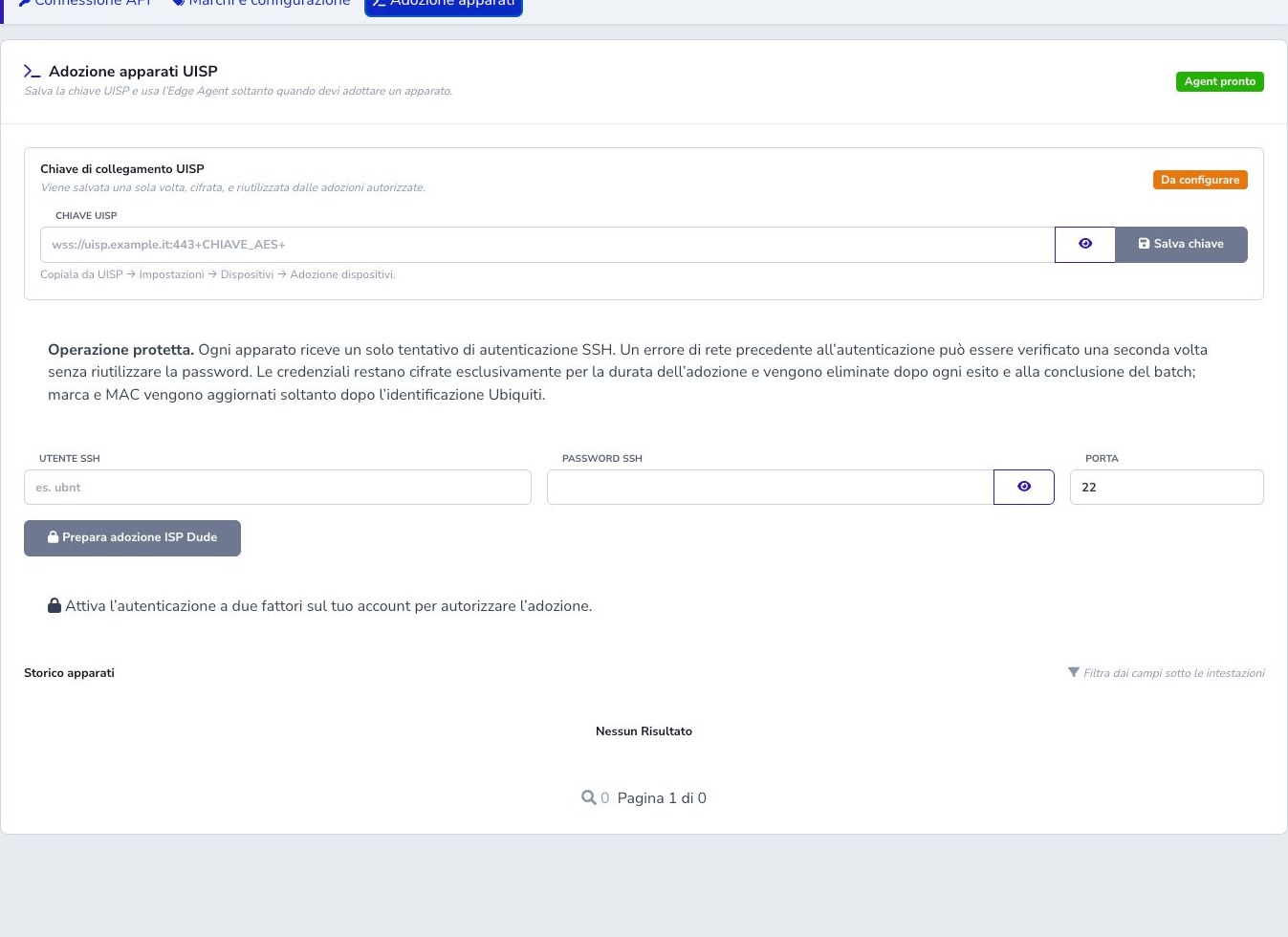
Adoption uses ISP Dude IPs, a compatible Edge Agent, write permission, 2FA, the encrypted UISP adoption key, and temporary SSH credentials. Preparation and start are separate; only Start requests 2FA.
Each device receives one SSH authentication attempt. Credentials are removed after outcome and the initial supported scope is documented airMAX equipment.
Radius and ISP Dude integration
ISPRadius 2.0 and LucyRadius can discover managed equipment from a CPE MAC without replacing Radius state. A positive match already stored for the account is reused without querying providers again; Refresh search explicitly checks again after equipment or provider changes. Empty results remain temporary so equipment added later can still be discovered.
ISP Dude can expose the brand badge, UISP detail, and temporary Edge Agent SSH to the known private IP.
Checklist
- Create a dedicated revocable token
- Enter the console base URL only
- Save and test the connection
- Distinguish application and REST versions
- Map at least one brand
- Store correct MAC addresses
- Open details for live queries
- Back up before changes
- Confirm restart and firmware impact
- Use 2FA and Edge Agent for adoption
- Avoid undocumented private APIs