
VoIP: numbers, plans, CDRs, and billing
Configure VoIP from rates to customer services and control traffic, charges, and invoicing.
Last updated: 2026-08-20
Module structure and setup order
VoIP connects DIDs, destination rate tables, commercial profiles, and call detail records. A customer service binds its profile and numbers; billing prices the assigned CDRs.
- Prepare CRM mappings and the CDR provider.
- Create a rate table and its destination prices.
- Create a profile with included-minute rules.
- Load DIDs.
- Assign the profile and DIDs to the customer service.
CRM identity mapping
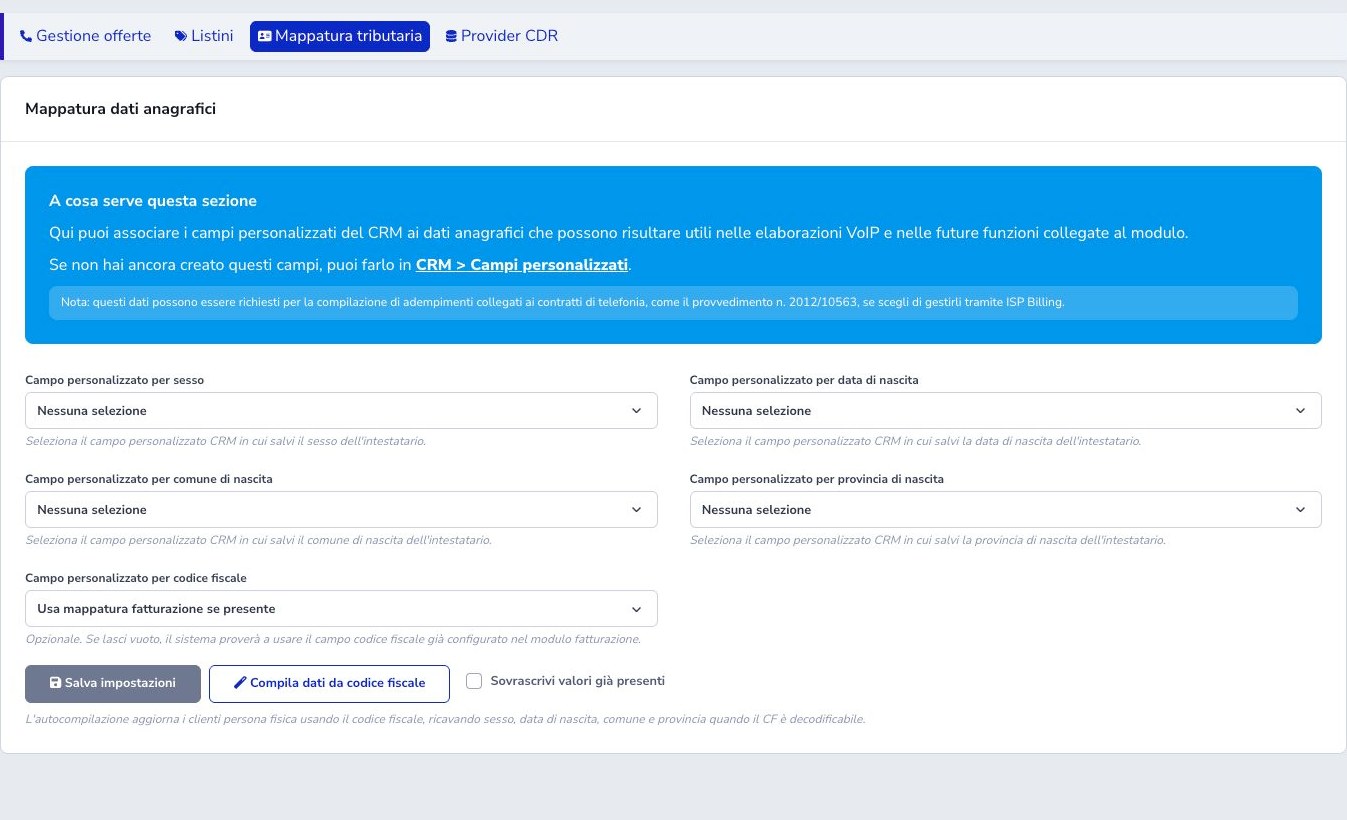
The identity-data settings map CRM custom fields to gender, birth date, place of birth, province, and tax code. Select the field that actually contains each value; a label with a similar name is not enough if its stored format differs.
Tax-code mapping can inherit the choice used by billing settings. Automatic completion can decode eligible Italian individual tax codes and populate compatible fields. Use the overwrite option only after reviewing existing data, because it can replace manually corrected values.
Test the mapping on an individual and a company before relying on it for provider payloads, number registration, or emergency-service obligations.
CDR providers
Available CDR sources include UNO Communications, Convergenze, Alida, TWT, Kolmisoft MOR CSV, MessageNet, Retelit Irideos, Media-Link, one generic HTTP profile, and up to six custom FTP profiles. The custom FTP profiles are grouped at the bottom of the page under Custom FTP providers, with independent configuration, internal name, and status.
Configure one source at a time and select Verify connection and data for a day with known traffic. The result shows the source, selected date, folder or search pattern, and individual check outcomes. All FTP/SFTP provider tests show up to five files with size, modification date when available, and whether they match the search. If dates are unavailable, the stated filename order does not guarantee that the files are the newest. Warnings distinguish missing files, unreadable folders, and partial listings; a listed file does not certify its content or importability. TWT and custom FTP profiles retain file search and download. Media-Link and MessageNet tests display up to five calls or report rows for the selected day, with partially masked numbers. The generic HTTP test reads a file sample and checks columns, duration, and date/time format; it cannot list other files beyond the configured URL. Empty results require checking the date and availability with the provider; authentication alone does not confirm traffic availability. Tests use the values in the form without saving them; certificates and private keys must be saved first. Retelit Irideos currently supports authentication checks only: CDR import is unavailable and is explicitly reported. Authorized Media-Link users can also inspect a read-only period of up to 31 days and download all available pages as CSV. Provider files and API results contain sensitive traffic data.
Media-Link uses its stable CDR identifier to prevent duplicates when a period is acquired again and treats the previous day as consolidated after the time communicated by the provider. For TWT, operators only select the call date: manual and scheduled imports locate the ZIP dated on the following day through the shared FTP client. During a manual run, progress refreshes with the available timings and counts. The latest outcome remains visible and summarizes the period, saved or skipped rows, and errors; an unfinished run is reported as interrupted. Never import the same traffic through two paths. Store credentials only in protected settings and restrict synchronization and inspection to authorized roles.
Manual synchronization and FTP inspection
The Latest manual synchronization result panel shows one import, including provider, period, date, outcome, imported records, duplicates or skipped records, and reported errors. Counters cover completed days only: any partial results from running, interrupted or failed days are excluded. When no final counters are available, Not available is shown. Full daily details start collapsed; select Show details to expand them and Hide details to collapse them. Expansion and scroll position are preserved when the same import is refreshed.
Run a bounded manual sync and monitor its state instead of resubmitting while active. Generic FTP profiles can list recent files and download one for name, columns, timezone, and content validation. Confirm deduplication before scheduled synchronization takes over.
Rate tables and destination prices
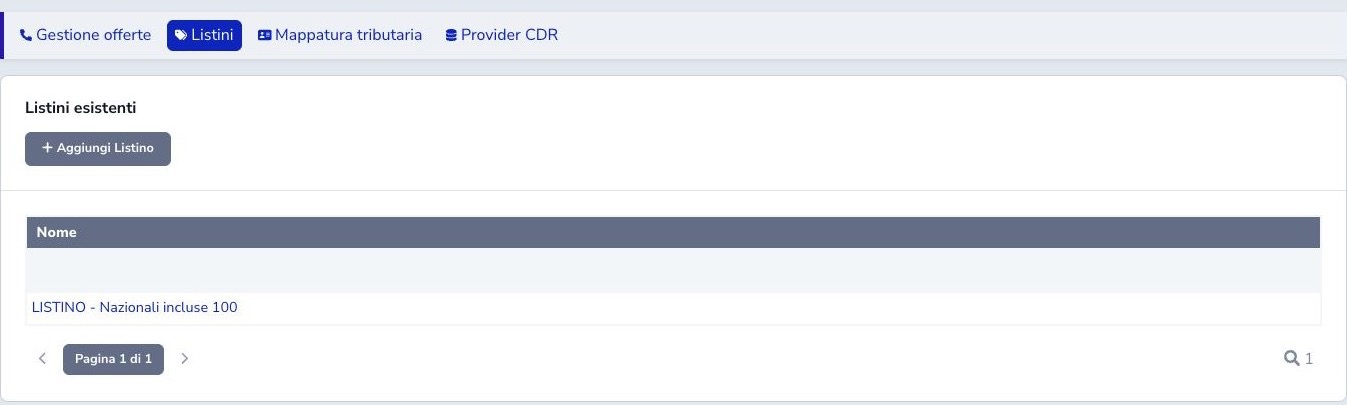
A rate table contains destination, prefix, per-minute price, and connection fee. More-specific prefixes must cover exceptions before broad rules. An explicitly configured zero price is valid; a destination missing from the rate table is an anomaly and keeps the call pending. CSV import and bulk price actions require careful filtering, decimal and unit checks, and a sample review after import.
Commercial profiles and included minutes
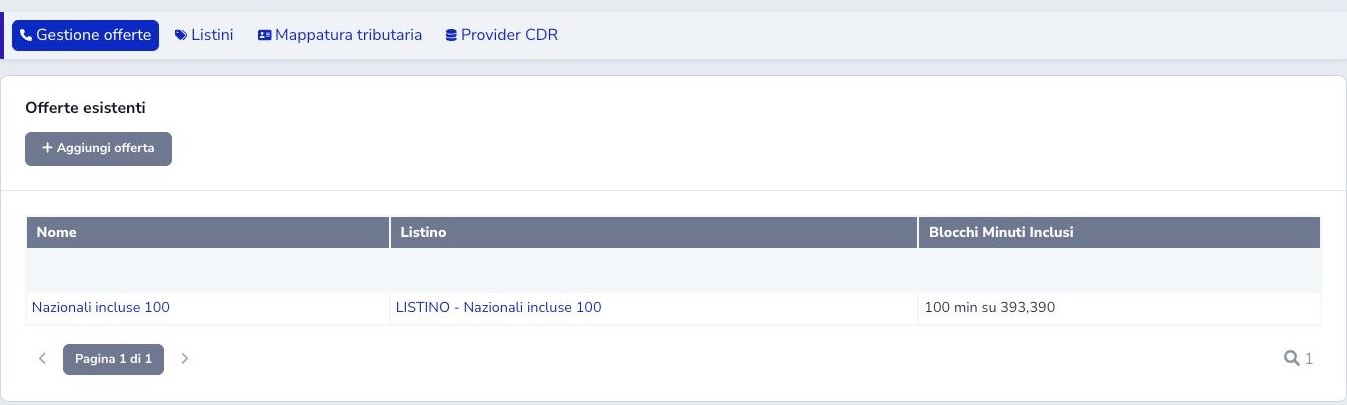
A profile selects a rate table and one or more included-minute blocks. Each block defines minutes, included prefixes, and optional exclusions; * means every destination and the most specific match wins.
Minutes may be shared across all DIDs on the service or consumed independently per DID. Review reseller commission settings before making the profile available.
Loading and reading DIDs
Add a single number or a range using E.164 format without the leading plus sign. The interface also accepts the supported GNR range notation. Before importing, normalize the country prefix and verify that the start and end of a range belong to the intended operator allocation.
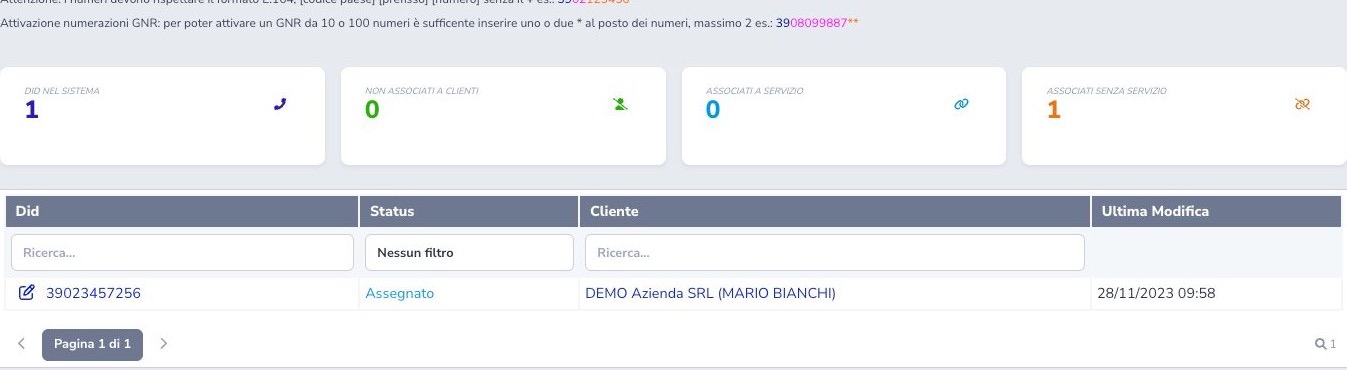
The list distinguishes Free, Assigned, Transferred, and Terminated numbers. Its summaries also reveal DIDs linked to a service, linked only to a customer, or left without an assignment. Use these discrepancies to reconcile inventory before offering a number to another customer.
The summary cards in the general list open every number in the selected category and clear previous searches and filters. Not associated with customers includes free DIDs or DIDs without a customer. The other two cards include non-free DIDs linked to a customer, distinguished by whether they belong to a VoIP service for that same customer, including terminated services. A DID linked to a terminated service therefore belongs to Associated with a service; Associated without a service means that no service link exists for that customer. Transferred or terminated DIDs are included when they retain their customer link. After selecting a card, use the column filters to narrow the list further.
DID detail and lifecycle
The DID detail brings together the customer, active and terminated service instances, provider-specific blocks, and related traffic. Check all of these areas before changing state; a number that appears commercially inactive may still exist in a PBX, provider portal, portability process, or recent CDR stream.
Release, terminate, reactivate, and delete have different consequences. Release returns an eligible number to availability, termination preserves its history, and reactivation restores the supported lifecycle state. Delete only data that can legally and operationally be removed; use termination when records and traffic relationships must remain auditable.
DID import preview
Bulk import begins with a preview that classifies normalized, valid, duplicate, and rejected rows. The preview does not change the DID inventory, so use it to correct country prefixes, invalid characters, reversed ranges, duplicate numbers, and unsupported GNR notation.
Execute the import only when sample rows and totals match the source allocation. Afterward, search the first, last, and several middle numbers, and confirm that existing assignments were not replaced or duplicated.
DIDs and Kolmisoft MOR
When Kolmisoft MOR is enabled, the DID detail can create a single number remotely, associate or create a MOR user, select one of that user’s devices, and assign the DID. The current API flow does not support GNR ranges.
Follow the remote order deliberately: confirm the number, locate the correct user before creating another one, select the intended device, perform the assignment, and then reload both systems. If a response is uncertain, inspect MOR before retrying so a successful remote operation is not duplicated.
When terminating or reactivating a VoIP service, a MOR configuration, connection or response error is reported as a warning without undoing the local status change. Processing continues for the other numbers. The final message, service detail and customer history identify incomplete remote operations; the service detail shows the attempt date and up to ten details linking to the DIDs. Check and complete the reported operations on the PBX: local termination does not guarantee that traffic has been disabled on MOR. After a manual correction, the warning remains a record of the last attempt; it is replaced by the next status change involving MOR. Local permissions, data and relationship checks remain mandatory. Actions performed directly on a DID still require the remote operation to complete.
Customer service assignment
The catalog service must use the VoIP module. Select a compatible profile and one or more available DIDs on the customer instance. Confirm provider readiness, customer status, and that numbers are not already bound elsewhere. This commercial assignment does not replace SIP or PBX provisioning.
CDR review and accounting
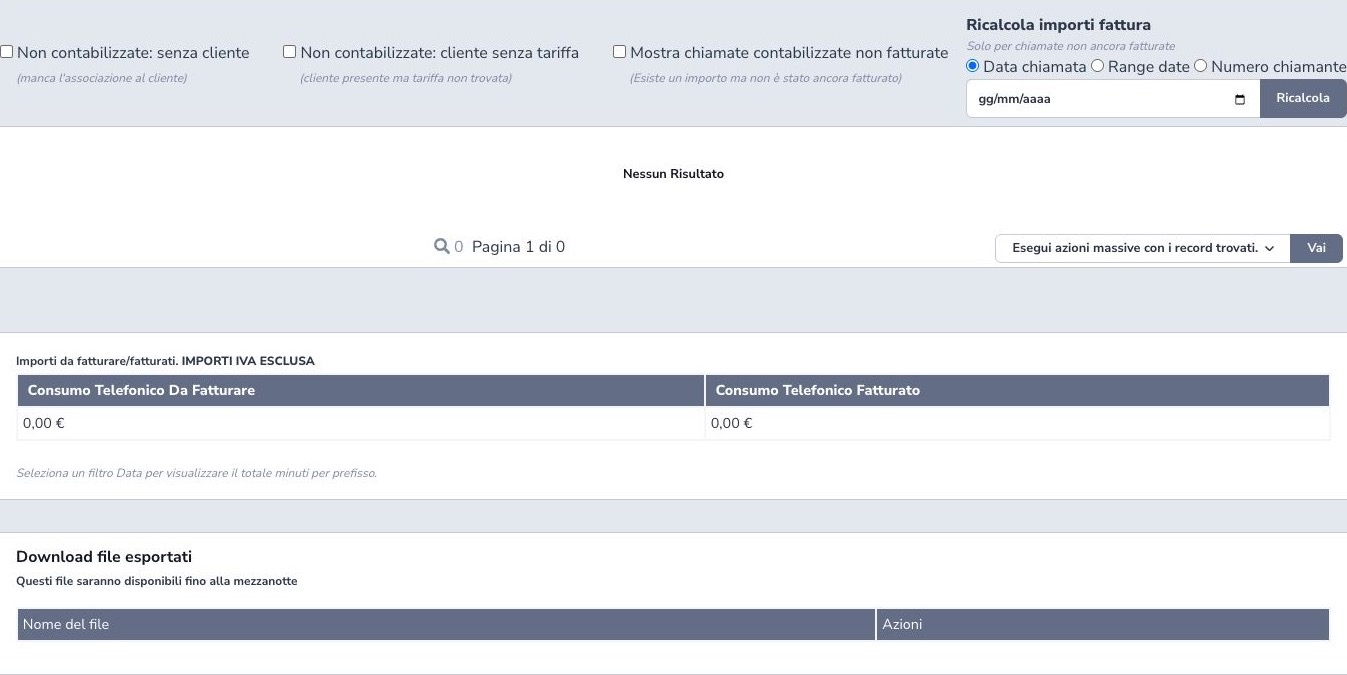
The calls page gives every row a health status: ready, billed, no consumption, missing customer, incomplete configuration, missing rate, or historical closure. Global alerts cover only open, actionable anomalies; historical closures remain available with a neutral status and require no operational action. Zero-duration attempts are classified as No consumption: they do not look up a rate, apply a connection fee, consume included minutes, or block billing. During rating, numbers such as 0039…, +39…, and 39… are matched against rate tables and included-minute rules in the same canonical form without changing the original CDR value. When a rate is genuinely missing, the alert summarizes the affected calls, a normalized sample number, plan, rate table, and destination.
A call without a matching rate stays out of invoices until the rate table is corrected and the amount is recalculated. Amounts can be recalculated by call date, date range, or caller for uninvoiced records only.
Manual CDR accounting
Manual accounting accepts only calls that already have a valid amount. Calls without a customer, plan, or matching rate cannot be closed at zero: correct the configuration, recalculate, and verify the resulting status first.
Imports, exports, and privacy
CSV imports require consistent date, timezone, caller, destination, and duration fields. Test a small interval and check duplicates. Filtered exports remain downloadable until midnight and contain sensitive traffic information; restrict them to authorized roles.
Traffic billing
Traffic billing selects uninvoiced CDRs with a valid amount. An explicitly configured zero rate remains valid, while a missing amount keeps that call pending and outside the invoice.
After the rate table is completed, recalculate the calls. Pending traffic remains recoverable even from an earlier period, while already invoiced calls are not duplicated. Final termination billing stays pending when unresolved calls exist so it cannot close with a partial zero-priced result.
Termination and final invoice
A scheduled VoIP termination keeps the service in a final-processing state until the last relevant traffic can be collected. After synchronizing the final day’s CDRs, residual calls up to 23:59:59 may be invoiced without renewing the recurring subscription.
Confirm provider deactivation, DID lifecycle, last CDR synchronization time, uninvoiced traffic, and the effective termination date. The process does not create an empty traffic invoice when there are no chargeable calls. Keep the DID terminated rather than deleting required historical relationships.
Customer Area and operational control
Where enabled, the Customer Area exposes the customer’s own VoIP services, numbers, and permitted traffic information. Visibility must follow the authenticated customer and the services linked to that account; administrative CDR controls and provider credentials remain restricted.
After provisioning or billing changes, verify both perspectives: the administrative record must show the correct profile, DIDs, and accounting state, while the Customer Area must show only the information intended for the subscriber. Use a customer-specific session for this check rather than assuming that the back-office result proves front-end visibility.
Checklist
- Map required CRM data
- Configure and test one CDR path per source
- Create complete rate tables
- Define profiles and allowance blocks
- Load DIDs in E.164 format
- Assign profile and DIDs to the correct service
- Resolve missing customer and missing rate CDRs
- Review amounts before accounting
- Protect traffic exports
- Terminate instead of deleting required history