
Warehouse, items, and delivery notes
Manage catalog, stock, serials, receipts, issues, transfers, loans, and transport documents.
Last updated: 2026-09-14
Permissions for receipts and purchase costs
To create a receipt, assign the account role both Warehouse read and Warehouse write permissions. From Movements or Stock and Serials, choose Warehouse receipt: you can manually enter the purchase cost supplied by the owner or stated on the supplier document even without permission to view purchase costs.
The entered price stays visible while completing the form and is saved with the receipt; no cost from previous purchases is suggested. Check it before posting.
The Receipts list is available with Warehouse read permission and shows supplier, date, reference, and operator without prices. No. 1011 — View item purchase costs, together with Warehouse write permission, is required to open the detail and update or delete a saved receipt. Clicking Edit or Delete without the required authorization displays the missing permission numbers while keeping you on the list. Ask an authorized account to correct the receipt. Movements remain available without showing purchase costs.
Module structure
Items is the catalog; Stock and Serials is physical availability; Movements is the complete ledger; Receipts groups supplier entries; Delivery Notes separates customer and supplier transport documents. Settings cover numbering, SMTP, templates, categories, brands, sites, and causes.
Sales, customer loans, service reports, resellers, and e-commerce reuse the same items but have different accounting and stock effects.
Items and filters
The list displays code, name, real stock, loan quantity, barcode, brand, category, and net/gross selling price. Filters distinguish real stock, customer loans, all records, and—when enabled—virtual e-commerce availability.
Filtered inventory export creates a temporary downloadable file. Confirm the selected scope before exporting.
Create or edit an item
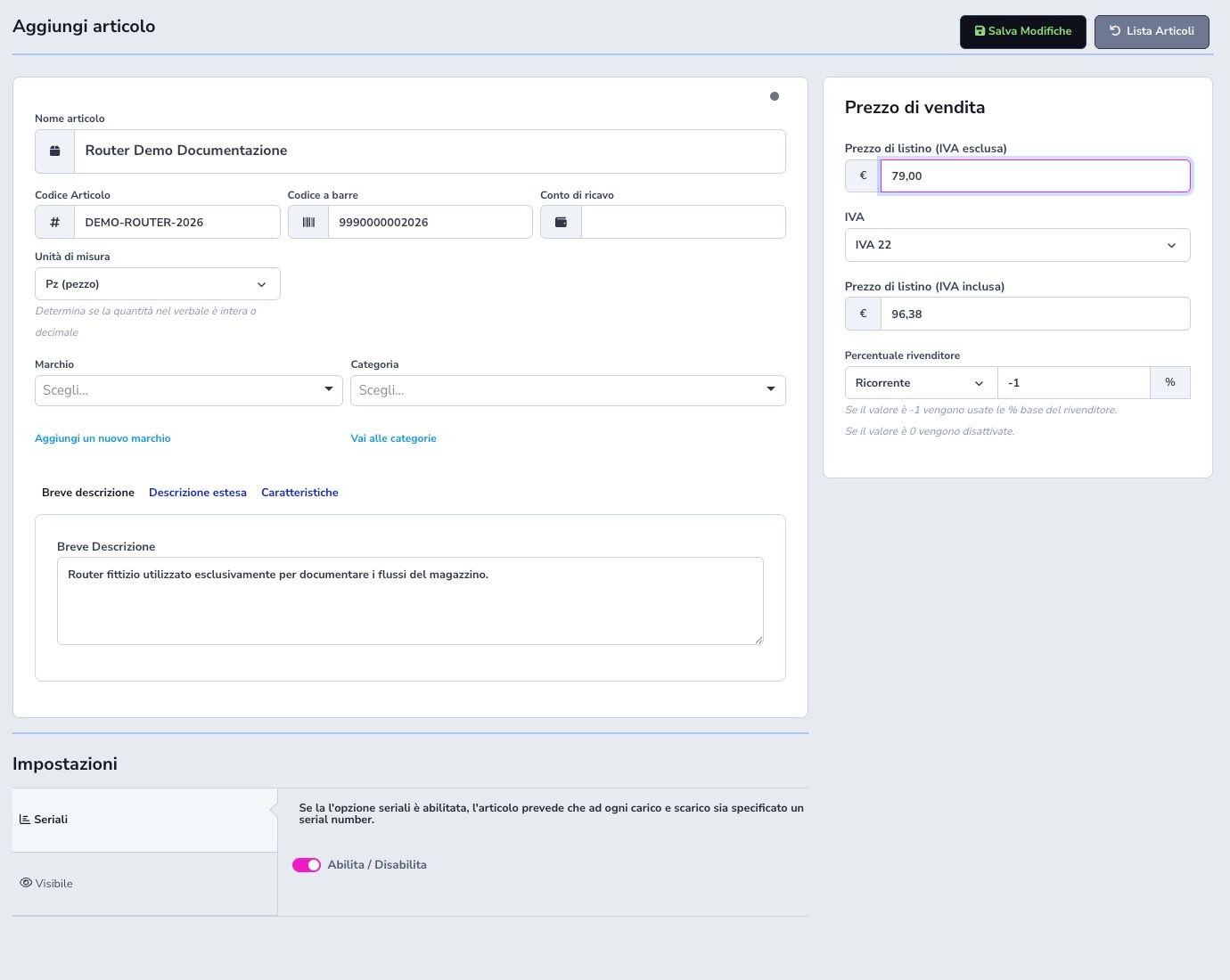
Name, unique internal code, and category are required. Barcode, revenue account, piece or metre unit, brand, internal and customer-facing descriptions, technical features, and images complete the catalog identity.
Search code and barcode before creation to prevent duplicates. When editing, consider imports, existing stock, movements, sales, service reports, e-commerce, and API consumers. Do not repurpose an existing item code for a different product.
Serials, visibility, and e-commerce
Enable serial tracking only for articles whose individual units must be identified. Every incoming and outgoing unit then requires one unique serial, and the serial’s movement history remains traceable.
General visibility and optional e-commerce settings control publication, virtual availability, price mode, and whether a zero-stock item remains sellable. Virtual stock is a commercial rule and must not be confused with physical quantity at a Warehouse site.
Prices, VAT, and resellers
Configure net selling price, applicable VAT, and the revenue account required by the ISP’s accounting setup. Verify the calculated gross price and do not mix purchase cost with customer selling price.
The reseller commission or fee setting participates in the reseller precedence rules. Confirm the VAT-exclusive base, percentage or fixed meaning, and whether a more specific service, product, or customer rule overrides the article default.
CSV import, jobs, and synchronization
Import accepts a local CSV, URL, or FTP source. Configure delimiter, column mapping, defaults, and the existing values that may be updated, including VAT, price adjustment, active state, serials, and e-commerce fields.
Each run is a job with status, progress, processed rows, creates, updates, rejects, and errors. Cancelling or deleting a job does not automatically reverse rows already processed. A preset stores source and mapping and may enable automatic synchronization; activate it only after repeatable manual runs. Protect FTP credentials and monitor remote column or unit changes.
Stock, value, and sites
Stock reports physical quantity and management value by site and lists intended use, condition, purchase cost, supplier, and available quantities. Every unit belongs to a Warehouse site, including depots, shops, and configured vehicles.
Real stock, e-commerce virtual availability, and quantities loaned to customers are distinct. Reconcile them separately. The displayed management value supports operations but is not a replacement for the ISP’s fiscal inventory valuation.
Serial numbers and traceability
For a serialised article, each unit must have one unique serial during receipt, transfer, sale, loan, return, or manual issue. Search the serial before posting to detect duplicates or an unexpected current location.
Opening a serial shows its filtered movement chronology and relationships. Correct serial or intended-use data only through supported movements and within current stock constraints; never overwrite a serial to make a quantity discrepancy disappear.
Supplier receipt
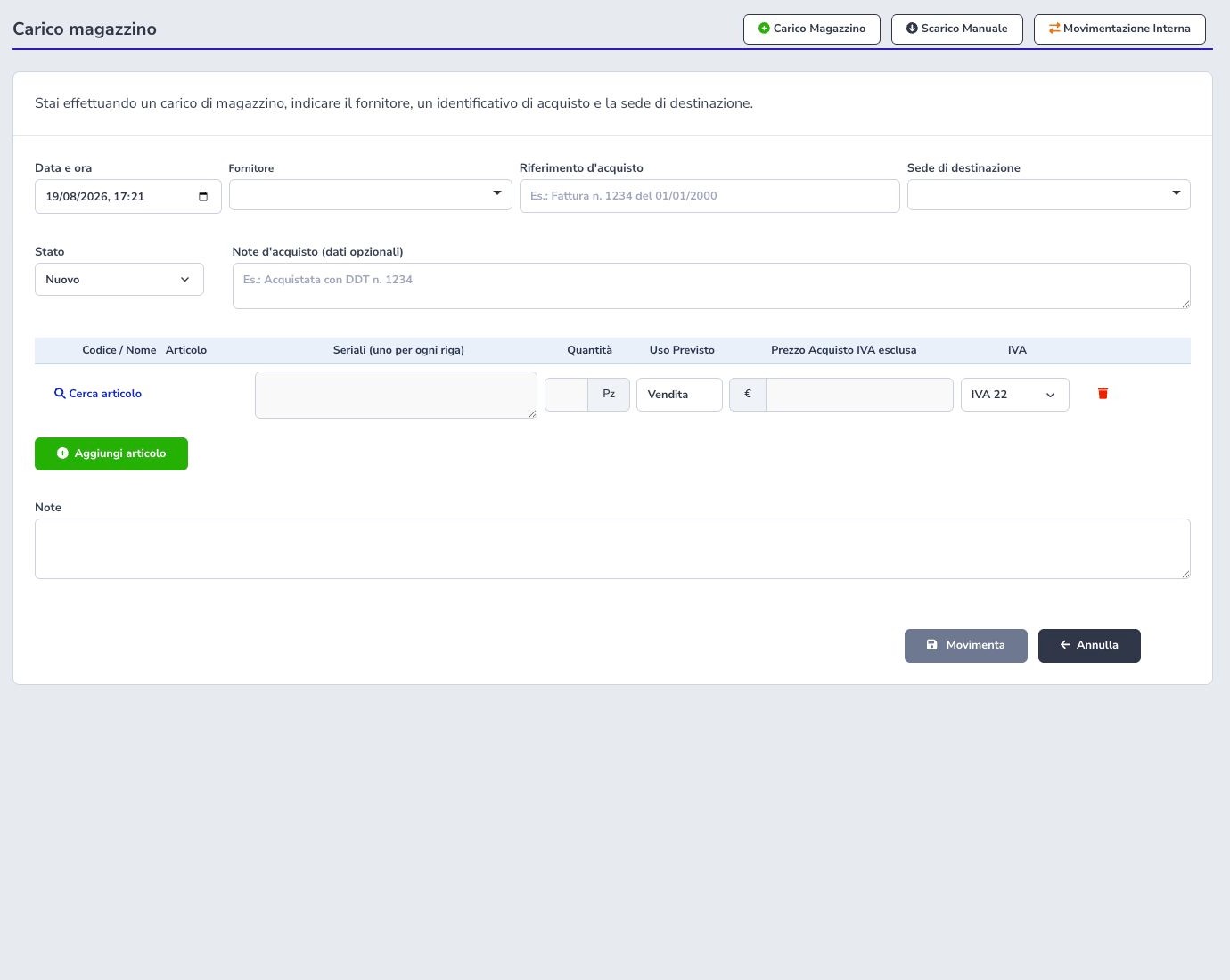
A receipt records time, supplier, purchase reference, destination site, condition, and notes. Lines contain item, serials, quantity, Sale or Loan intended use, net purchase cost, and VAT.
Item columns retain enough space to enter serials, quantity, intended use, price, and VAT. The quantity shows Pz or Mt beside the value. On iPad, narrow screens, or at increased zoom, use the horizontal scrollbar or swipe within the table to reach all columns. Receipt header fields, including date, supplier, and condition, wrap onto additional rows as space decreases.
For items measured in Pz, enter positive whole quantities: values such as 2.5 are rejected without rounding. Items measured in Mt without serials allow quantities with up to three decimal places. For serialised items, enter a different serial on each line: the quantity updates automatically and cannot be edited, so two serials correspond to two pieces. Missing or duplicate serials prevent saving. Confirm supplier document, site, costs, and uniqueness before posting.
Manual issue
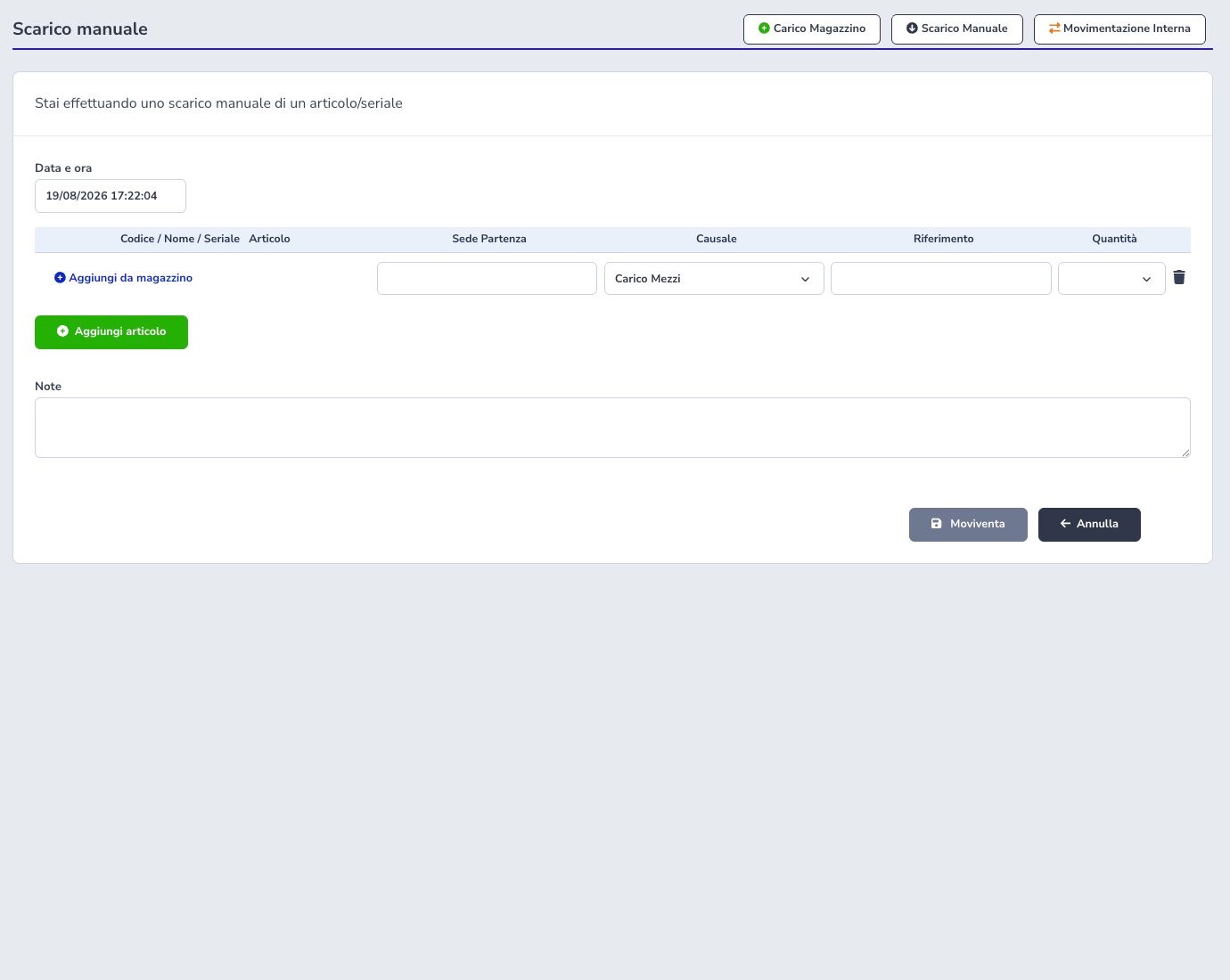
A manual issue reduces physical stock for an operational reason that is not a customer sale or loan. Select source site, item, available quantity or exact serials, movement cause, date, external reference, and explanatory note.
On iPad, narrow screens, or at increased zoom, columns retain enough space to read and complete the fields. Use the horizontal scrollbar or swipe within the table to reach the reference and quantity.
Verify authorization and supporting evidence before posting. A manual issue changes inventory immediately and should not be used to compensate silently for an unknown discrepancy.
Internal transfer
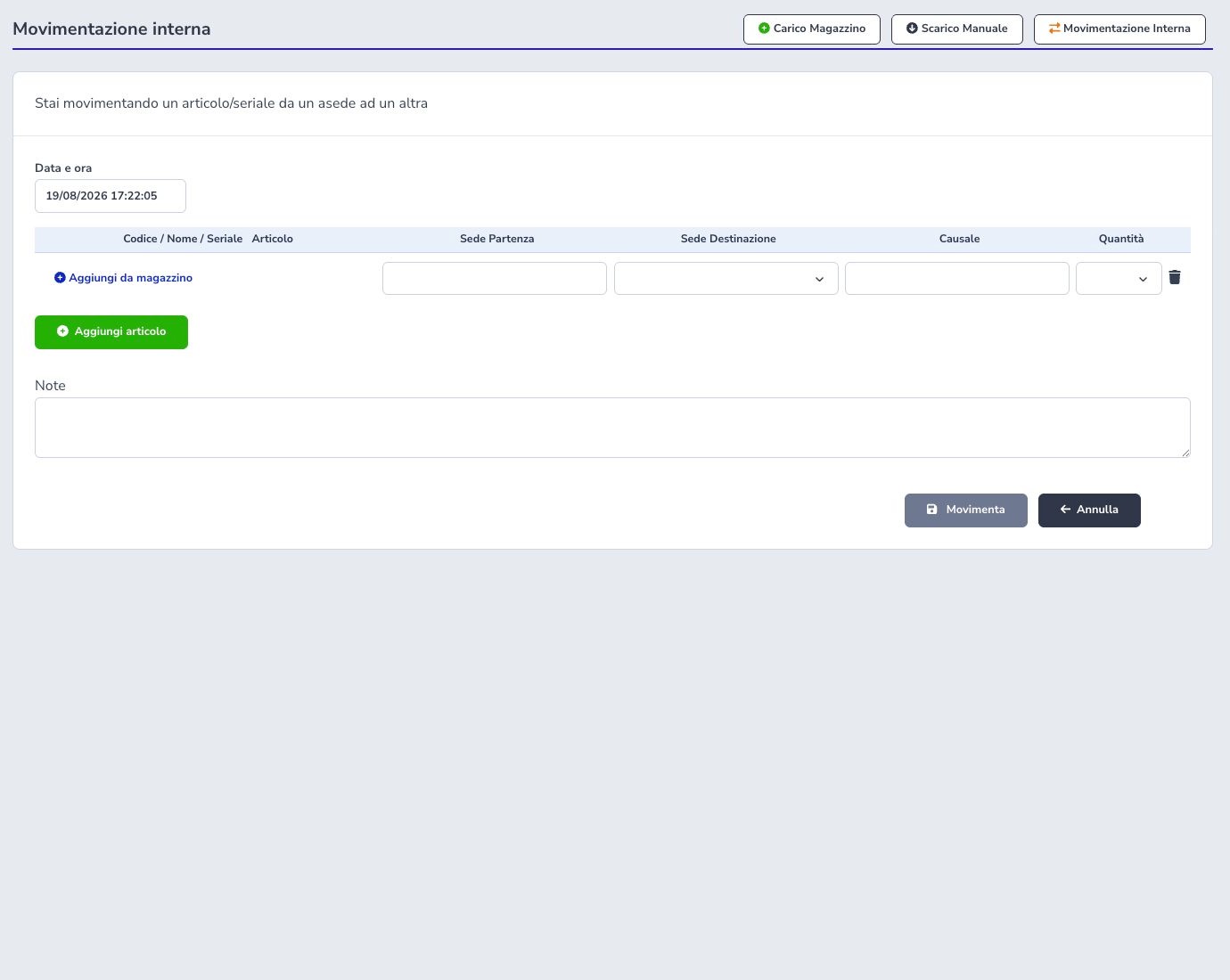
An internal transfer moves available quantities or serials between two different sites without changing the tenant’s overall physical total or customer ownership.
On iPad, narrow screens, or at increased zoom, columns retain enough space to read and complete the fields. Use the horizontal scrollbar or swipe within the table to reach the destination site, movement cause, and quantity.
Confirm source, destination, condition, intended use, quantities, and serials. After saving, reconcile the paired movements and stock at both sites; a transfer cannot use the same site as both origin and destination.
Movement ledger and receipts
The ledger combines item, serial, sites, receipt/issue type, date, quantity, supplier or customer, intended use, reference, delivery note, report, price, and operator. Receipt groups preserve the supplier document and its component movements.
Serial or intended-use corrections are constrained by current stock, uniqueness, and linked customer sales.
Customer sale and loan
Customer issues distinguish Sale from Loan. A sale transfers the item commercially and can create billable records or documents. A loan keeps the unit assigned to the customer and outside available stock while ownership remains with the ISP.
Verify customer, service or purpose, site, item, quantity, serials, price, VAT, and resulting document. Returns and cancellations must restore stock and relationships through the supported workflow.
Service reports and used materials
A service report can consume Warehouse articles and retain item, serial, quantity, price, VAT, and the linked report. Confirm field technician, customer, source site, and actual material used before completing the report.
Completion may create sales and stock movements. Reconcile report lines, serials, customer records, inventory, and any billable consequence; do not enter a second manual issue for material already discharged by the report.
Customer and supplier delivery notes
Customer and supplier delivery notes are separate archives and workflows. Customer filters distinguish all, invoiced, and to-invoice documents; supplier notes retain the purchase and receipt context. An empty state means only that the active filter has no document.
Actions can include create, edit while permitted, PDF view or download, send, delete under the supported conditions, and bulk processing. Verify issuer, recipient, transport reason, destination, lines, quantities, serials, date, and prior linked movements.
Completing delivery-note lines
For each article line, select stock using Add from warehouse or remove the unused line with the trash button. If an article line has no selection, saving stops with a message identifying the line to complete or remove; the message counts only newly added article lines.
Use Add free line to enter a description, quantity, price, and VAT without selecting a warehouse article. To create a delivery note containing only free lines, also remove the initial article line. In supplier delivery notes, free lines follow the Item, Quantity, Net price, VAT, Gross price, and Total columns.
Delivery-note billing
Selected customer delivery notes can become an invoice directly, move to billable items for later processing, or be restored from billable items when the flow permits. Review customer, lines, prices, VAT, period, previous conversion, and existing linked document.
After conversion, open the invoice or billable entries and compare totals and references. Do not convert the same delivery twice to correct a display issue; reconcile the existing link first.
Delivery-note numbering and sending
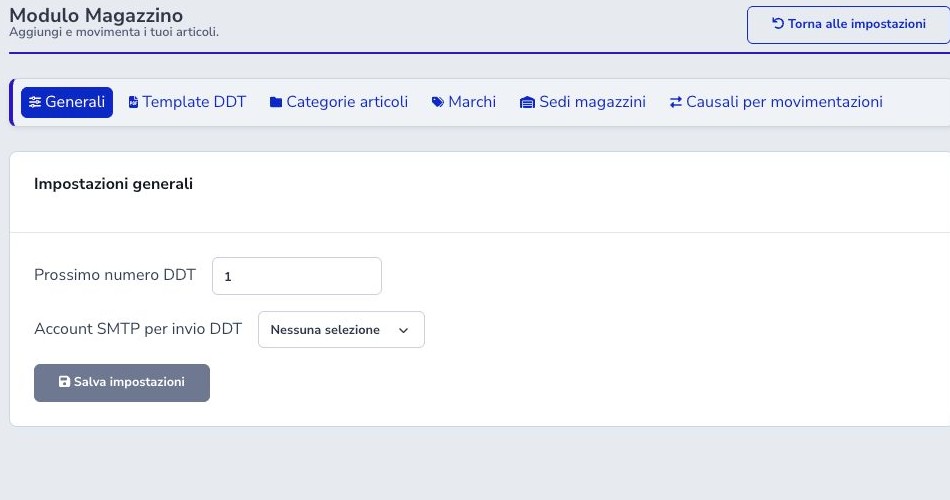
General settings define the next delivery-note number and the SMTP profile used for email. Preserve the ISP’s numbering sequence and coordinate changes with documents already created or being prepared.
Before email or WhatsApp delivery, open the final PDF and verify recipient, document number, lines, and attachment. Provider acceptance is not proof of reading; keep the communication outcome separate from the document state.
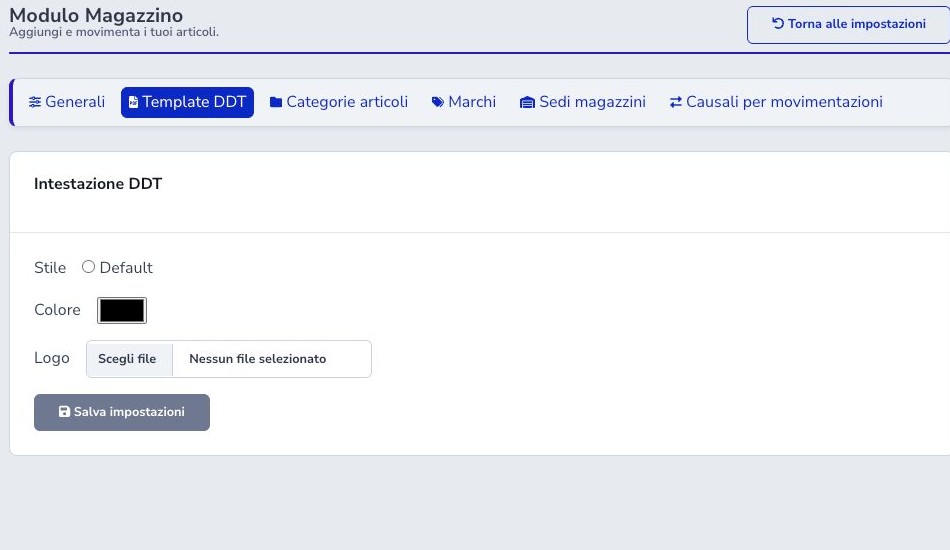
Delivery-note template
The PDF template controls the supported layout style, primary color, and logo. Use an asset suitable for print and verify issuer, customer or supplier, destination, transport details, lines, totals where present, page breaks, and footer.
Generate a representative multi-line document after every template change and inspect the actual PDF before enabling automatic or bulk delivery.
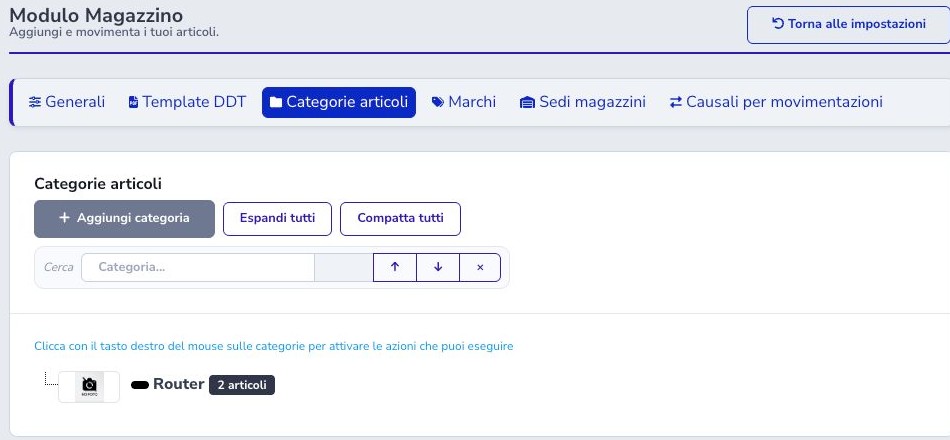
Hierarchical categories
Categories form a searchable and reorderable hierarchy with item counters. Use stable names and parent-child relationships that support catalog navigation, imports, reporting, and e-commerce filtering.
Before moving, renaming, or deleting a category, inspect its child categories and items. Historical movements retain the item, but current filters and publication can change.
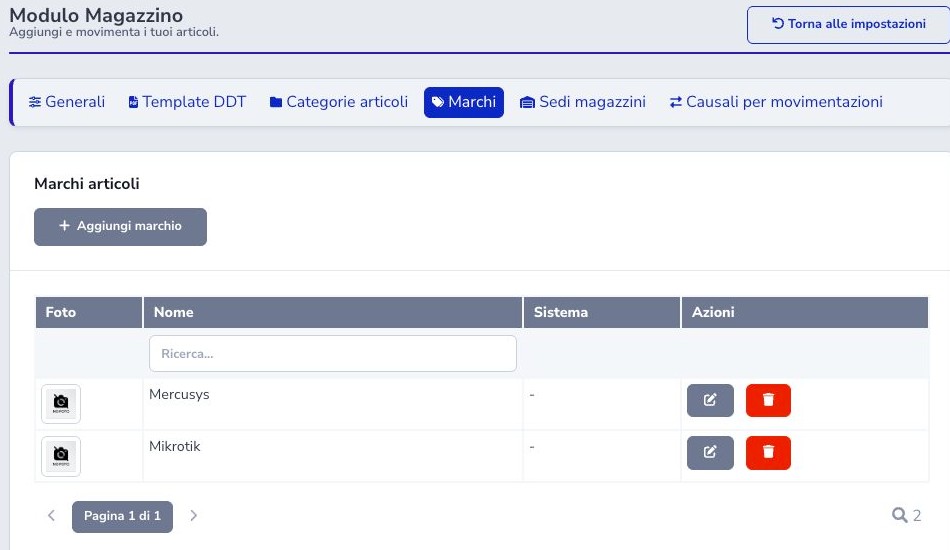
Brands
Brands normalize manufacturer or product-family names and may include an image. They support catalog filters and can select equipment integrations such as UISP or cnMaestro where configured elsewhere.
Search before creating a brand and avoid spelling variants. Review linked items and management integration before rename or deletion.
Sites and vehicles
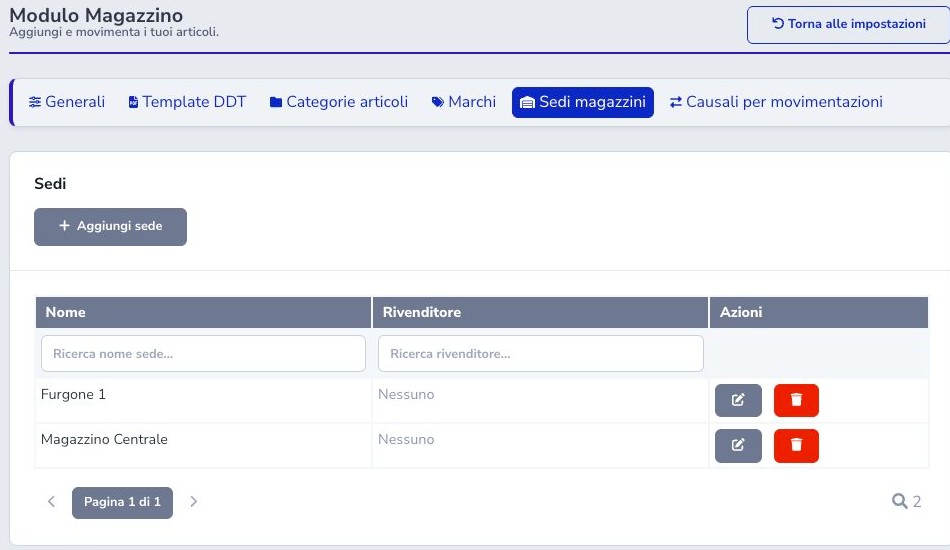
A Warehouse site can represent a central warehouse, shop, depot, field stock, or vehicle. Every physical quantity belongs to one site, and selected sites may be linked to reseller visibility.
Use stable names, identify the responsible operator, and reconcile vehicle stock during handover. Before deactivating or deleting a site, move or resolve all remaining quantities and serials.
Movement causes
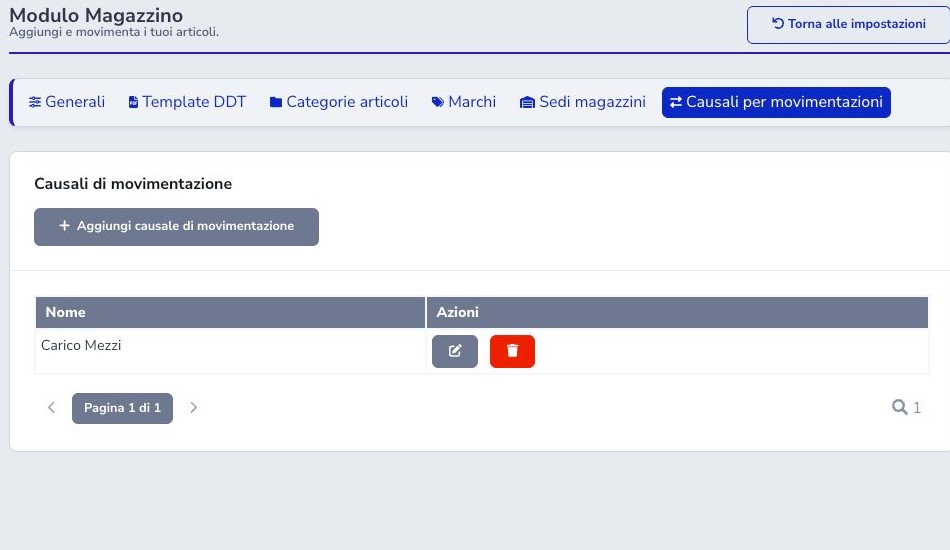
Causes explain manual issues, adjustments, and other non-automatic inventory movements. Create specific and stable reasons rather than a generic label that hides why stock changed.
Require a useful external reference and note where policy demands it. Renaming a cause affects future interpretation, while existing movements must remain auditable.
APIs and automation
Warehouse APIs provide list, detail, and write operations for items, categories, and brands; list/detail for stock; and list, detail, create, update, and delete for receipt groups. Use a dedicated key with minimum permissions and tenant isolation.
Receipt payloads can include header, aggregated lines, serials, supplier, site, cost, and VAT. After a write, reread the receipt, movements, and stock. API acceptance is not a substitute for reconciling quantities, serial uniqueness, sites, and duplicates.
Operational checklist
- Configure categories, brands, sites, and causes
- Verify code, barcode, unit, serial policy, and visibility
- Separate real, virtual, and loan stock
- Validate net, VAT, gross, and revenue account
- Reconcile receipts with supplier documents
- Use one serial per tracked unit
- Verify source and destination sites
- Distinguish sale, loan, and manual issue
- Review report materials
- Check delivery notes before billing or sending
- Audit API and import results