
Official WhatsApp Meta: activation and operation
Activate the Cloud API and configure templates, inbox, tickets, 24-hour window, attachments, and billing.
Last updated: 2026-09-09
Activation request
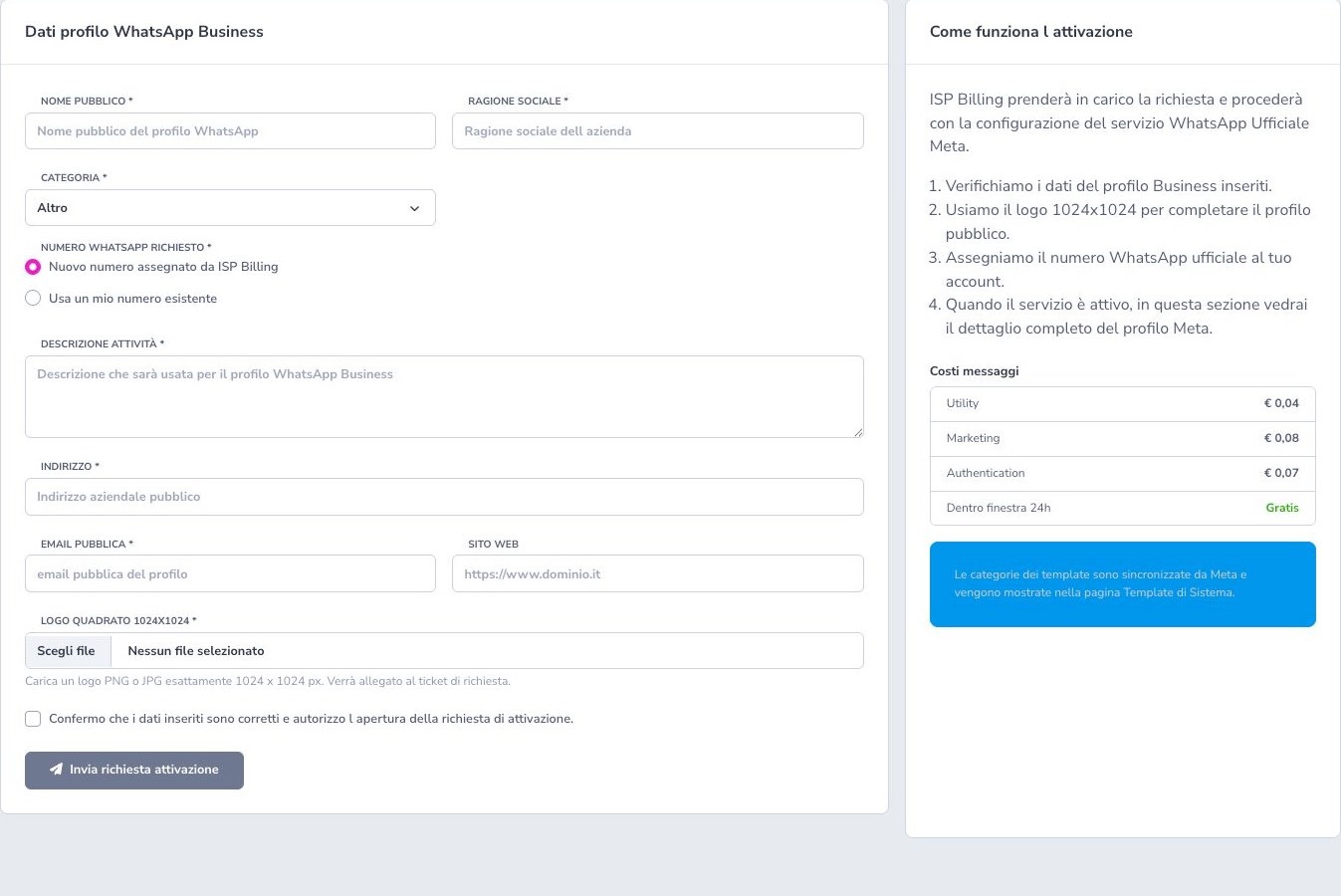
Provide public name, company, category, description, address, public email, website, and an exact 1024×1024 PNG/JPG logo. Request a new assigned number or an existing international number.
An existing number must receive Meta’s automated OTP call directly; IVRs and answering systems that hide the code block verification.
Post-assignment settings
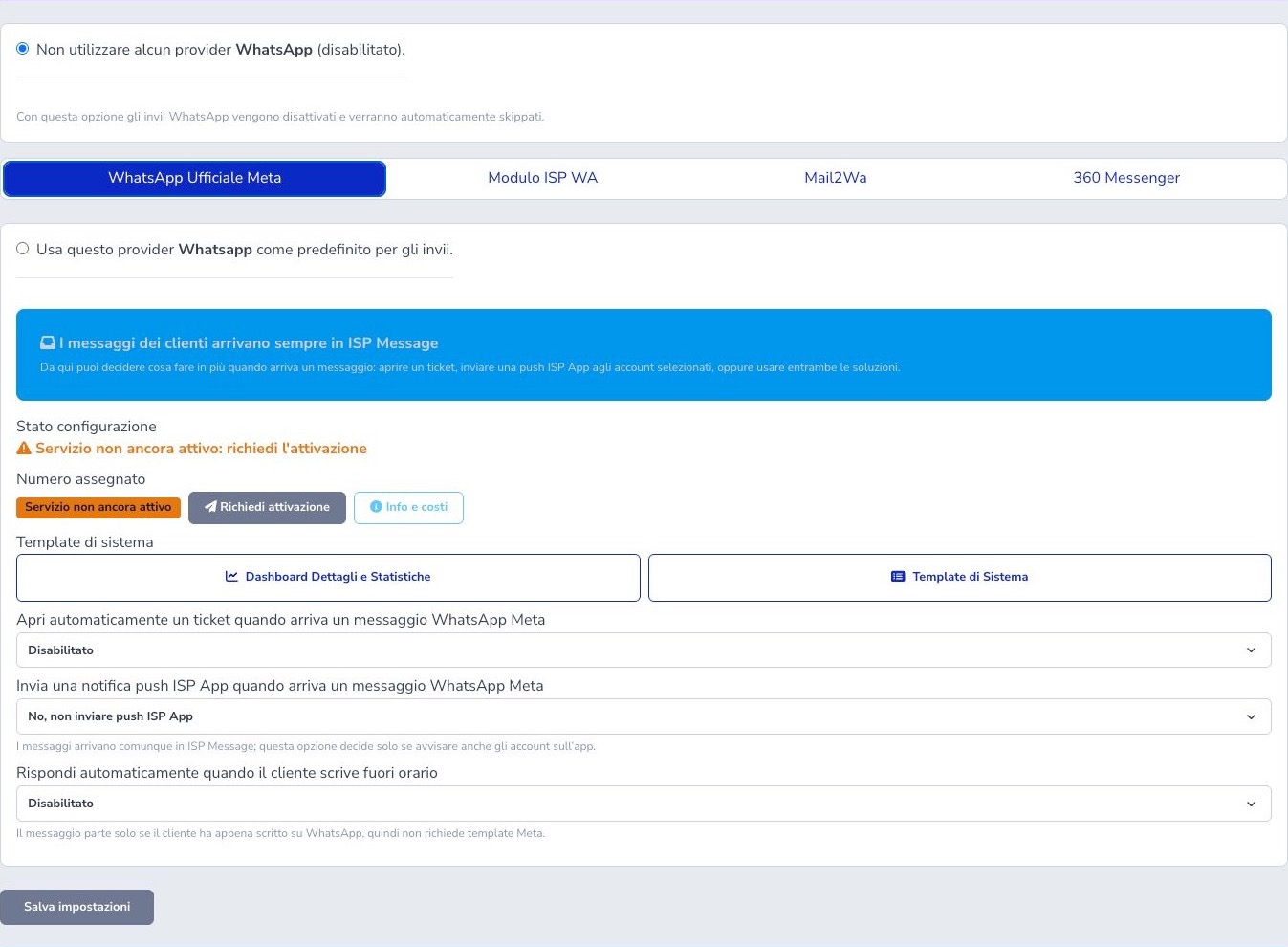
Select Meta as default and verify active status and assigned number. Inbound messages always reach ISP Message; automatic ticket creation, department, selected ISP App push recipients, and an office-hours auto-reply are additional actions.
Automatic replies and tickets
Recognized automatic acknowledgements, such as the standard Italian ticket-opening confirmation or office-closed notice, remain in the chat but do not open or update tickets, even when a ticket is already open. They receive neither a ticket acknowledgement nor an out-of-hours automatic reply.
The customer can keep writing: a subsequent genuine request follows the normal support workflow. Text that adds a request to the automatic wording remains available for operator handling. Recognition covers known wording and cannot identify every autoresponder; review unrecognized cases without blocking the contact. History, unread counters, and push notifications retain their usual behaviour.
24-hour window
Free-form replies are allowed for 24 hours after the last inbound message on that exact telephone-number conversation. The window does not belong to the customer record or ticket in general: another number belonging to the same customer has its own conversation state.
Before replying, check the displayed window and latest inbound timestamp. Outside the window, start again with an approved template intended for that event; once the customer responds, the new conversation window allows the supported free-form exchange. Do not circumvent the rule by sending ordinary text through another event.
System templates
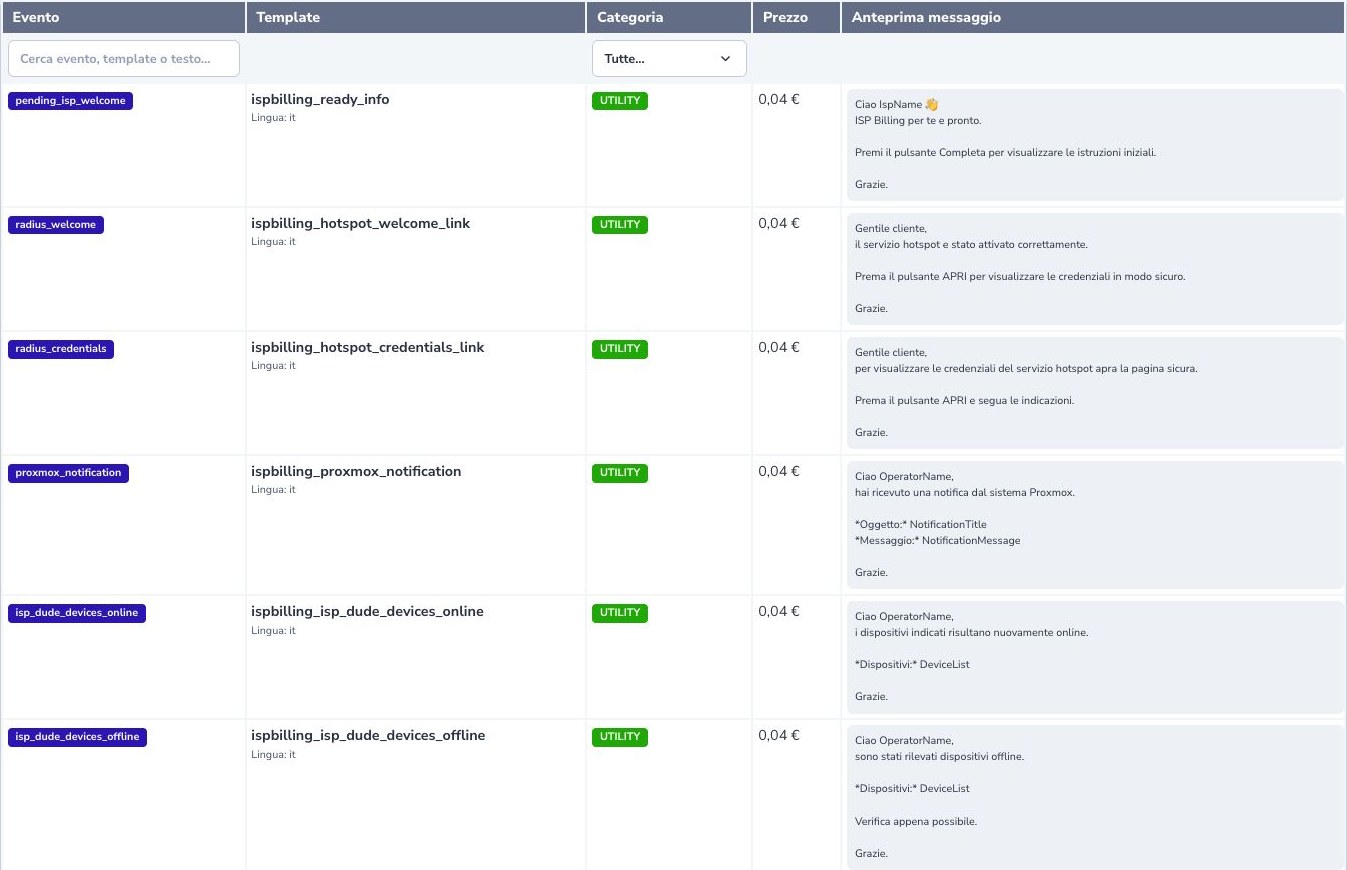
Approved templates map stable ISP Billing events to Meta Utility, Marketing, or Authentication categories. The page shows the application event, exact Meta template name, language, current price, rendered preview, and readable meaning of each variable.
For invoice templates, the Pay now button follows the payment method assigned to the document. With Stripe credit card or TS Pay, it opens the provider checkout directly. With any other method, it opens the Customer Area payment page and asks for credentials when the customer is not already authenticated. In the latter case, the sign-in page is expected behaviour and does not indicate a Meta template error.
Keep the mapping stable and provide every variable in the expected order and format. Do not begin or end the body with a variable. A URL button receives only the short route token expected by its approved template, not a complete arbitrary dynamic URL. Recheck approval and mapping after changing text, language, buttons, or category.
ISP Message and tickets
Every inbound conversation reaches ISP Message, where operators see the customer match, message history, media, current window, ticket badge, and unread state. Unread receipts are operator-specific: background polling retrieves updates without marking them read, while explicitly opening the conversation records the read action.
When automatic ticket creation is enabled, a new eligible conversation can create a ticket in the configured department. Later messages continue the appropriate open ticket without duplication. A reply is mirrored only into the still-open ticket linked to the latest inbound context, never into an arbitrary historical ticket. Verify customer and ticket before responding.
Media and ISP App
Inbound and outbound images and documents use protected storage and authorized download routes. Do not publish storage paths or signed links in documentation, logs, or external messages. Verify file type, customer, conversation, and retention requirements before downloading or forwarding an attachment.
ISP App previews supported images and PDFs inside the application; other file types follow the authorized download flow. Push notifications inform only the operators selected in the Meta settings, while conversation history and per-user unread state remain authoritative in ISP Message.
Costs and billing
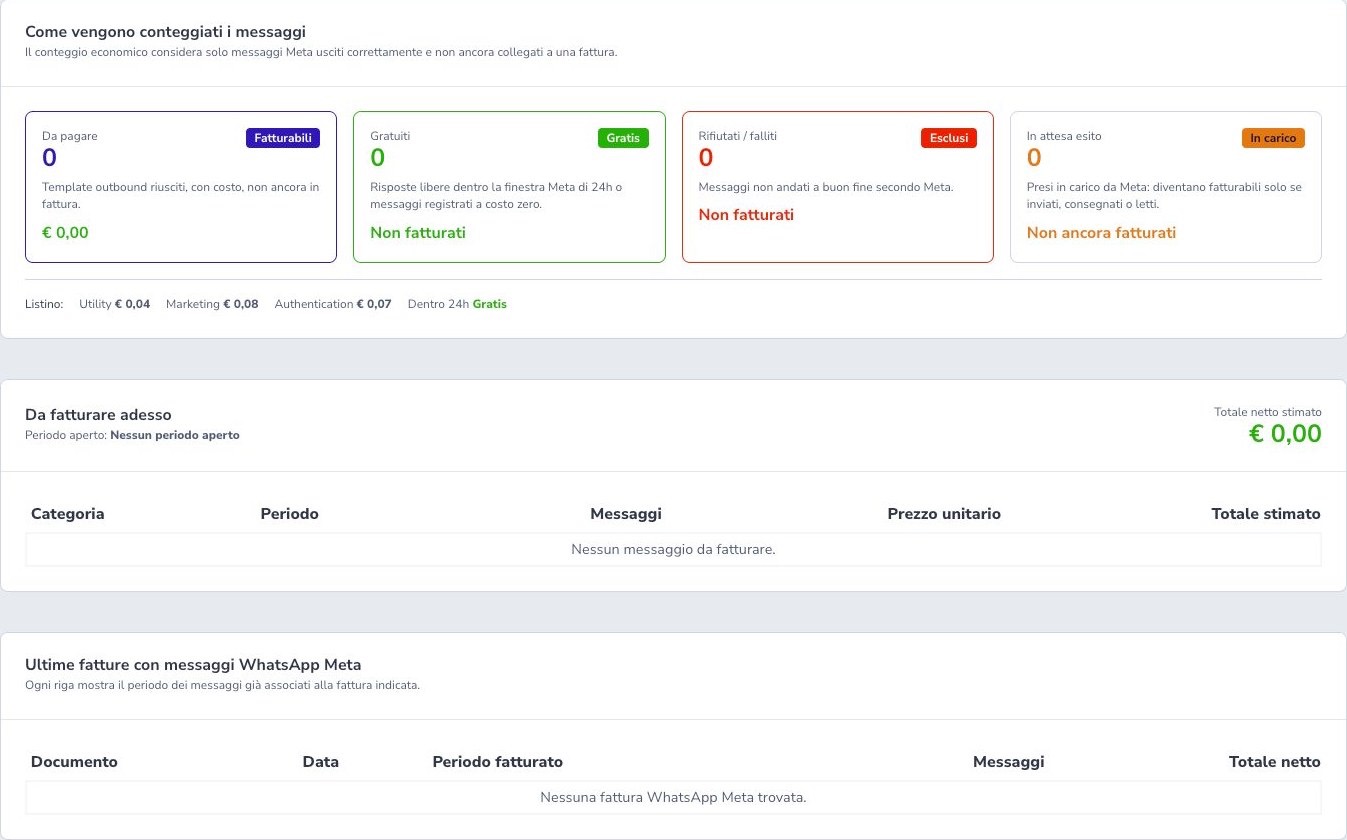
Successful paid templates store the price at send time. Free-form replies and qualifying Utility messages inside the window are free; failed and pending messages are not billed. The dashboard separates billable, free, failed, pending, open period, and prior invoices.
The observed application list shows Utility €0.04, Marketing €0.08, and Authentication €0.07; the live in-product price list remains authoritative.
Webhook and security
Webhook verification, inbound events, delivery states, and number ownership are tenant-separated. Only the official CONNECTED state makes the assigned number operational; a saved configuration or visible number does not prove that events can flow.
Keep verification tokens, application secrets, access tokens, signed media URLs, and complete webhook payloads out of public documentation and ordinary logs. Validate event authenticity through the supported integration, make repeated delivery processing idempotent, and preserve only the operational identifiers needed for diagnosis. After activation or credential changes, test one inbound message, one permitted outbound template, delivery status, ISP Message visibility, and ticket behaviour.
Checklist
- Prepare the Business profile and 1024×1024 logo
- Verify number and OTP
- Wait for active/CONNECTED
- Select Meta as default
- Configure ticket, push, and office hours
- Respect each number’s 24-hour window
- Map templates and variables
- Protect media and links
- Review queue and costs