
 Download the APP
Your entire ISP in one working environment.
From the first customer record to payment, from a support ticket to network monitoring: see how each area works with the others and explore every process in the documentation.
- Real product screens
- Demonstration data and concrete workflows
- Direct links to the complete manual
Follow the work from beginning to end.
Each section explains an operating outcome. Screens show the real interface; the documentation covers configuration, permissions, and procedures in detail.
The working day begins on the Dashboard.
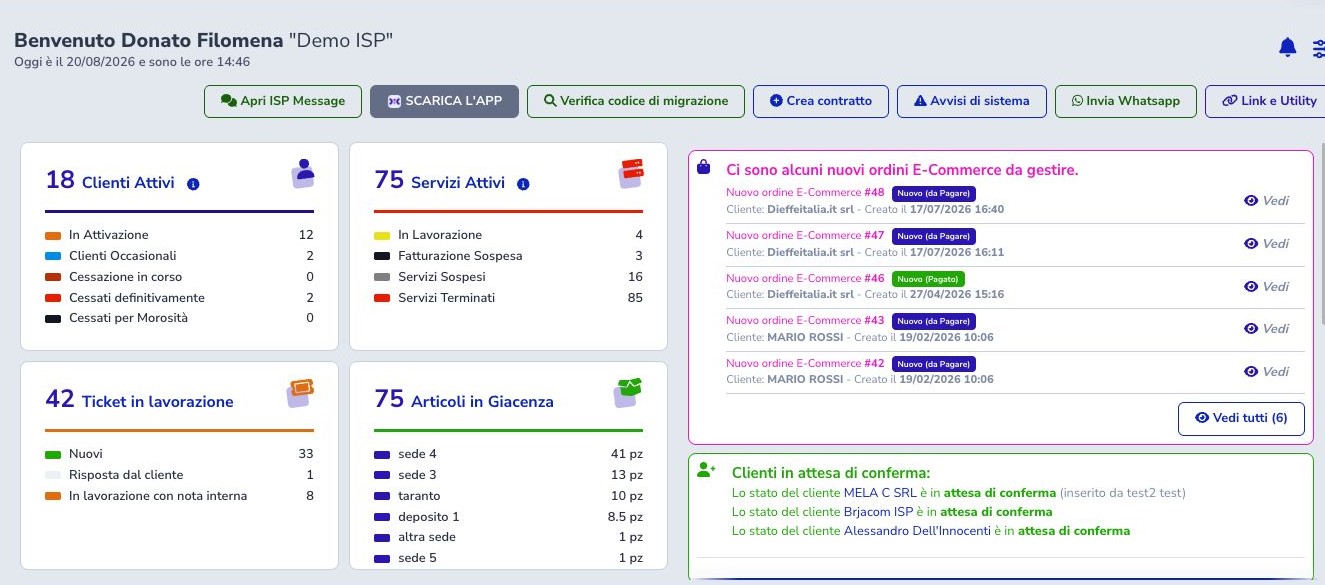
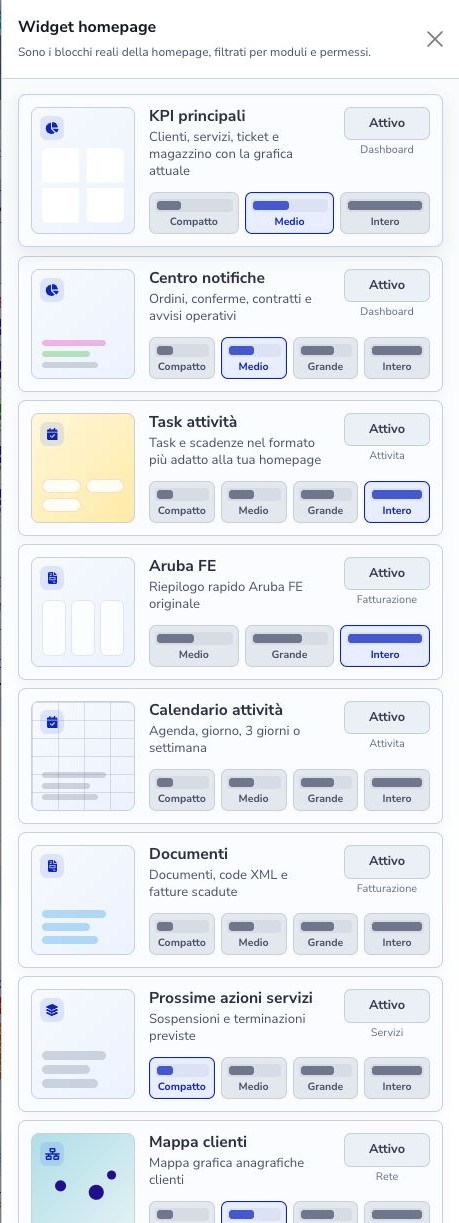
Customers, services, tickets, stock, notifications, and activities become readable indicators. Each operator can arrange the widgets allowed by their role and open the records that require attention.
- Role-aware personal widgets
- Operating queues and notifications
- Links to authoritative records
 Enlarge screen
 Enlarge screen
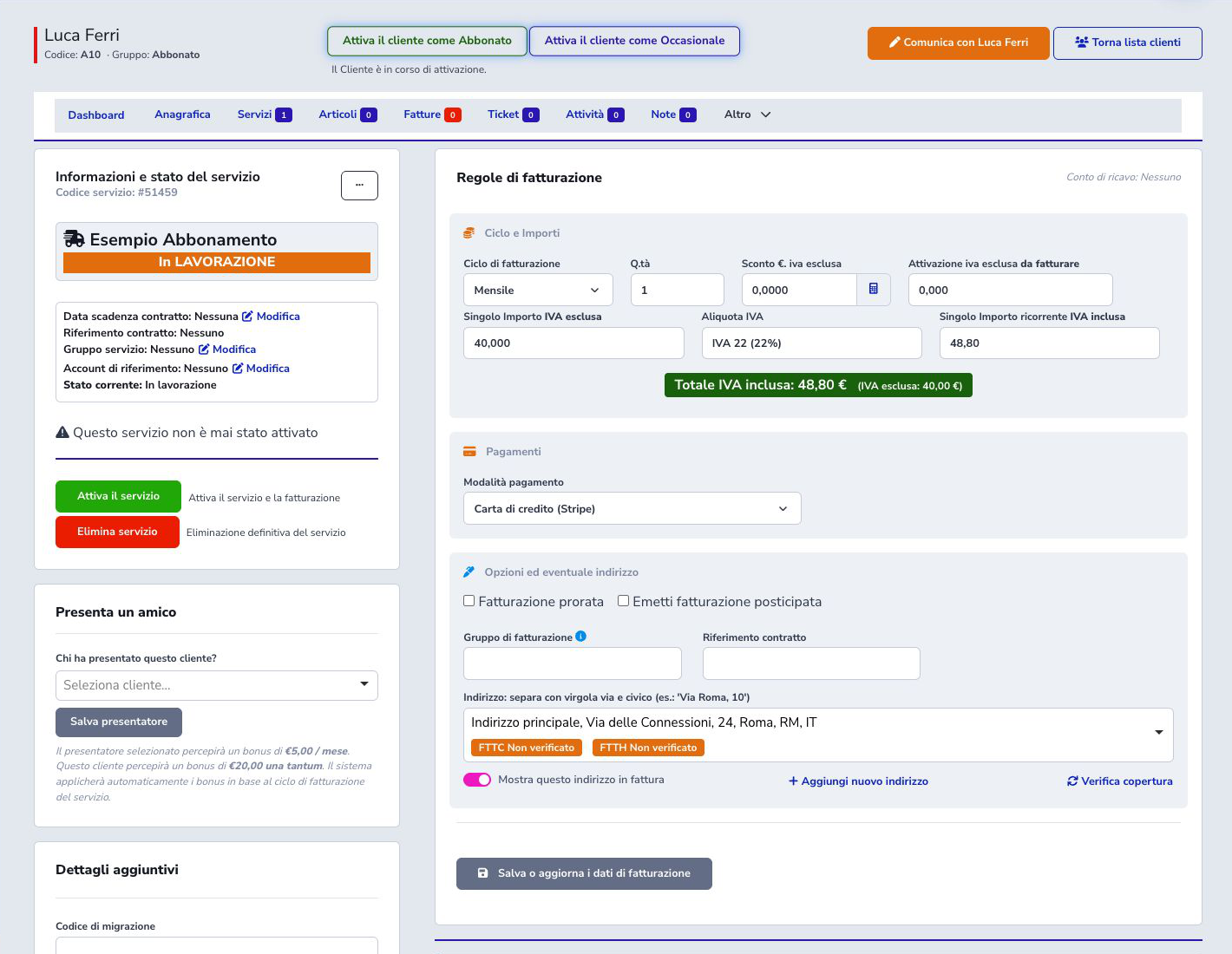
From customer to service without losing context.
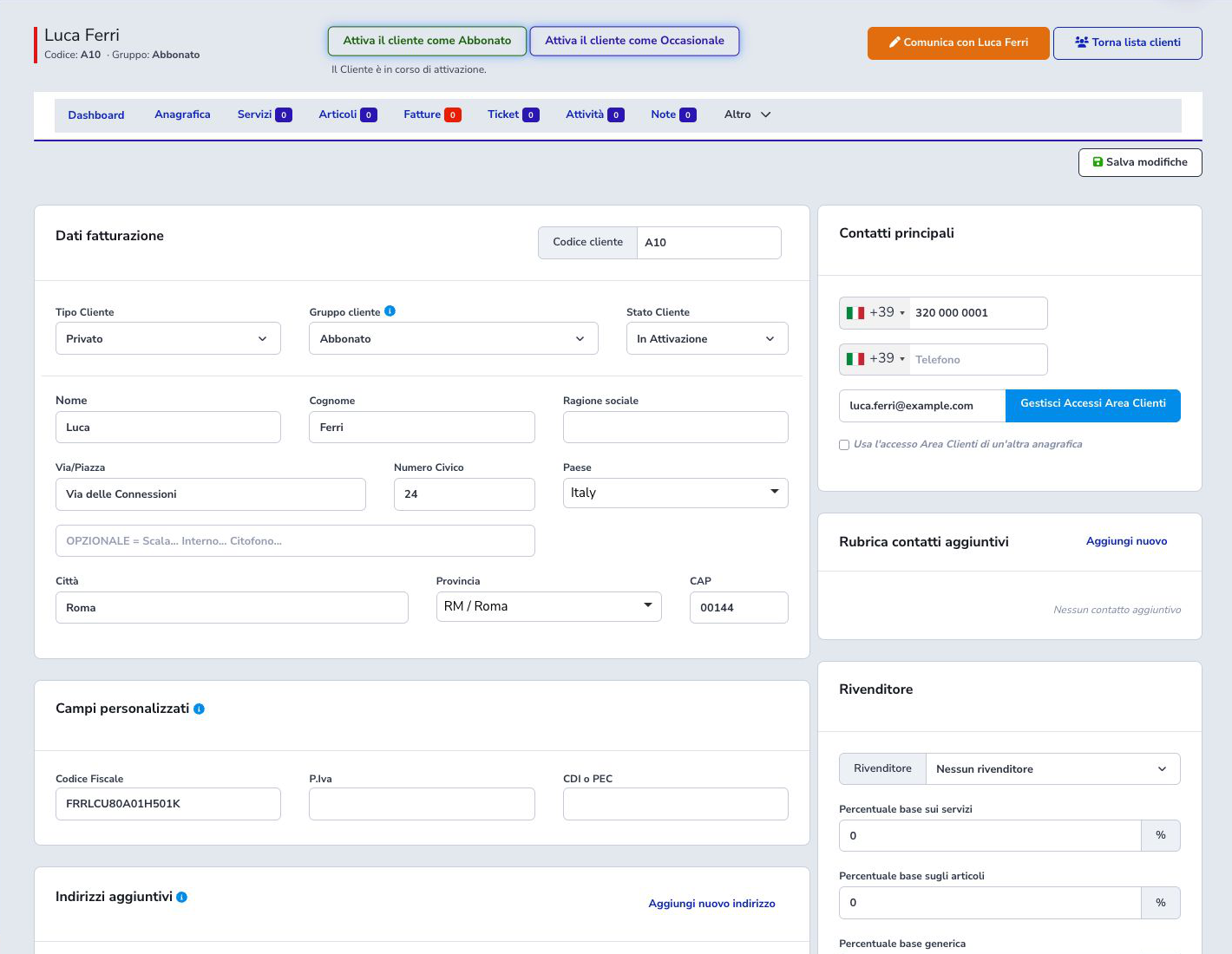
The customer record combines administrative data, contacts, access, and relationships. Each service keeps its status, cycle, price, payment, address, and technical prerequisites in the same workflow.
- Central customer record
- Services and billing rules
- Separate commercial and technical states
 Enlarge screen
 Enlarge screen
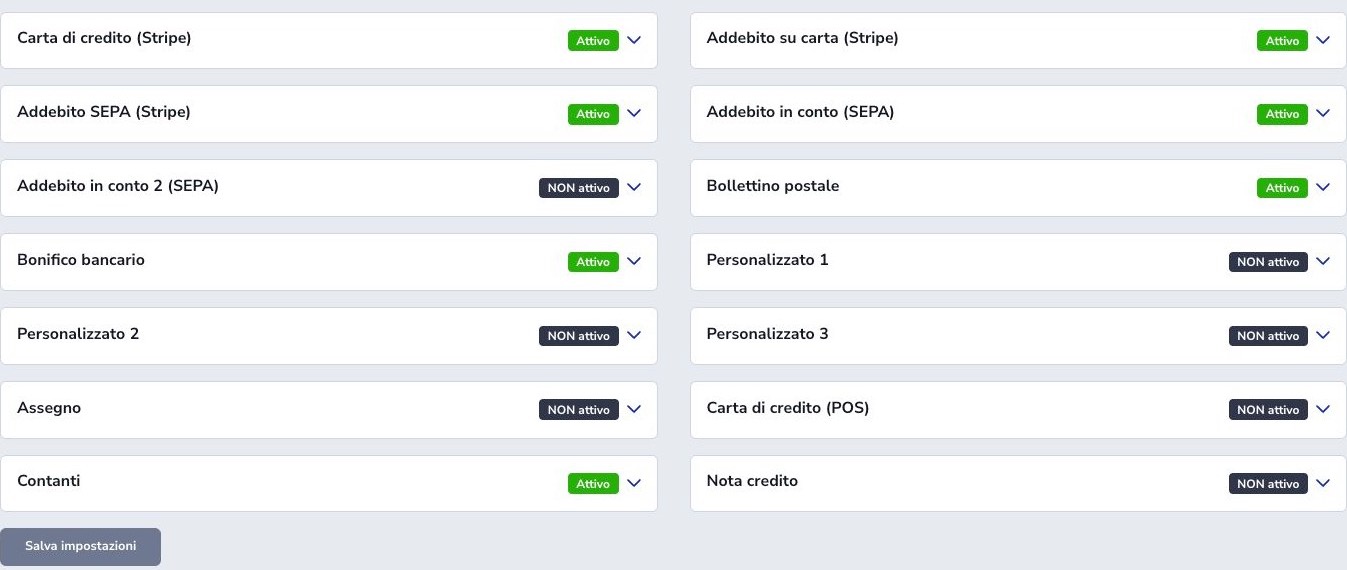
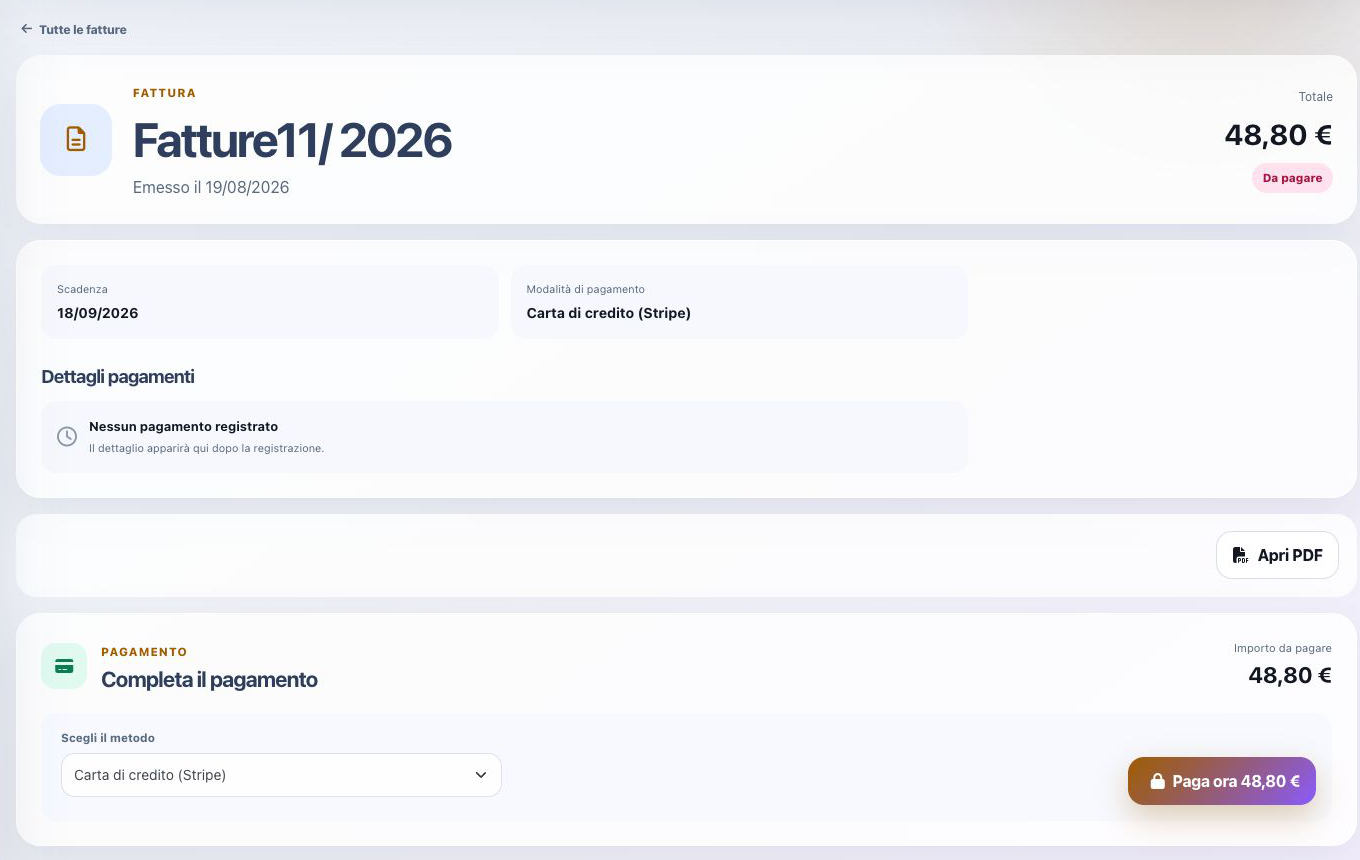
Invoices and payments become a controlled process.
Documents, due dates, and payment methods remain connected to customers and services. Different gateways can support the required workflow, while the Customer Area guides users through payment.
- Configurable gateways
- Stripe and SEPA payments
- Document and due-date control
 Enlarge screen
 Enlarge screen
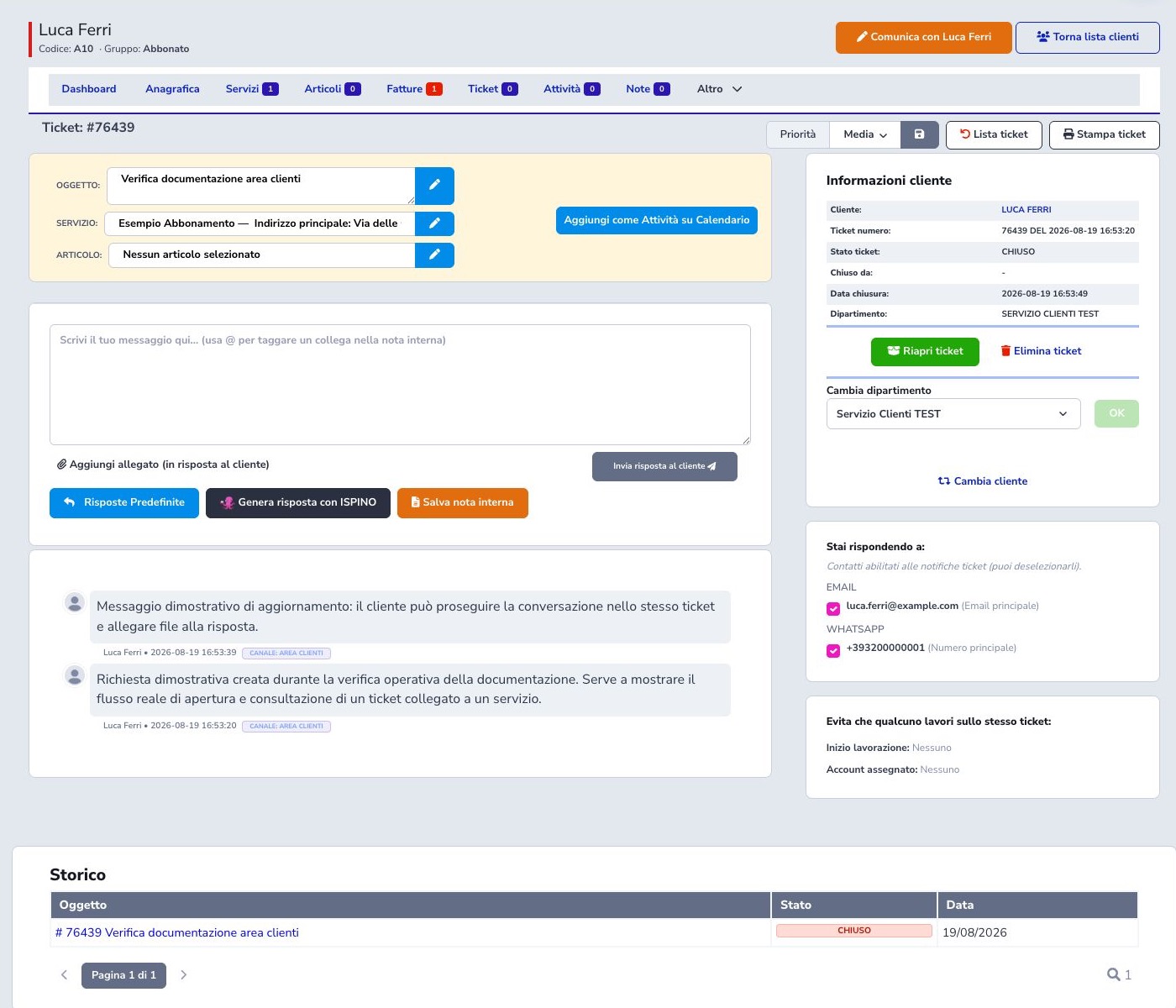
Every conversation stays connected to the work.
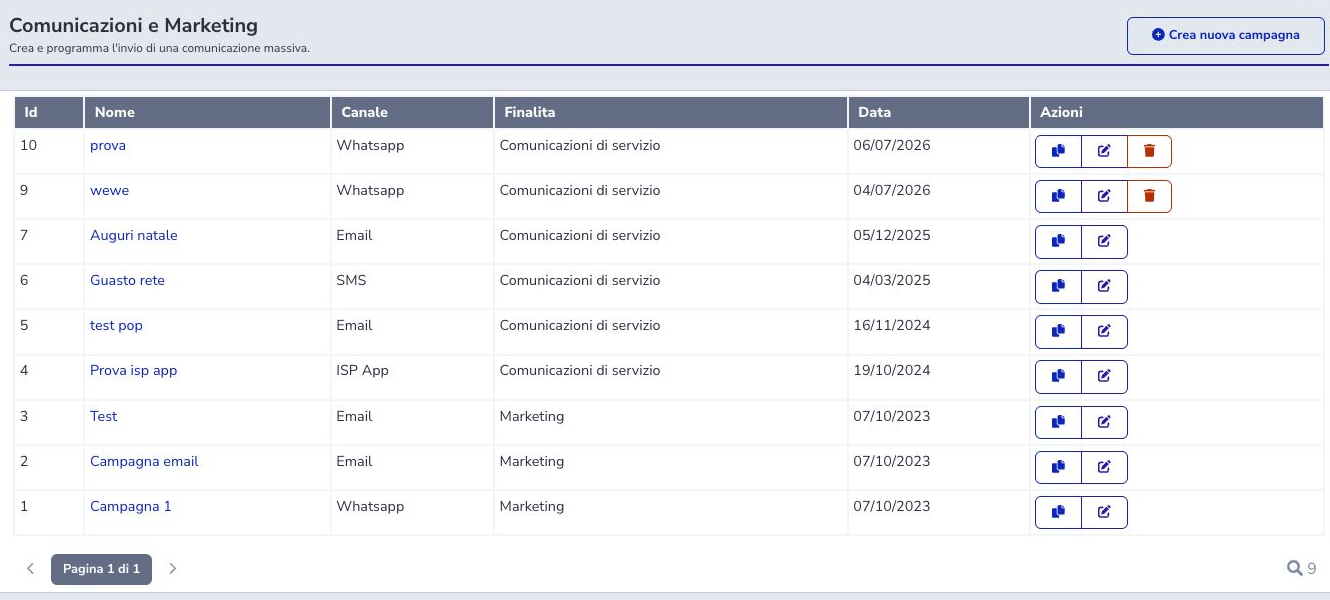
Tickets, campaigns, and messages do not live in separate archives. Teams can follow requests, replies, priority, and history, then communicate by email, SMS, WhatsApp, or ISP APP notifications.
- Tickets with state and history
- Multichannel communication
- Campaign filters and scheduling
 Enlarge screen
 Enlarge screen
Technical operations truly enter the management platform.
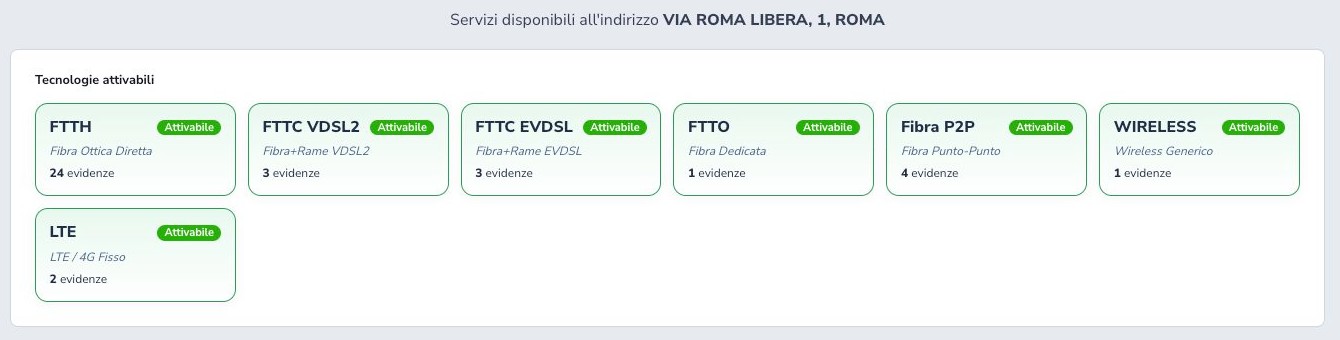
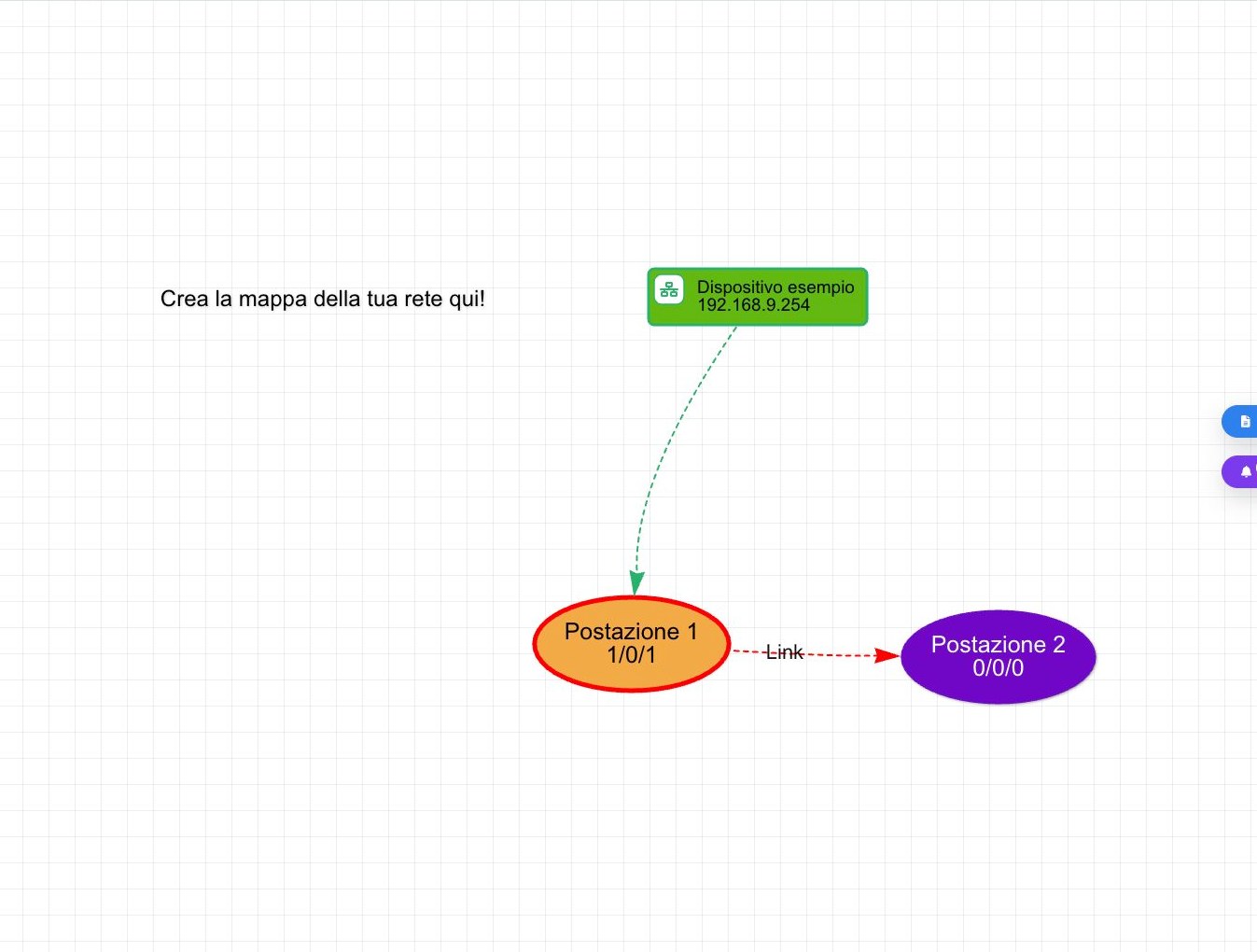
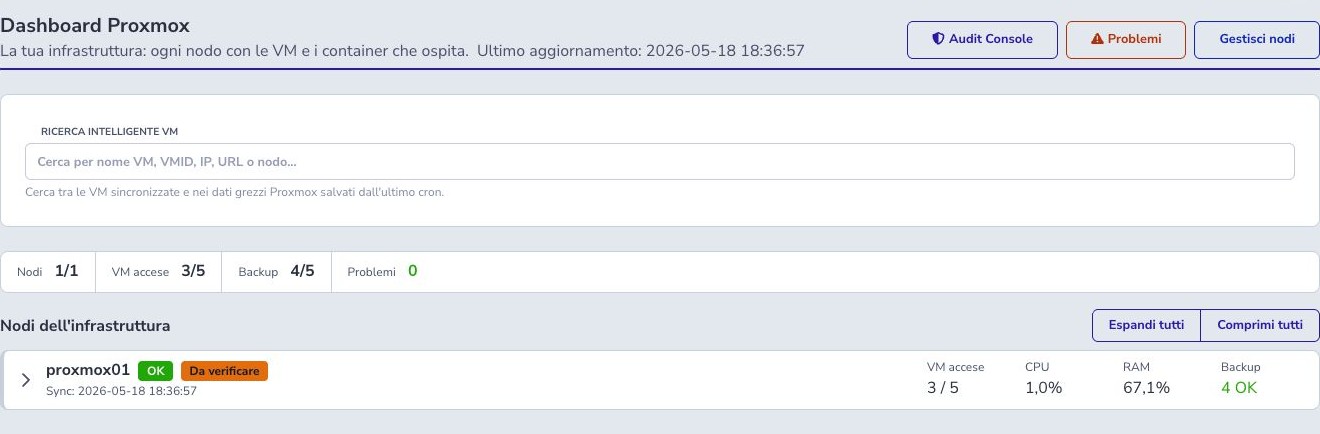
Coverage, devices, maps, and network integrations let sales and technical teams work from the same information. Operating state can be checked without separating a customer from the infrastructure delivering the service.
- Coverage checks and analysis
- Device maps and monitoring
- Network-platform integrations
 Enlarge screen
 Enlarge screen
 Enlarge screen
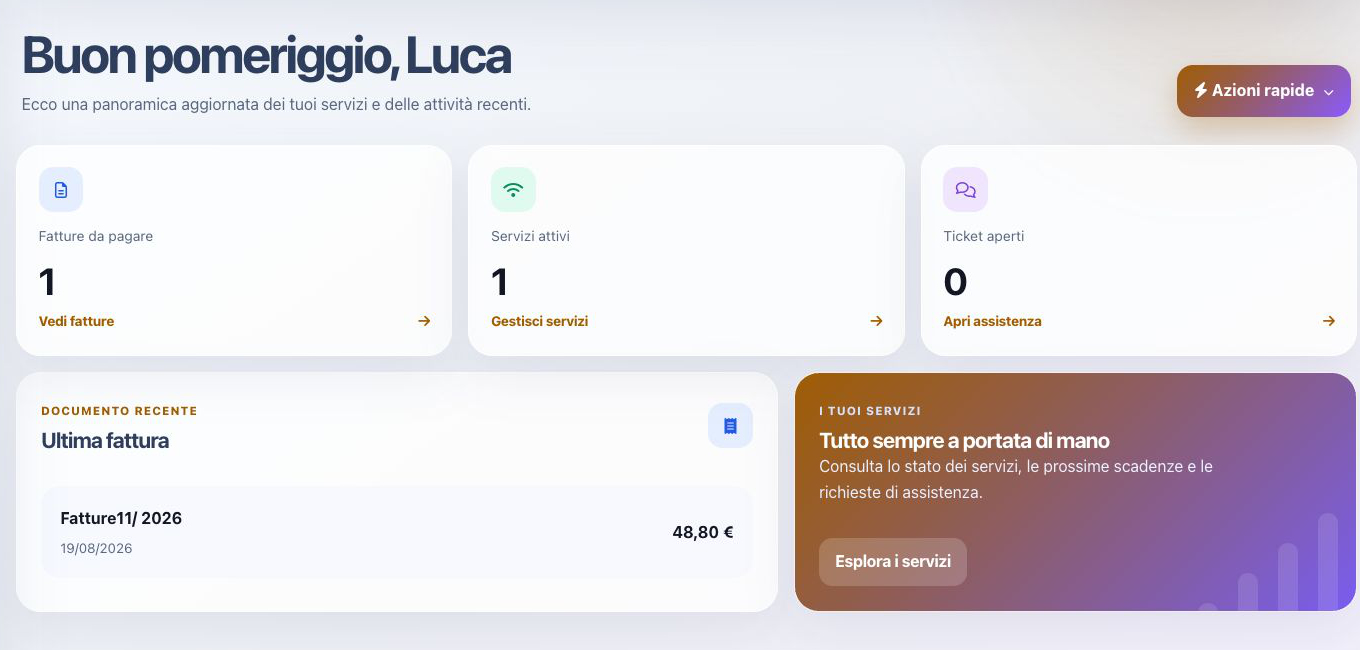
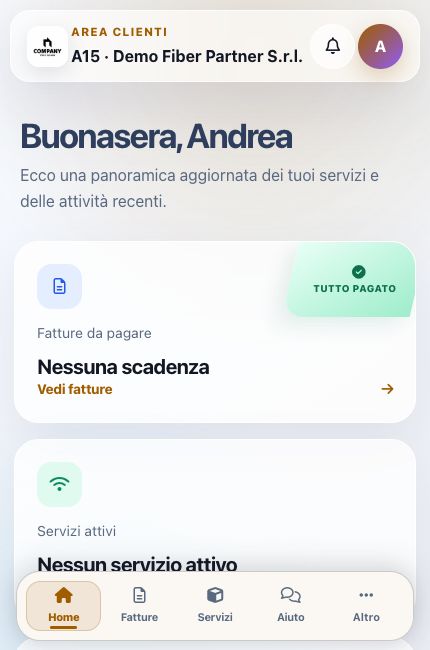
Customers find services and support wherever they are.
Customer Area and ISP APP provide documents, payments, services, quotes, notifications, and tickets in an experience aligned with the operator’s brand and CRM permissions.
- Customizable reserved area
- Self-service payments and documents
- ISP APP for customers and operators
 Enlarge screen
 Enlarge screen
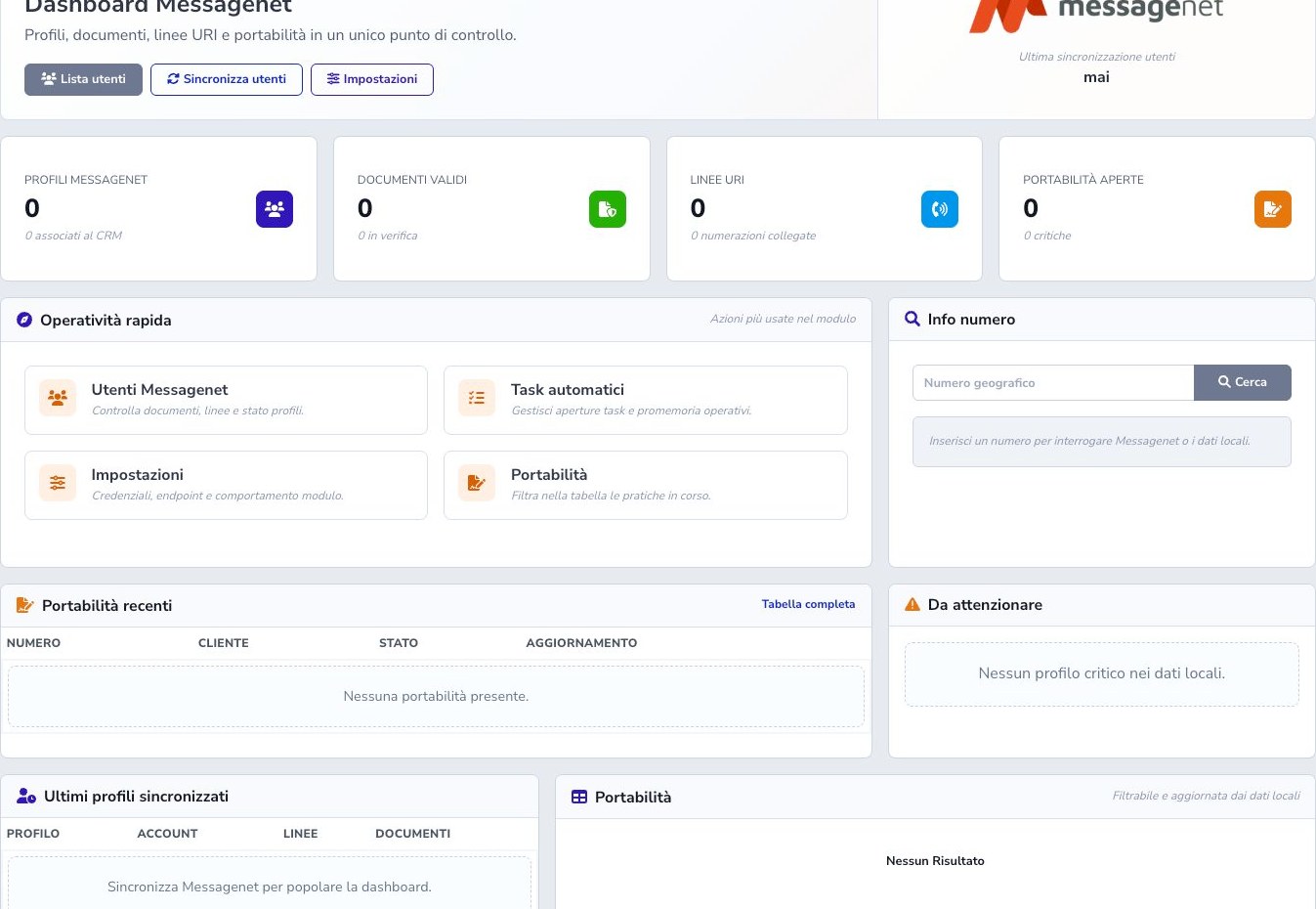
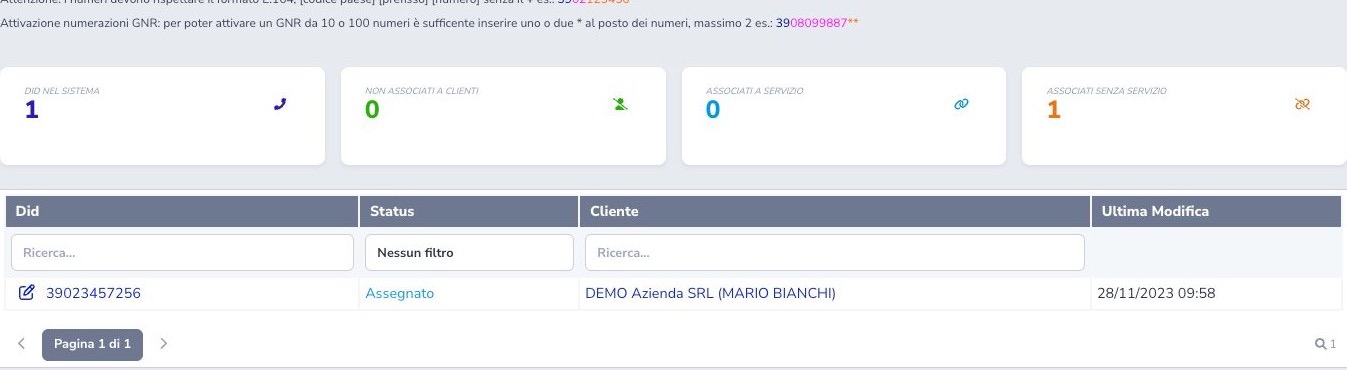
Providers become part of the workflow, not another panel to open.
Integrations place profiles, lines, numbers, orders, devices, and states where operators need them. The operator keeps working on the customer while the system communicates with specialist platforms.
- VoIP and phone numbers
- MessageNet and portability
- UISP, Radius, and vertical providers
 Enlarge screen
 Enlarge screen
Would you like to see the system working with your own use case?
Request a demonstration and walk through the processes that currently occupy your team.